iPad mini 7th Gen Keyboard Case
4.2Editor score
Detachable Bluetooth keyboard included
Seven color backlight options
Slim protective folio cover
Finding the right accessory for your tablet can transform it into a productive workstation. An iPad Mini Folio Case with Keyboard offers a convenient all-in-one solution that protects your device while enabling efficient typing for work or study tasks.
We have carefully evaluated ten leading models available in the current market to help you make an informed decision. Our analysis focuses on build quality, compatibility with specific iPad Mini generations, and the overall user experience provided by each case and keyboard combination.
Each selection in this list highlights specific strengths and potential trade-offs to suit different user needs. Please note that product availability and pricing can change frequently, so always verify the latest details before making your final purchase decision online.
4.2Editor score

4.6Editor score

4.3Editor score
As an Amazon Associate we earn from qualifying purchases.
The following table provides a side-by-side overview of the ten most notable keyboard cases reviewed in this guide. Compare key specifications and features at a glance to find the model that best fits your workflow and portability needs.


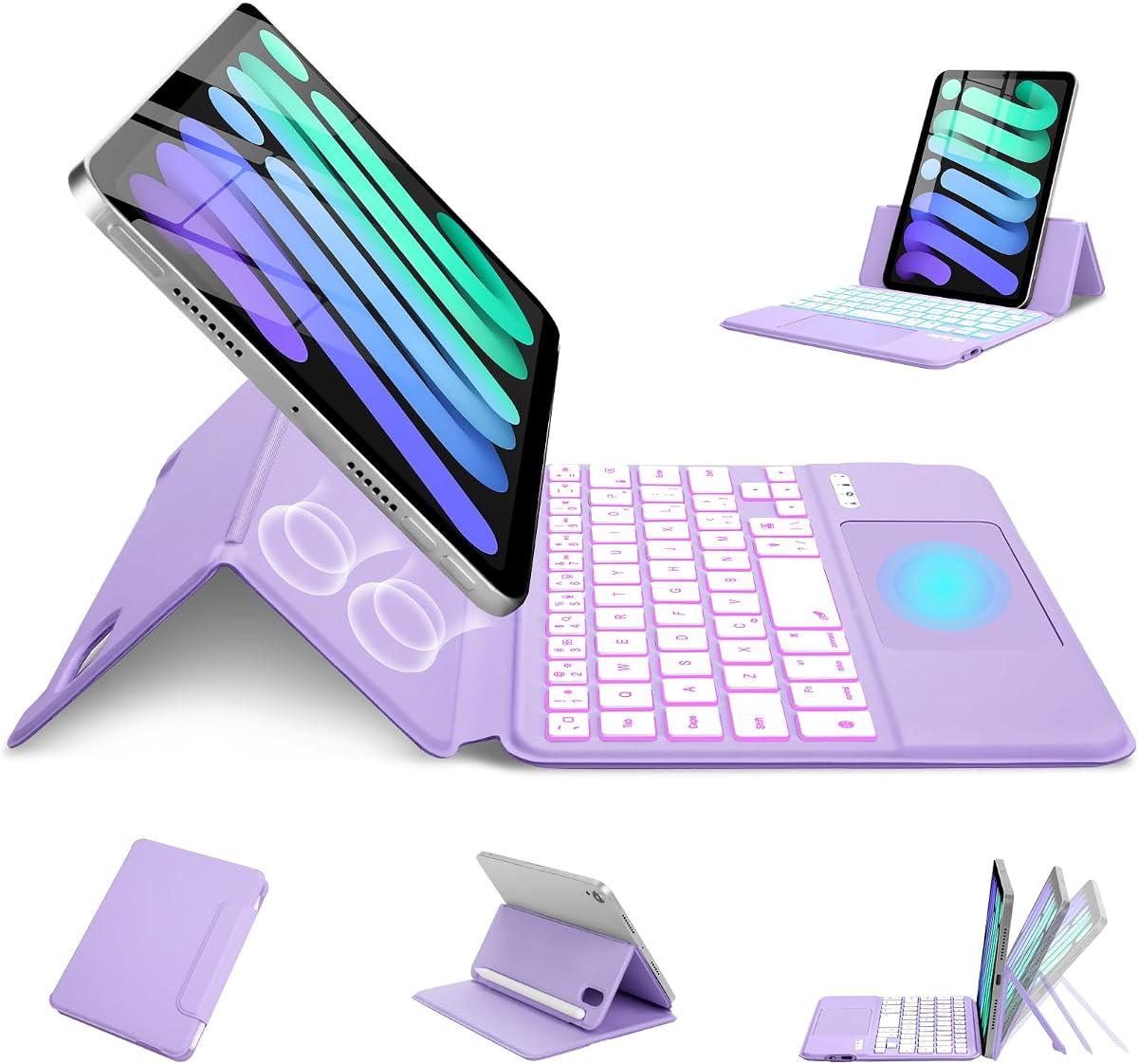
The Magic-Style Keyboard Case stands out as the Editor's Choice due to its exceptional balance of performance and portability. It receives high marks for transforming your tablet into a functional laptop alternative with minimal added bulk.
We may earn a commission when you buy through this link, at no additional cost to you.
This case features a highly responsive multi-touch trackpad that supports gestures like tapping and swiping for efficient navigation. The detachable back cover is remarkably thin and light, ensuring you can easily switch between typing and handheld usage without feeling weighed down.
While it offers premium features, the compact key layout might take some adjustment for users accustomed to full-size keyboards. However, the inclusion of a breathing backlight mode and strong magnetic connection makes these minor compromises well worth the trade-off for productivity.
If you prioritize a seamless laptop-like experience on your iPad Mini, this case is the top recommendation. It is ideal for professionals and students who need reliability and versatile viewing angles during long work sessions.
The smart trackpad enables precise cursor control and multi-finger gestures, enhancing navigation speed and efficiency.
Weighing only 70 grams, the detachable case protects your device without adding significant weight to your bag.
We may earn a commission when you buy through this link, at no additional cost to you.
The Dexnor Keyboard Case earns the Best Premium designation for its robust construction and advanced features designed for serious productivity. It aims to deliver a full laptop experience with a durable aluminum alloy hinge and long-lasting battery life.
We may earn a commission when you buy through this link, at no additional cost to you.
Its standout feature is the floating cantilever stand that provides customizable angles for typing and viewing. The high-precision trackpad supports multi-finger gestures, allowing you to scroll and switch apps without touching the screen, which speeds up your workflow significantly.
Users should note that the keys are quite small at 1.3 centimeters, which might feel cramped for extended typing sessions. However, the scissor-switch design ensures quiet operation and the included pencil holder keeps your stylus secure during use.
This case is perfect for those who need a premium build quality and maximum battery endurance. It is highly recommended for business professionals who require a reliable and feature-rich accessory for their iPad Mini 7.
The floating stand offers ergonomic comfort by tilting the screen slightly for better viewing and typing angles.
With up to 150 hours of working time, the rechargeable keyboard ensures you can work for days without recharging.
We may earn a commission when you buy through this link, at no additional cost to you.
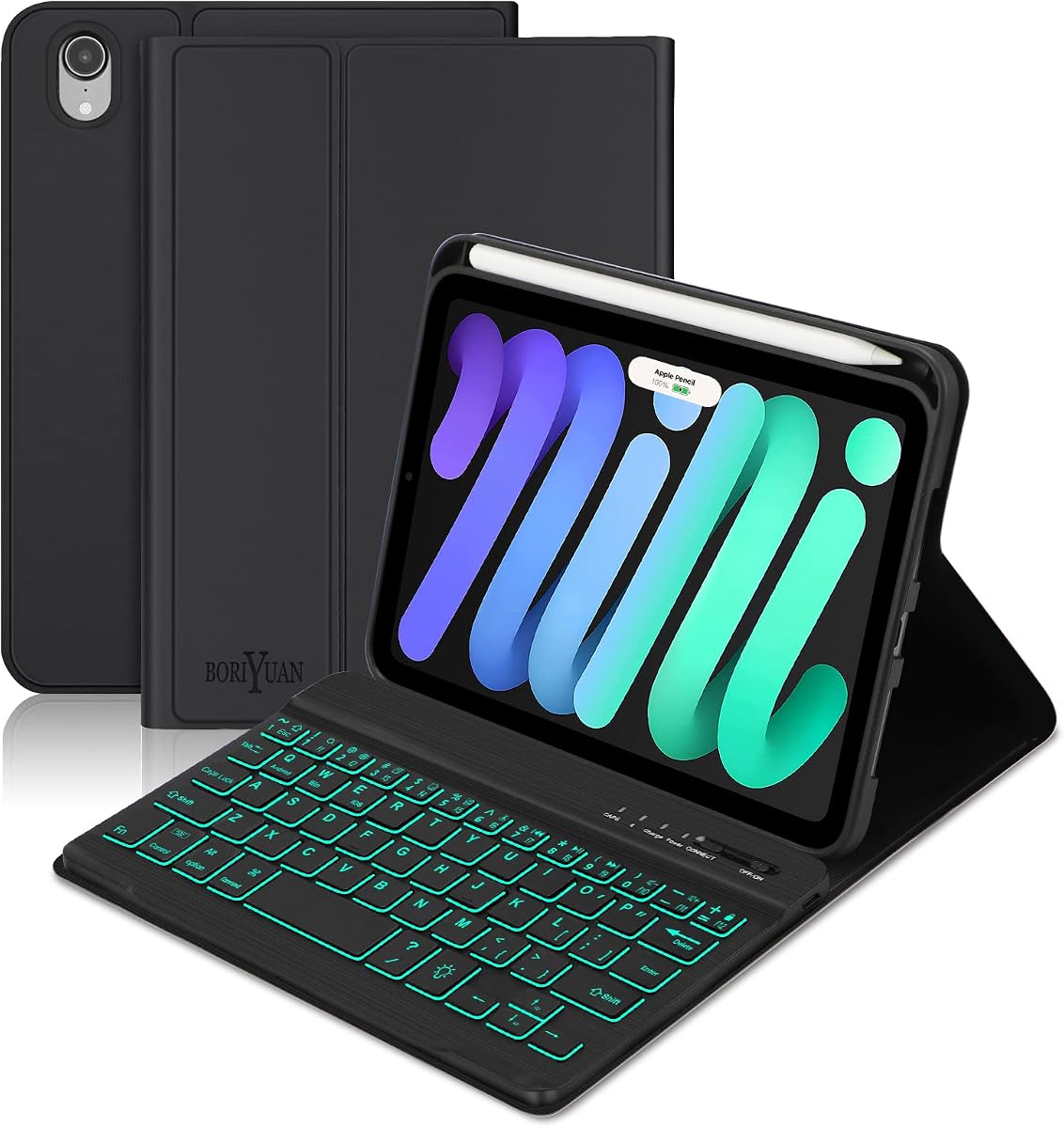
This keyboard case by Boriyuan is a top choice for budget-conscious buyers who still want essential features like a detachable keyboard and backlighting. It offers solid protection and connectivity without breaking the bank for iPad Mini users.
We may earn a commission when you buy through this link, at no additional cost to you.
The keyboard is magnetically detachable, allowing you to use it as a stand or carry it separately for typing. It includes a large 420mAh battery that supports over 200 hours of use, making it a cost-effective solution for daily tasks.
While the charging cable is Micro USB which is older than modern Type-C, the overall value remains high. The case provides full protection against bumps and has a built-in holder for your Apple Pencil.
For students or casual users looking for an affordable way to type on their iPad, this case delivers excellent value. It covers all the basics effectively and is a great entry-level option for the product category.
You can detach the keyboard easily to use the tablet freely or save weight when carrying it in your bag.
The inner soft shell protects the device from scratches and drops while the outer case adds durability.
We may earn a commission when you buy through this link, at no additional cost to you.
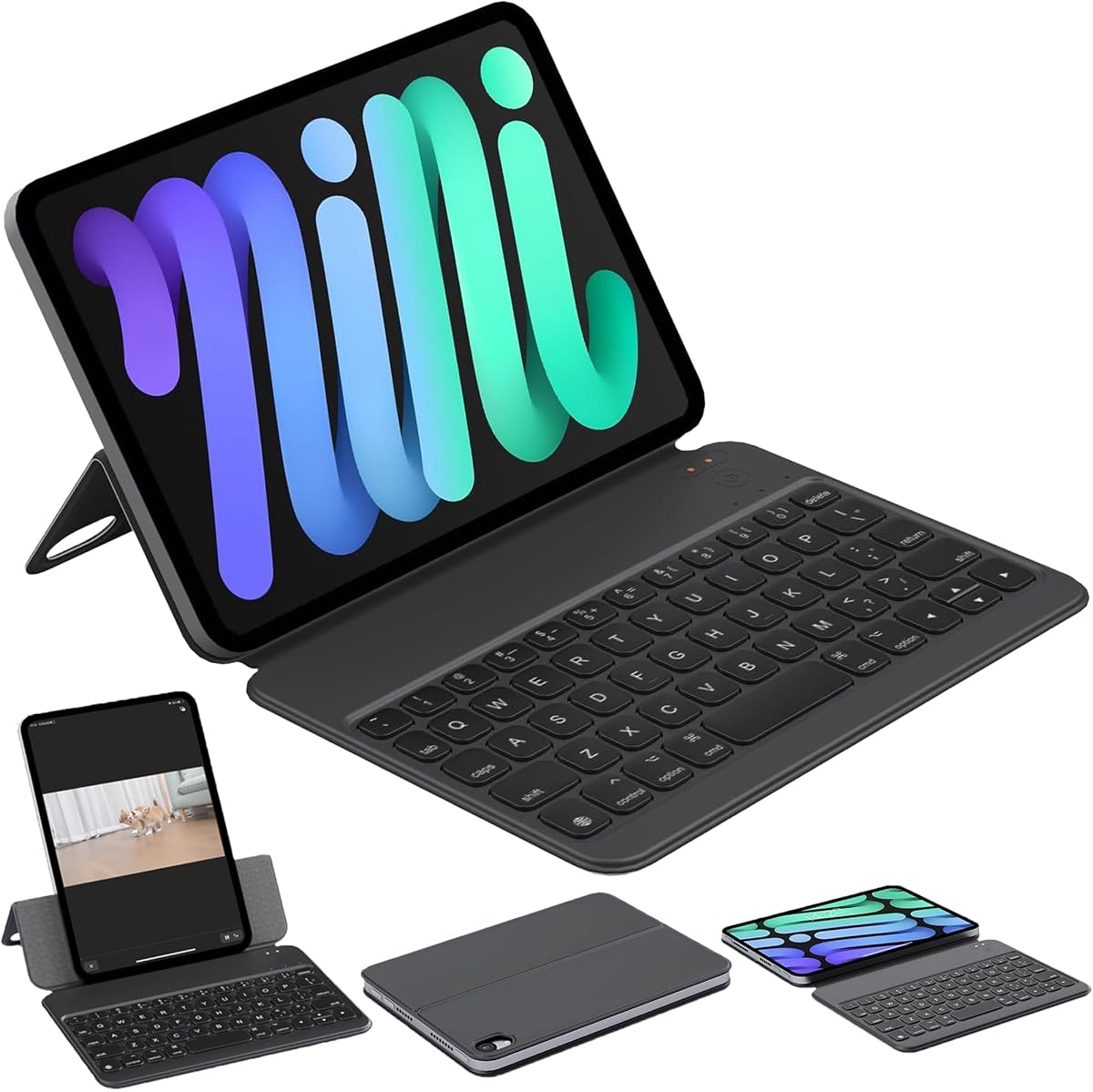
ZAGG is known for reliable accessories, and this Slim Book mini case continues that reputation with a laptop-style function. It is designed for users who want to type comfortably at a distance using the detachable Bluetooth keyboard.
We may earn a commission when you buy through this link, at no additional cost to you.
The keyboard is ergonomically designed for a smooth typing experience that reduces strain during long writing sessions. The magnetic hinge holds the iPad securely at multiple angles, giving you the freedom to work or stream comfortably anywhere.
The lack of a trackpad means you must use the screen for navigation, which might be less efficient for some users. However, the build quality is sturdy and it offers sleek protection for your device against bumps and scratches.
This case is a solid choice if you prefer a known brand and need the keyboard to detach for flexibility. It is ideal for professionals who want a clean look and a reliable typing experience on their iPad.
Use the keyboard separately for typing while viewing the screen elsewhere for a flexible workspace setup.
The durable case shields your device from daily wear while maintaining a sleek and professional appearance.
We may earn a commission when you buy through this link, at no additional cost to you.
The typecase Keyboard Case is distinguished by its 360 degree rotating hinge that allows for seven different viewing modes. This flexibility makes it suitable for various tasks from typing to watching movies or presenting content.
We may earn a commission when you buy through this link, at no additional cost to you.
Its multi-touch trackpad supports scrolling and cursor control, which adds significant convenience for navigating apps without touching the screen. The backlight offers 11 colors and three brightness levels, letting you personalize your setup for different environments.
The hinge is tested for 20,000 cycles, ensuring it remains stable over time despite the complex rotating mechanism. However, the added mechanical parts might make the case slightly thicker than simpler models on the market.
This case is ideal for users who need to switch between different orientations frequently. It provides excellent protection and functionality, making it a great choice for students and travelers who want versatility in one package.
Rotate the screen to any angle to work in typing mode or hold it horizontally for immersive media viewing.
Choose from a wide range of colors and brightness levels to match your mood or improve visibility in low light.
We may earn a commission when you buy through this link, at no additional cost to you.
The GreenLaw case provides a free rotation hinge that ensures a secure grip and comfortable typing experience in multiple positions. It is designed for users who value flexibility and want to use their iPad in any orientation easily.
We may earn a commission when you buy through this link, at no additional cost to you.
Its multi-gesture trackpad allows you to control your device with swipes and scrolls for a smooth workflow. The keyboard includes a USB-C interface for charging, which aligns with modern cables, though the cable itself is not included in the box.
You can switch between seven colors for the backlight to make your device look stylish or improve typing in dim environments. The automatic sleep function helps save battery life when you are not actively using the keyboard.
This case is a strong option for those who want a stylish and functional accessory with good battery performance. It works well for both work and leisure, offering a reliable notebook experience on your iPad Mini.
The 360 degree hinge allows maximum freedom to adjust the screen for any task or viewing preference.
Navigate efficiently with multi-finger gestures that support complex workflows and fast app switching.
We may earn a commission when you buy through this link, at no additional cost to you.
The Ultra Magic case uses high-quality anti-yellowing fabric to keep the keyboard clean and fresh over time. It is engineered to prevent the keyboard from tipping backward by shifting the center of gravity forward for stability.
We may earn a commission when you buy through this link, at no additional cost to you.
With a flexible hinge that allows adjustment up to 130 degrees, you can find a comfortable viewing angle for work or entertainment. The trackpad supports gestures for seamless navigation, and the keyboard offers 11 backlight colors to match your style.
While the rating is lower than some competitors, the material choice and design improvements make it a unique option. It may not be the most robust in terms of reviews, but the fabric helps repel stains and daily wear.
This case is a good pick for users who prioritize material quality and want to avoid plastic yellowing. It offers solid features and stability, making it a practical choice for daily use on your iPad.
The fabric material repels dirt and stains and maintains a clean look without yellowing over time.
The upgraded hinge prevents backward tipping and ensures stable typing on most surfaces.
We may earn a commission when you buy through this link, at no additional cost to you.
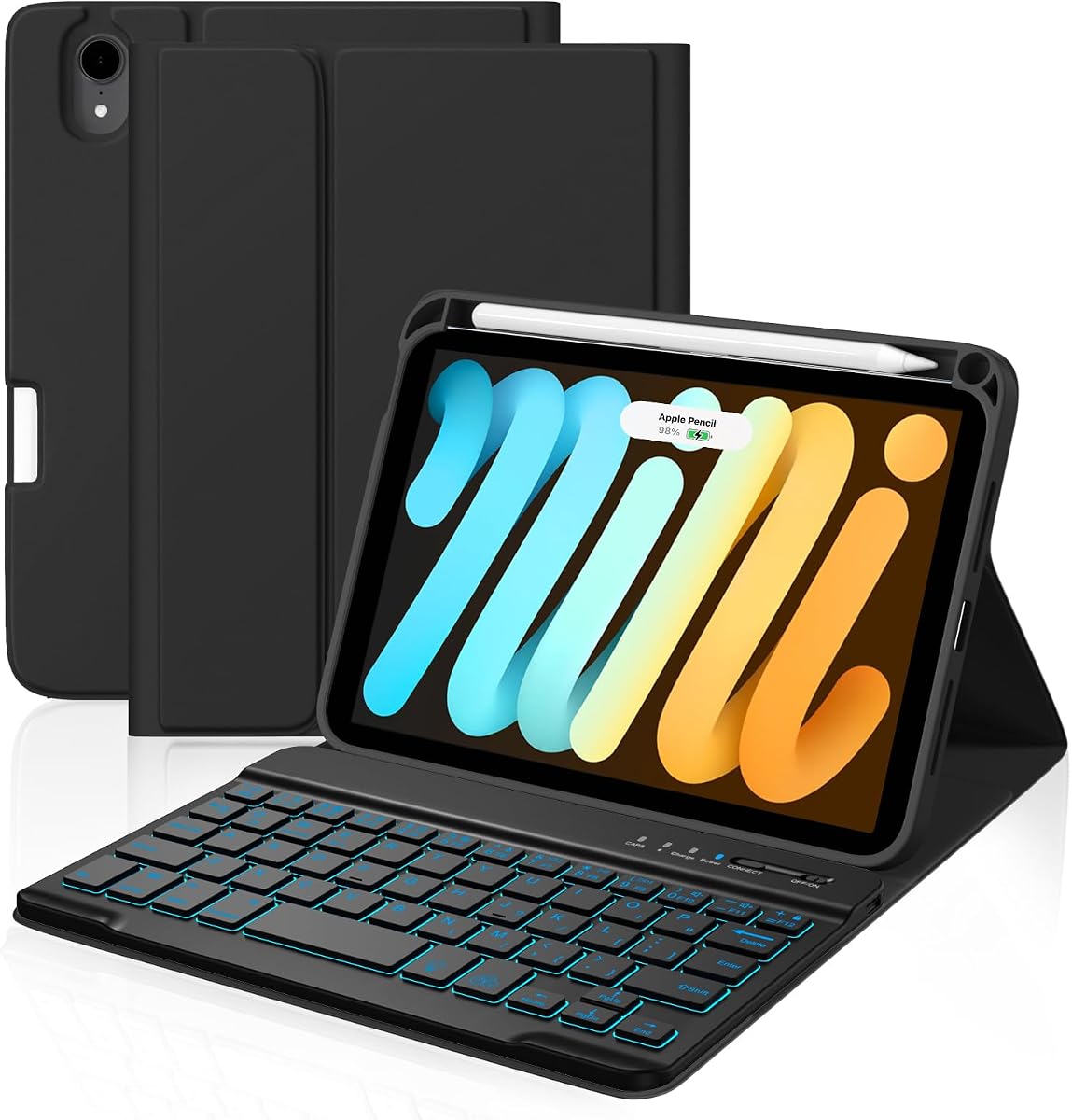
This case features a high-capacity rechargeable battery that provides between 40 and 80 hours of continuous use on a single charge. It is designed to minimize charging interruptions and support heavy use for work and play.
We may earn a commission when you buy through this link, at no additional cost to you.
The detachable keyboard allows you to use the device as a stand or separate the keyboard for portability. It includes a stain-resistant protective case that keeps your device safe from spills and scratches while maintaining functionality.
Users can enjoy a 7-color backlight to personalize their typing experience or see clearly in low-light conditions. The built-in pencil holder ensures your stylus is always within reach when you need to take notes or draw.
This model is highly recommended for users who need a long-lasting battery and reliable protection. It offers a solid balance of features and performance that suits a wide range of daily tasks on the iPad.
Enjoy up to 80 hours of use per charge so you can work longer without worrying about running out of power.
Remove the keyboard magnetically for a lighter setup or keep it attached for a complete typing solution.
We may earn a commission when you buy through this link, at no additional cost to you.
The MePadKey case stands out for its scissor mechanism that ensures smooth and responsive typing with each keystroke. It is designed to be ultra-thin and light, making it easy to carry with one hand during travel.
We may earn a commission when you buy through this link, at no additional cost to you.
It supports multi-touch gestures on the smart trackpad, allowing you to switch pages or browse files efficiently. The strong magnetic suction stabilizes the tablet horizontally or vertically, giving you the option to switch between work and entertainment easily.
While there is no pencil holder included, the slim design saves space and the keyboard is easy to charge with Type-C. You may need to enable tap to click in the settings to get the most out of the trackpad functionality.
This case is a great fit for users who prioritize typing feel and portability. It offers a lightweight yet functional solution that makes your iPad Mini more versatile for everyday use.
The scissor mechanism delivers responsive and smooth keystrokes for a comfortable typing experience.
The magnetic mount allows you to use the tablet in either horizontal or vertical positions for different needs.
We may earn a commission when you buy through this link, at no additional cost to you.
The HOU Keyboard Case is one of the lightest options available, weighing only 240 grams with a slim 8mm thickness. It is designed for users who want a portable and comfortable companion for their iPad Mini without extra bulk.
We may earn a commission when you buy through this link, at no additional cost to you.
It features a high-precision infinitely adjustable shaft that provides stable support without looseness. The gravity-sensing technology locks the keyboard automatically in reading or entertainment modes to prevent accidental touches while you interact with the screen.
While it lacks a trackpad, the strong magnetic function ensures the iPad attaches securely without falling off during use. The case includes enough magnets to maintain a stable connection which is vital for a smooth typing experience.
This case is a good choice for those who value lightweight portability and adjustable angles. It is suitable for travelers and casual users who need a reliable cover and keyboard setup for their iPad Mini.
Weighing just 240 grams, this case adds minimal weight and bulk for maximum portability.
Gravity-sensing technology automatically locks the keyboard in certain modes to avoid accidental touch.
We may earn a commission when you buy through this link, at no additional cost to you.
Selecting the right keyboard case involves evaluating several key factors to ensure compatibility and usability. This guide breaks down the essential aspects you should consider before making your purchase.
Always check your iPad Mini model number in Settings to ensure the case supports your specific device. Most modern cases support the 6th and 7th generation 8.3-inch models but may not fit older versions.
Verify the model number listed in the product description to avoid purchasing an incompatible accessory.
A trackpad allows for multi-finger gestures and cursor control which significantly improves navigation efficiency. Look for models that explicitly mention multi-touch support if you want a laptop-like experience.
If you prefer touch navigation, a simpler keyboard case without a trackpad might suffice and cost less.
The materials used affect durability and protection against bumps and scratches. High-quality cases use sturdy plastics or fabrics that can withstand daily wear and tear over time.
Durable construction ensures your iPad remains safe and the hinge remains functional for years of use.
Long battery life on the keyboard reduces the need for frequent charging and keeps you productive during travel. Check the advertised hours of working time and standby duration before buying.
Models with higher capacity batteries are better for users who need continuous use without interruptions.
Backlit keys help you type in low-light environments and can be customized to match your personal style. Look for models with adjustable brightness levels and multiple color options if this is important to you.
A good backlight feature enhances usability and visual appeal especially when working in dim settings.
Consider the weight and thickness of the case as it adds to the total load you carry daily. Slimmer designs are easier to slip into bags and less tiring to hold for long periods.
Prioritize lightweight cases if you often travel or carry your iPad for extended periods in your day.
Adjustable hinges allow you to find the most comfortable position for typing or watching media. Multiple angles help reduce strain on your neck and wrists during different tasks.
Look for models with flexible hinges that offer stable support at various heights and inclines.
The size and spacing of the keys affect typing comfort especially for long writing sessions. Some cases use compact keys for portability which may require an adjustment period for some users.
Ensure the key layout feels natural to you by reviewing user feedback or product images before buying.
To set up your keyboard case, attach the iPad to the magnetic or hinge mount securely ensuring it aligns with the cutouts. Then enable Bluetooth in your iPad settings and connect the keyboard by following the on-screen pairing instructions.
Clean the case regularly using a soft dry cloth to remove dust and dirt that could scratch the surface. Avoid using harsh chemicals or wet wipes on the keys and trackpad to prevent damage to the internal components.
If the keyboard is detachable, separate it when not in use to reduce wear on the magnetic points. Store the case in a cool dry place away from direct sunlight to maintain the material quality and color over time.
Most cases in this guide are designed specifically for the iPad Mini 6th and 7th generation 8.3-inch models. They may not fit older 7.9-inch or larger 10.2-inch models so always verify the compatibility details listed in the product description before purchasing.
Many of the reviewed cases include a built-in Pencil holder slot or magnetic attachment point for the Apple Pencil. This allows you to store and charge your stylus without removing the case from your iPad for added convenience.
Battery life varies by model but typically ranges from 40 to 150 hours of active use on a single charge. Some models offer extended standby times which can last over 1000 hours when the keyboard is not in use.
Most of the keyboards featured in this guide include backlighting options with multiple color choices and brightness levels. This feature helps you type in low-light conditions and customize the look of your device.
Some models feature a detachable Bluetooth keyboard that you can remove for flexible use. This allows you to use the iPad freely as a tablet or place the keyboard at a distance for more typing comfort.
Yes, many models with trackpads support multi-finger gestures such as scrolling swiping and app switching. This enhances navigation and makes the iPad experience more similar to using a laptop computer.
We have reviewed ten top options ranging from budget-friendly picks to premium models with advanced features. Each case offers unique benefits such as long battery life or versatile viewing angles to suit different user needs.
Prioritize factors like compatibility and trackpad support when making your decision to ensure the case meets your workflow demands. Choosing a well-built case can significantly enhance the usability and longevity of your iPad Mini device.
Remember to check the current availability and pricing on the official product links before finalizing your purchase. Prices may change and some models may have limited stock so acting quickly can help you secure the best deal.