
PS to HDMI Converter for PS1 / PS2
4.3Editor score
S-Video based conversion
Includes power cable
No driver required
This guide compares the top HDMI adapters for PS1 consoles, evaluating signal quality, ease of use, and compatibility to help you choose the best option.
Finding the right HDMI adapter for your PS1 can transform how you experience classic games. Modern displays require digital signals, but older consoles output analog video. A quality adapter bridges this gap seamlessly.
We reviewed ten leading adapters to see which ones deliver reliable performance. Our comparison focuses on signal clarity, setup simplicity, and build quality. Each product offers unique features for different gaming setups.
Each pick highlights key strengths and potential limitations for buyers. Prices and availability change frequently so check current listings before purchasing. These guides help you make an informed decision for your console.
4.3Editor score

4.6Editor score

4.2Editor score
This side-by-side comparison shows how each adapter handles video signals and connectivity. We evaluated input types, output resolutions, and included accessories to find the most versatile options.

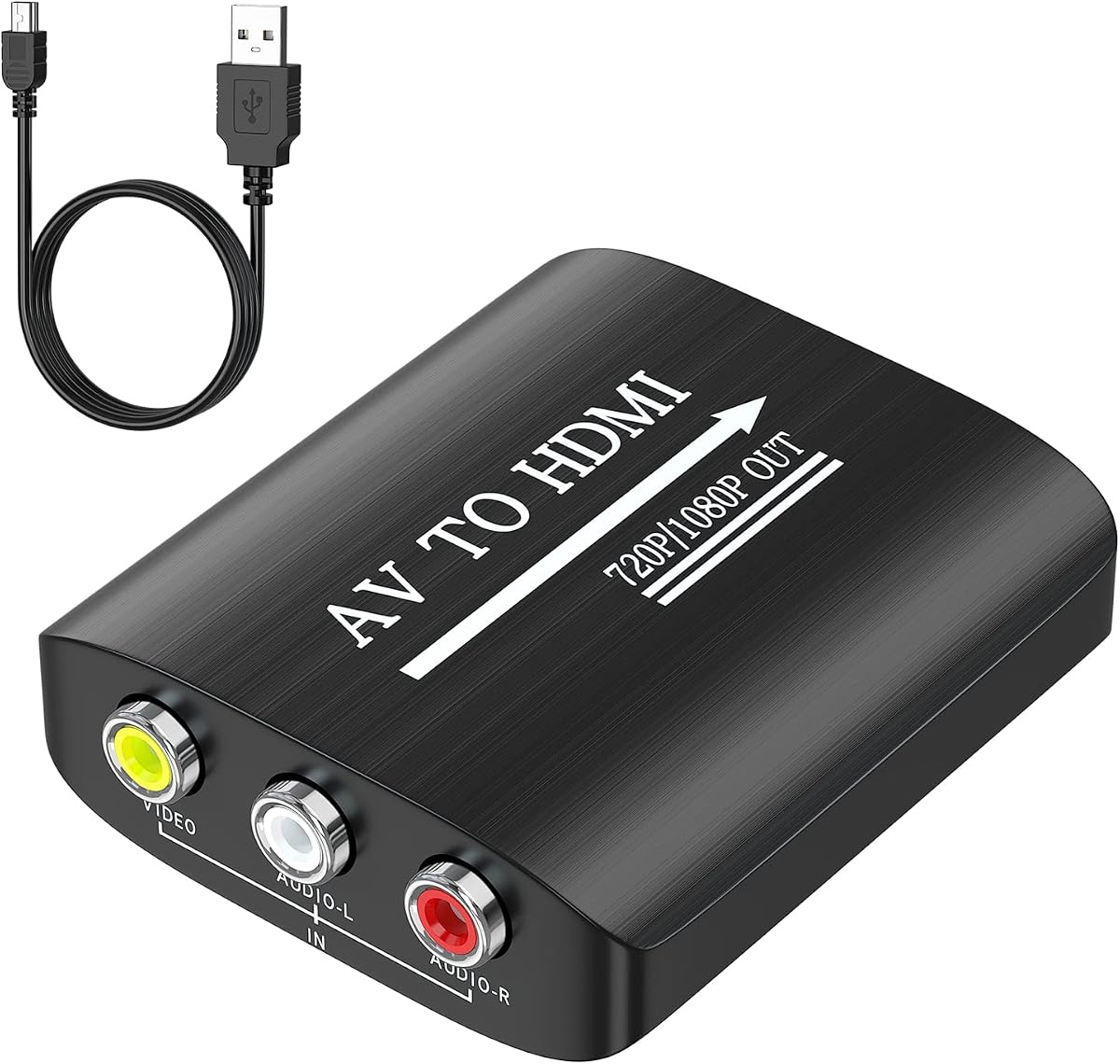


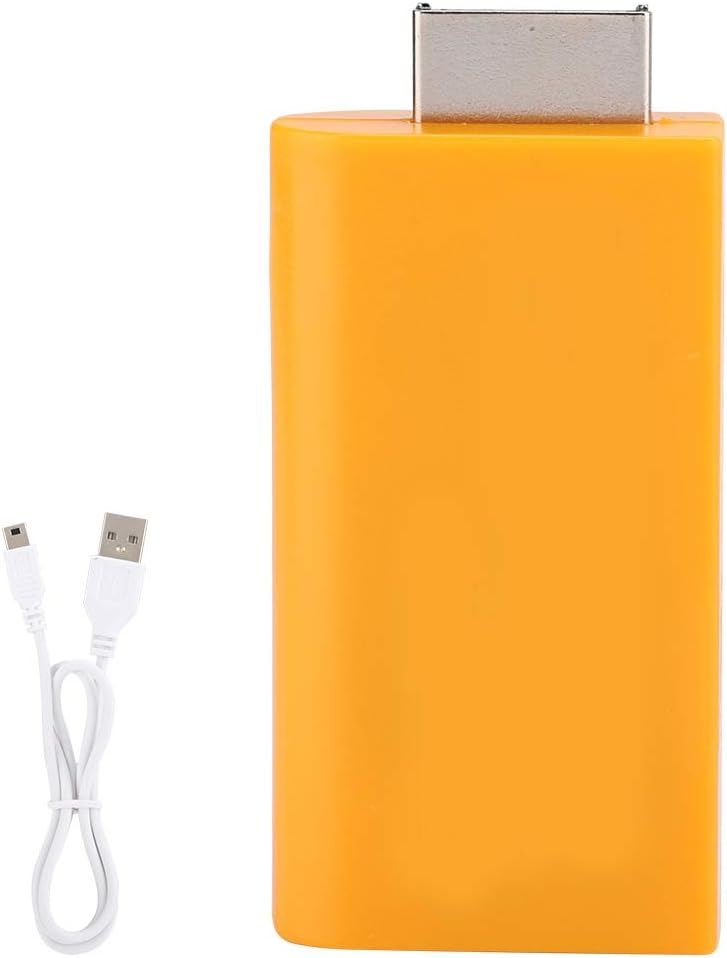

This adapter delivers exceptional signal processing for PS1 and PS2 consoles. It converts analog signals to digital HDMI with high precision and color accuracy. Users report clear visuals without noticeable lag during gameplay.
We may earn a commission when you buy through this link, at no additional cost to you.
The built-in aspect ratio switch allows toggling between 4:3 and 16:9 modes instantly. This flexibility makes it suitable for various modern displays and retro setups. The detachable HDMI port lets you use extended cables easily.
While it performs well, users should note it requires a stable power source for best results. The price reflects premium features compared to basic converters. Overall reliability makes it a top choice for enthusiasts.
Gamers seeking quality visuals without complex setups will appreciate this adapter. It balances performance and ease of use effectively. For dedicated retro gaming fans, this remains the recommended option.
Advanced processing ensures colors and details are preserved accurately across displays.
Detachable ports allow using longer HDMI cables for distant TV placements.
We may earn a commission when you buy through this link, at no additional cost to you.
This converter uses S-Video signals for a cleaner path than standard composite. It supports PS1 and PS2 consoles for modern HDMI displays. Included cables simplify setup for immediate gaming sessions.
We may earn a commission when you buy through this link, at no additional cost to you.
Users benefit from the complete kit including HDMI and Micro USB power cables. The compact design fits easily in entertainment centers without clutter. Performance meets expectations for casual retro gaming sessions.
Power must be supplied via external USB source which may need separate planning. Build quality is functional but lacks premium durability features. However the value proposition remains strong for budget buyers.
Casual gamers wanting simple connectivity will find this adapter practical. It avoids complex configurations while delivering reliable video output. For entry-level retro setups, this is a solid affordable pick.
Leverages Y/C signals for better image clarity than standard composite inputs.
Package includes necessary HDMI and power cables for quick installation.
We may earn a commission when you buy through this link, at no additional cost to you.
This adapter focuses on component quality display for optimal visuals. It features a built-in RGB to YPbPr switch for accurate signal mode. Durable cables ensure long-term reliability in active gaming setups.
We may earn a commission when you buy through this link, at no additional cost to you.
Support covers a full year for repairs or replacements ensuring peace of mind. The dedicated design works seamlessly across all PlayStation output resolutions. Users appreciate the attention to signal integrity and color accuracy.
Switching between modes requires manual adjustment which may confuse some users. The premium price reflects better materials and support features. For enthusiasts valuing quality, this investment pays off over time.
Serious retro gamers seeking top-tier signal performance should consider this option. It balances build quality and signal fidelity well. If budget allows, this remains a standout premium choice for PS1 users.
Built-in switch toggles RGB and Component modes for correct signal output.
Twelve months warranty covers repairs or replacements for all AV cables.
We may earn a commission when you buy through this link, at no additional cost to you.
This adapter emphasizes true RGB signal output for better color accuracy. It offers portable flexibility without needing extra drivers or complex setup. Works with PS1 and PS2 models for standard HDMI displays.
We may earn a commission when you buy through this link, at no additional cost to you.
The compact design makes it easy to move between different gaming setups. Video signal transfer maintains original quality without artificial enhancement. Users find the plug-and-play simplicity highly convenient for casual use.
Missing power adapter means sourcing one separately may delay initial setup. Limited compatibility with some TV brands could cause connection issues. These trade-offs remain acceptable for the price point.
Users wanting straightforward signal conversion without extra costs will appreciate this. It provides essential features without unnecessary complexity. For basic retro gaming needs, this adapter offers solid value.
Lightweight and flexible design allows easy relocation across gaming rooms.
Preserves original RGB signals for better color representation on displays.
We may earn a commission when you buy through this link, at no additional cost to you.
This converter accepts composite AV inputs from many consoles including PS1. It supports 720p and 1080p outputs for modern displays. The included USB power cable simplifies setup for immediate use.
We may earn a commission when you buy through this link, at no additional cost to you.
Users appreciate the wide compatibility spanning multiple gaming systems and media players. It handles various TV standards like PAL and NTSC effectively. This versatility makes it suitable for collectors with multiple devices.
PS2 must be set to RGB mode for optimal performance which may confuse new users. The device converts signals but cannot enhance original video quality. These limitations are standard for composite converters.
Collectors wanting one adapter for various devices will find this practical. It balances functionality and cost efficiently. For versatile retro setups, this adapter remains a strong candidate.
Supports consoles like PS1 Xbox N64 and media devices like VHS.
Handles PAL NTSC and SECAM formats for international console models.
We may earn a commission when you buy through this link, at no additional cost to you.
This converter offers full 1080p HDMI output for sharp visuals. It uses standard RCA female inputs for easy connection to PS1. Includes HDMI and USB cables for complete setup out of the box.
We may earn a commission when you buy through this link, at no additional cost to you.
Users report high satisfaction with installation ease and signal stability. The compact form factor fits neatly behind modern TVs. Performance meets expectations for standard retro gaming resolutions.
External USB power is required but adapter not included adds minor cost. Does not support 3D or 4K which is typical for analog sources. For full HD setups, this adapter works well.
Gamers prioritizing 1080p output will find this adapter reliable. It delivers clear signal conversion without complex configuration. For straightforward HD setups, this remains a recommended option.
Supports full 1080p signals for modern display compatibility.
Includes necessary HDMI and USB cables for quick initial setup.
We may earn a commission when you buy through this link, at no additional cost to you.
This adapter upscales analog RGB and Component signals to digital 1080p. It supports full digital HDMI format for zero transmission loss. Users can switch between RGB and Component modes for accurate settings.
We may earn a commission when you buy through this link, at no additional cost to you.
Performance covers multiple classic consoles including PS1 PS2 PS ONE. Resolution support includes 240p 480i and 576i for accurate retro gaming. This ensures compatibility across various console generations.
Switching modes requires manual adjustment which adds slight setup complexity. Power source must be supplied externally for stable operation. Despite these minor issues, signal quality remains reliable.
Users wanting precise signal mode control will appreciate this adapter. It offers robust resolution support for classic consoles. For detailed retro setups, this adapter delivers consistent performance.
Converts analog inputs to full digital HDMI with zero transmission loss.
Supports various resolution formats for accurate retro game display.
We may earn a commission when you buy through this link, at no additional cost to you.
This converter requires no video signal setup for easy use. It includes a built-in button for switching between 4:3 and 16:9 modes. Supports 1080p 60Hz signals for smooth modern display output.
We may earn a commission when you buy through this link, at no additional cost to you.
Users value the compact design which fits easily in gaming setups. Lag remains unnoticeable during gaming sessions for responsive play. The simple approach avoids complex manual configurations on consoles.
Missing HDMI cable means sourcing separately before first use. Signal transmission maintains original resolution but cannot enhance quality. These trade-offs are acceptable for the simplicity it offers.
Users wanting effortless setup will find this adapter convenient. It balances ease of use with reliable output. For simple retro gaming, this adapter provides straightforward functionality.
True plug and play requires no manual video configuration on consoles.
Built-in button switches 4:3 and 16:9 modes easily.
We may earn a commission when you buy through this link, at no additional cost to you.
This adapter features anti interference design for stable signal clarity. Tinned copper wires resist oxidation reducing interference over time. Compact form factor makes it easy to store and transport.
We may earn a commission when you buy through this link, at no additional cost to you.
Users can connect directly to HDMI displays without driver installation. Durable cable construction ensures longevity for daily use. The palm-sized design fits discreetly in entertainment setups.
Limited user reviews make long-term reliability harder to verify. Brand history is newer compared to established competitors. These factors should be considered before purchase for critical setups.
Gamers wanting portable reliable conversion may find this useful. The interference protection adds value for noisy environments. For basic setups, this adapter offers practical functionality.
Anti jamming interface maintains signal clarity during gaming sessions.
Tinned wires resist oxidation ensuring long-term cable durability.
We may earn a commission when you buy through this link, at no additional cost to you.
This adapter supports PlayStation 1 2 and 3 for versatile use. It includes a switch for 4:3 and 16:9 aspect ratios. RGB signal mode display preserves color fidelity without complex setup.
We may earn a commission when you buy through this link, at no additional cost to you.
Users find it portable and flexible for various gaming setups. The plug-and-play nature eliminates driver installation needs. Consistent performance across supported consoles makes it practical.
Video signal transfer does not enhance original quality. Basic features may not suit advanced enthusiasts seeking enhancement. For standard signal conversion, this adapter works reliably.
Users needing multi-console compatibility will appreciate this option. It offers essential features without extra complexity. For straightforward HDMI conversion across generations, this adapter is suitable.
Compatible with PlayStation 1 2 and 3 for broad compatibility.
Switch toggles 4:3 and 16:9 ratios for display adjustment.
We may earn a commission when you buy through this link, at no additional cost to you.
Choosing an HDMI adapter for your PS1 involves several key factors affecting performance and usability.
Check whether the adapter accepts S-Video RGB or composite inputs. Better input types like S-Video provide cleaner signals than composite. Your console's AV port compatibility determines which adapter works best.
Verify your console outputs match the adapter requirements for reliable signal conversion.
Most adapters need external USB power since consoles don't supply enough electricity. Check if a power cable is included or needs separate purchase. A stable power source ensures consistent performance during gaming.
Always confirm power supply needs before setup to avoid interruptions.
Modern TVs use 16:9 while classic games are designed for 4:3. Adapters with built-in aspect ratio switches offer more display flexibility. This prevents stretching or black bars on widescreen displays.
Look for adapters with easy toggles to match your display settings.
Durable cables and connectors resist wear from frequent plugging. Tinned or plated connectors reduce oxidation and signal loss over time. Robust build quality ensures long-term reliability for daily gaming.
Prioritize adapters with quality materials if using regularly for gaming.
Manufacturers offering warranty coverage provide peace of mind for defects. Repair or replacement services help resolve issues without full replacement cost. Check warranty duration and support response times before purchase.
Select brands with clear warranty policies to protect your investment.
Some adapters include HDMI and power cables while others don't. A complete kit reduces the need for additional purchases immediately. Missing cables can delay setup if you lack spare HDMI cables.
Verify included items in the package to ensure immediate functionality.
Adapters vary in supported resolutions like 720p or 1080p. Higher resolutions match modern displays better but may not enhance original quality. Confirm your display requirements before selecting an adapter option.
Choose adapters matching your display's native resolution for best compatibility.
Low latency is crucial for responsive gameplay on modern displays. Some adapters introduce input lag which affects timing in action games. Look for claims of unnoticeable lag in product specifications.
Test performance for responsiveness if timing matters for your games.
Connect the adapter to your PS1 console using the compatible AV cable. Ensure all input ports are securely seated to prevent loose connections. Check the adapter matches your console's AV port type.
Plug the HDMI cable into the adapter and your display. Use the adapter's power cable connected to a USB power source. Wait for the adapter to initialize before turning on the console.
Keep the adapter in a cool dry area to prevent overheating. Avoid bending cables sharply near the ports to maintain internal integrity. Periodically check connections for signs of wear or loose plugs.
HDMI adapters primarily convert analog signals to digital without enhancing original quality. They preserve existing resolution and color accuracy rather than improving them. For better quality, consider high-quality console AV cables or mods instead.
Most adapters require external USB power because PS1 cannot supply enough electricity. Use the included Micro USB or standard USB power cable connected to a port. Avoid using damaged power cables to ensure consistent adapter operation.
Adapters support 1080p outputs which modern 4K TVs can display downscaled. The adapter sends compatible HDMI signals that 4K TVs accept automatically. Ensure your TV HDMI ports are active for immediate signal recognition.
Many adapters include a physical button to toggle aspect ratios easily. Press the button to switch between modes depending on your display type. Check the product manual for exact button location and usage instructions.
Check that power is supplied via USB and HDMI cables are connected properly. Verify the input cables match your console's AV port type correctly. Restart both console and TV to refresh the signal connection.
Most adapters work with standard and modified consoles using compatible AV ports. Modified consoles with enhanced AV outputs may need specific adapter inputs. Verify adapter input compatibility with your specific console modifications.
This guide reviewed ten adapters balancing quality performance and price. Top picks like the HD Link Cable deliver reliable signal processing with useful features. Budget options provide accessible entry points for casual retro gaming needs.
Prioritize adapters matching your console's AV inputs and display requirements. Consider build quality and power needs to ensure smooth operation. The right adapter depends on your setup priorities and budget constraints.
Always verify current pricing and availability before purchasing from online retailers. Product stock and deals change frequently impacting overall value. Use these insights to make a confident choice for your gaming setup.