
Moread 4K DisplayPort to HDMI Adapter
4.6Editor score
Supports 4K at 30Hz
Gold plated connectors included
Compact lightweight design
This guide compares the top HDMI to Displayport Converter options for high resolution video and audio transmission across various devices and use cases.
Finding the right HDMI to Displayport Converter is essential for connecting modern gaming consoles and media players to professional monitors. These adapters allow users to bridge the gap between HDMI source devices and Displayport displays seamlessly.
We evaluated ten leading models based on resolution support, build quality, and compatibility with popular devices like PCs and consoles. Each product was analyzed for its ability to deliver stable signals without requiring complex setup procedures.
Every pick in this list highlights specific strengths such as passive design or active power support for higher refresh rates. Keep in mind that prices and availability can change frequently on retail platforms.
4.6Editor score

4.4Editor score

5.0Editor score
The following table provides a side-by-side comparison of all ten models reviewed in this guide to help you quickly identify the right fit for your needs.
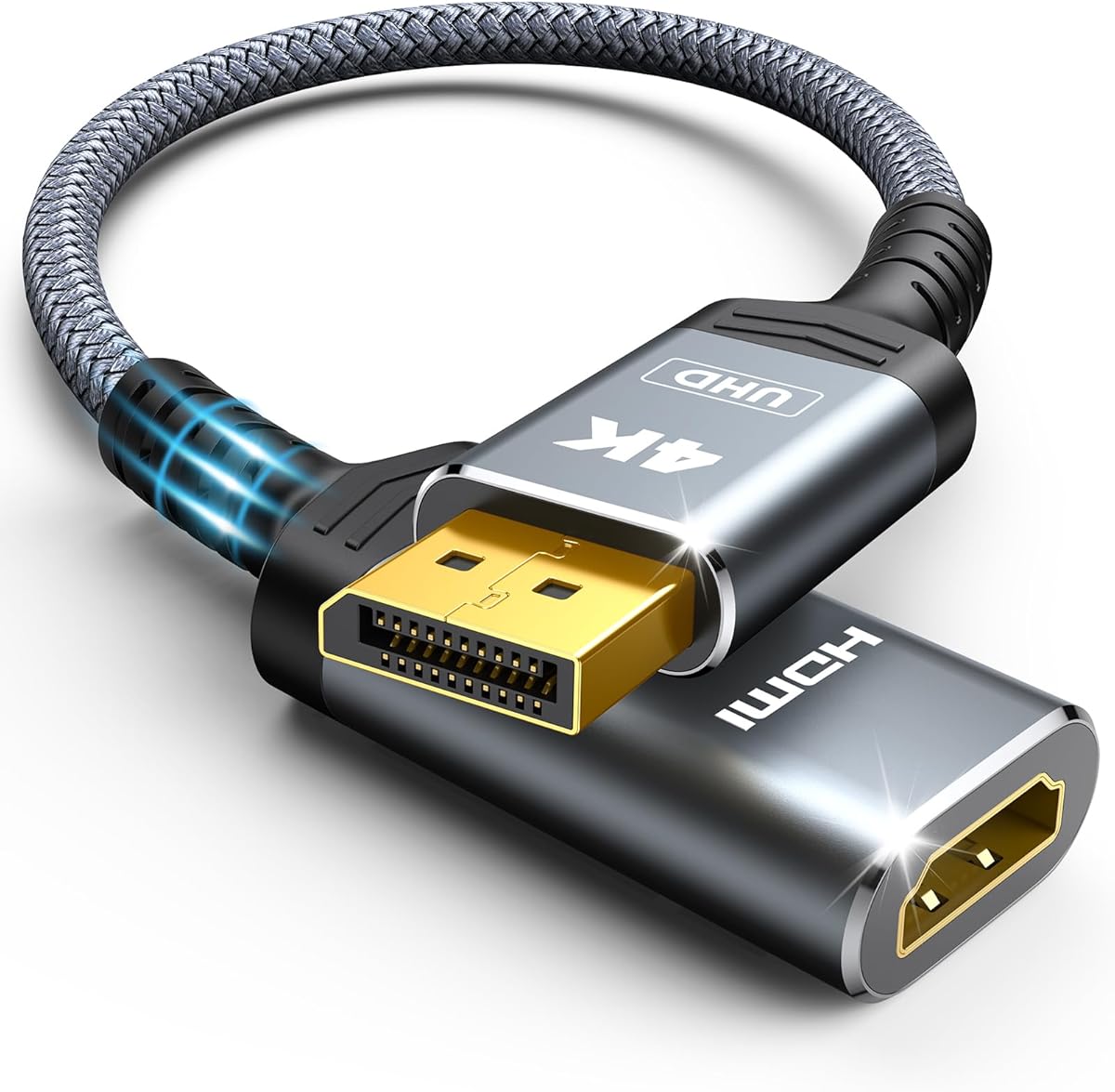



The Highwings 4K DisplayPort to HDMI Adapter offers a solid solution for connecting DP sources to HDMI displays. It holds a strong rating from users who appreciate its reliability and straightforward functionality for basic setups.
We may earn a commission when you buy through this link, at no additional cost to you.
Its standout quality is the support for 4K resolution at 30Hz which ensures sharp visuals for movies and standard content. The build includes gold plated ports and a nylon braided cable that resists wear over time.
Trade-offs include the fact that it is passive and unidirectional meaning it cannot convert HDMI to DP. This limits its use to specific scenarios where a DP source is available and an HDMI monitor is needed.
You should buy this if you need a budget friendly adapter for a PC with a DisplayPort output connected to an HDMI monitor or TV. It delivers clear video and audio sync effectively for general use cases.
Support for 4K at 30Hz ensures you get crisp images on modern displays without needing expensive cabling or gear.
The military grade tensile nylon and gold plated ports help this adapter withstand daily plugging and unplugging cycles.
We may earn a commission when you buy through this link, at no additional cost to you.
The BENFEI 4K DisplayPort to HDMI Adapter is designed for users who need a dependable connection for presentations or home entertainment. It has a high rating based on its consistent performance and secure latch mechanism.
We may earn a commission when you buy through this link, at no additional cost to you.
Key strengths include its compact form factor which makes it easy to carry in a laptop bag. The gold plated connector resists corrosion and the latch design prevents accidental disconnection during use.
It is important to note that this adapter only works from DP to HDMI so it will not fit HDMI source devices. The passive design means it relies on the source signal strength which is usually fine for PCs.
This adapter is ideal for professionals who travel and need to connect their laptops to projectors or HDMI TVs. The 18 month warranty adds peace of mind for long term usage scenarios.
The latch design on the DisplayPort connector ensures that the cable stays firmly attached during important presentations or meetings.
Its lightweight and compact shape allows you to tuck it away easily without adding bulk to your gear bag.
We may earn a commission when you buy through this link, at no additional cost to you.
The Cable Matters HDMI to DisplayPort Adapter solves a common problem by allowing HDMI sources to connect to DisplayPort monitors. This active adapter has a good rating for its ability to handle higher resolution signals reliably.
We may earn a commission when you buy through this link, at no additional cost to you.
The standout feature is the included USB power cable which ensures stable signal transmission especially at higher resolutions like 4K. It works well with laptops and gaming consoles that have HDMI outputs.
A trade-off is that it requires external power which can be slightly inconvenient compared to passive adapters. However this power is necessary to convert the signal direction and maintain quality without flickering.
Buy this if you have a PC or console with HDMI output and want to use a DisplayPort monitor or TV. It is the best choice for setups where standard passive cables fail to connect.
The included USB power cable ensures that the signal conversion happens smoothly without dropouts or black screens.
This adapter bridges the gap between HDMI video sources and DisplayPort displays which expands your setup options significantly.
We may earn a commission when you buy through this link, at no additional cost to you.
The HDMI to DisplayPort Adapter Uni-Directional stands out for its ability to support high refresh rates up to 4K at 60Hz. It has earned a perfect rating from users who need fast and smooth visual performance for gaming or work.
We may earn a commission when you buy through this link, at no additional cost to you.
Its key strength is the active conversion technology which includes a USB power cable to maintain signal integrity. This makes it compatible with modern consoles like Xbox and PS5 that output HDMI signals.
The main trade-off is the need for an external USB power connection which adds a slight cable to the setup. This is a small price to pay for the high performance and stable frame rates it delivers.
This adapter is the top choice for gamers who want to connect their consoles to high refresh rate DisplayPort monitors. It ensures you get the full benefit of your device output without bottlenecks.
Support for 4K at 60Hz provides smoother visuals and less motion blur compared to standard 30Hz adapters.
It works seamlessly with popular gaming consoles allowing you to upgrade your display setup without replacing hardware.
We may earn a commission when you buy through this link, at no additional cost to you.
The Moread 4K DisplayPort to HDMI Adapter is an excellent choice for budget conscious users who still want reliable performance. It holds a strong rating for its value and the long warranty period that comes with it.
We may earn a commission when you buy through this link, at no additional cost to you.
Its key strength is the low price point combined with gold plated connectors and a secure latch for the DisplayPort. This ensures the adapter remains durable even with frequent use over time.
It is important to note that this adapter only works from DP to HDMI and is passive which means it needs a DP source. It will not work for connecting HDMI devices to DisplayPort monitors.
You should buy this if you need a simple and cheap adapter for your laptop or desktop to an HDMI screen. The 5 year warranty makes it a low risk purchase for home or office use.
At a very low price point this adapter offers essential features without compromising on build quality or signal clarity.
The 5 year warranty provides significant peace of mind and shows confidence in the product longevity by the manufacturer.
We may earn a commission when you buy through this link, at no additional cost to you.
The HDMI to DisplayPort Adapter 4K@60Hz is designed for users who need high speed performance from HDMI sources to DisplayPort displays. It has a solid rating from users who value its high resolution support and durable build.
We may earn a commission when you buy through this link, at no additional cost to you.
Its key strength is the aluminum housing which helps dissipate heat during operation to maintain signal stability. The gold plated connectors resist corrosion and ensure a clear signal path for audio and video.
A trade-off is that it may require a USB power source depending on the source device to reach full 4K performance. This extra step is common for active converters but can be less convenient.
Buy this if you want to connect a PC or console to a DisplayPort monitor and need high refresh rates. It is a good choice for performance seekers who want reliable visuals.
The aluminum housing effectively dissipates heat generated during active conversion to prevent signal degradation over time.
24K gold plated connectors ensure that the signal transmission remains stable and free from corrosion interference.
We may earn a commission when you buy through this link, at no additional cost to you.
The UGREEN 4K DisplayPort to HDMI 2-Pack offers great value by providing two adapters in one purchase. It has a high rating from users who appreciate the utility of having a spare adapter for multiple devices.
We may earn a commission when you buy through this link, at no additional cost to you.
Its key strength is the inclusion of two units which allows you to connect multiple devices or keep a backup handy. The aluminum housing is lightweight and anti-corrosion which helps protect the ports over time.
It is important to note that these adapters are passive and unidirectional meaning they only work from DP to HDMI. They will not function if you need to connect an HDMI device to a DisplayPort monitor.
Buy this if you have multiple laptops with DisplayPorts that need to connect to HDMI monitors or TVs. The two pack ensures you have what you need for work from home or office setups.
Getting two adapters allows you to manage multiple connections without buying separate units for each device.
The aluminum case protects the internal components and provides better heat dissipation than plastic alternatives.
We may earn a commission when you buy through this link, at no additional cost to you.
The UGREEN 4K DisplayPort to HDMI Adapter with Cable offers a convenient all-in-one solution for connecting devices. It has a very high rating from users who value the included cable and sturdy braided design.
We may earn a commission when you buy through this link, at no additional cost to you.
Its key strength is the integrated cable which reduces the need for separate HDMI cables and simplifies setup. The braided sheath adds durability and flexibility while the gold plated connectors ensure a stable signal.
It is important to note that this adapter is passive and unidirectional meaning it only works from DP to HDMI. The short 0.66ft cable length means your display needs to be close to the source.
Buy this if you need a compact and simple adapter with a cable for a laptop or desktop to HDMI monitor. It is perfect for home use where space is not a major constraint.
The included 0.66ft cable simplifies your setup by eliminating the need for extra HDMI cabling.
The braided sheath resists tangling and wear ensuring the cable lasts longer than standard plastic coated options.
We may earn a commission when you buy through this link, at no additional cost to you.
The BENFEI HDMI to DisplayPort Adapter is designed for gamers who need high refresh rate support. It has a good rating from users who rely on it for smooth gameplay when connecting consoles to DP monitors.
We may earn a commission when you buy through this link, at no additional cost to you.
Its key strength is the support for high refresh rates up to 144Hz which ensures fluid motion in games and videos. The aluminum alloy casing helps with heat insulation to keep the device stable under load.
A trade-off is that it requires USB power and active conversion which makes it larger than passive adapters. This extra step is necessary to achieve the high refresh rates and signal quality.
Buy this if you want to connect a gaming console to a high refresh rate DisplayPort monitor. It ensures you get the smoothest visuals possible without investing in new display hardware.
Support for 144Hz refresh rates provides smoother visuals that are crucial for competitive gaming and motion.
The premium aluminum alloy casing helps dissipate heat to maintain performance during long gaming sessions.
We may earn a commission when you buy through this link, at no additional cost to you.
The BENFEI HDMI to DisplayPort Adapter is a solid active solution for connecting HDMI sources to DisplayPort displays. It has a good rating for its ability to handle high resolutions reliably in a compact form factor.
We may earn a commission when you buy through this link, at no additional cost to you.
Its key strength is the support for 4K at 60Hz which ensures sharp and smooth video output for media or work. The compact design makes it easy to carry around in a bag for presentations.
It is important to note that it requires USB power to function properly at higher resolutions. This active conversion means it is slightly more complex than passive options but offers better performance.
Buy this if you need a portable adapter for your laptop or console to a DisplayPort monitor. The 18 month warranty and solid build quality make it a reliable choice for general use.
Support for 4K at 60Hz ensures that you get crisp and smooth visuals for high definition content.
The compact form factor allows you to take your setup anywhere without carrying bulky cables or adapters.
We may earn a commission when you buy through this link, at no additional cost to you.
Choosing the right adapter depends on understanding your source device and monitor capabilities to ensure compatibility and performance.
You must determine whether you need to convert from HDMI to DisplayPort or DisplayPort to HDMI as most adapters are unidirectional. This is the most critical factor because buying the wrong direction will result in no signal at all.
Always check your source device output and monitor input before purchasing to confirm the adapter supports that specific direction.
Active converters use a chip to change signal protocols and often require USB power for stable performance at high resolutions. Passive adapters rely on the source signal directly and are cheaper but only work for DP to HDMI in many cases.
Choose active if you need HDMI to DP conversion or high refresh rates and passive for simple DP to HDMI setups.
Check the maximum resolution and refresh rate the adapter supports to match your display requirements such as 4K at 60Hz. Many passive adapters only support 4K at 30Hz which may limit smooth motion in games or videos.
Ensure the adapter supports the specific resolution and refresh rate you need for your monitor to avoid blurry or choppy visuals.
Look for adapters with gold plated connectors and durable housing materials like aluminum or braided nylon to ensure longevity. These features help resist corrosion and wear from frequent plugging and unplugging.
A sturdy build ensures that the adapter lasts longer and maintains a stable connection over time.
Some adapters come with a short HDMI cable integrated while others require you to purchase one separately. Consider how far your source device is from your monitor to avoid needing an extension cable.
Select an option with the right cable length for your setup to keep your desk tidy and minimize signal loss.
Most modern adapters support digital audio passthrough so you can get sound through your monitor or external speakers. Verify that the adapter supports multi-channel audio if you use surround sound systems.
Ensure the adapter passes through audio correctly to avoid needing extra cables for sound output.
Brands often offer warranties ranging from 18 months to 5 years which indicates confidence in product quality. A good warranty allows you to replace the adapter if it fails prematurely.
Prioritize products with longer warranties and responsive customer service for peace of mind.
Some adapters are optimized for specific devices like gaming consoles or Mac laptops so check the compatibility list. Not all adapters work with every brand or model of computer or console.
Verify the adapter works with your specific device model to ensure it functions as expected.
Start by identifying the ports on your source device and monitor to confirm you have the correct adapter type. Connect the adapter firmly to the source port and then attach an HDMI or DisplayPort cable to the adapter.
If using an active converter remember to plug in the USB power cable to ensure stable signal transmission at high resolutions. Your monitor should detect the signal automatically but you may need to adjust display settings.
To maintain longevity keep the connectors clean and avoid bending the cables sharply. Store the adapter in a safe place when not in use to prevent damage to the ports.
Yes you can use an active HDMI to DisplayPort adapter for gaming but it must support high refresh rates like 60Hz or 144Hz. Passive adapters usually do not work for HDMI to DP and may limit frame rates.
This often happens if the adapter is passive and you are trying to use it HDMI HDMI to DisplayPort. Active adapters may also need USB power to function correctly.
Most modern adapters support digital audio passthrough so you can get sound through your monitor or speakers. However you should verify this feature in the product details before buying.
Yes you can connect a PS5 to a DisplayPort monitor using an active HDMI to DisplayPort adapter that supports 4K and high refresh rates. This allows you to use gaming monitors without changing the console.
HDMI is commonly found on TVs and consoles while DisplayPort is often used on PCs and monitors for higher bandwidth. Adapters bridge this gap to allow connection between devices with different ports.
No most adapters are plug and play and do not require driver installation. They work natively with Windows and Mac systems without additional software.
We have reviewed ten top options for HDMI to DisplayPort converters ranging from budget passive adapters to high performance active solutions. Each model offers specific strengths depending on your source and display needs.
Prioritize active converters if you need HDMI to DP direction or high refresh rates and passive adapters for simple DP to HDMI setups. Pay attention to build quality and warranty to ensure long term reliability.
Prices and availability change frequently so check current listings to find the best deal for your needs. Choosing the right adapter will ensure your display setup runs smoothly.