
Crenova Laminator Machine with 10 Laminating Sheets, A4 Laminating Machine
4.6Editor score
Compact desktop friendly size
Hot and cold operation modes
Jam prevention lever included
Finding the right cold laminator machine ensures your documents stay protected without heat damage. Whether you work with photos or sensitive paper, choosing the right tool matters for quality results.
We compared ten top-rated models based on user feedback, build quality, and versatility. Each product was evaluated on ease of use, jam prevention, and suitability for different laminating needs.
Every pick here highlights unique strengths to help you decide quickly. Keep in mind that availability and details may shift, so always check the latest listings before purchasing your new laminator.
4.6Editor score

4.7Editor score

4.5Editor score
As an Amazon Associate we earn from qualifying purchases.
This side-by-side comparison highlights key differences between the top ten cold laminator machines available today. We focus on width, speed, and unique features to help you find the perfect fit.


The Qfun laminator stands out as a top choice for users needing speed and versatility. With a high rating, it balances performance and ease of use effectively for various tasks.
We may earn a commission when you buy through this link, at no additional cost to you.
Its fast warm-up ensures you start laminating quickly. The included cutting tools make it a complete solution for organizing documents without needing extra purchases.
While it handles most needs well, cold mode requires separate pouches. This is a minor trade-off given the overall quality and comprehensive kit provided.
Buyers seeking a reliable all-in-one solution will appreciate this model. It delivers professional results suitable for home offices or classroom environments.
Accessories store neatly inside the machine keeping your workspace organized and tools easy to find.
Built-in NTC control ensures consistent heat for bubble-free results without damaging delicate documents.
We may earn a commission when you buy through this link, at no additional cost to you.
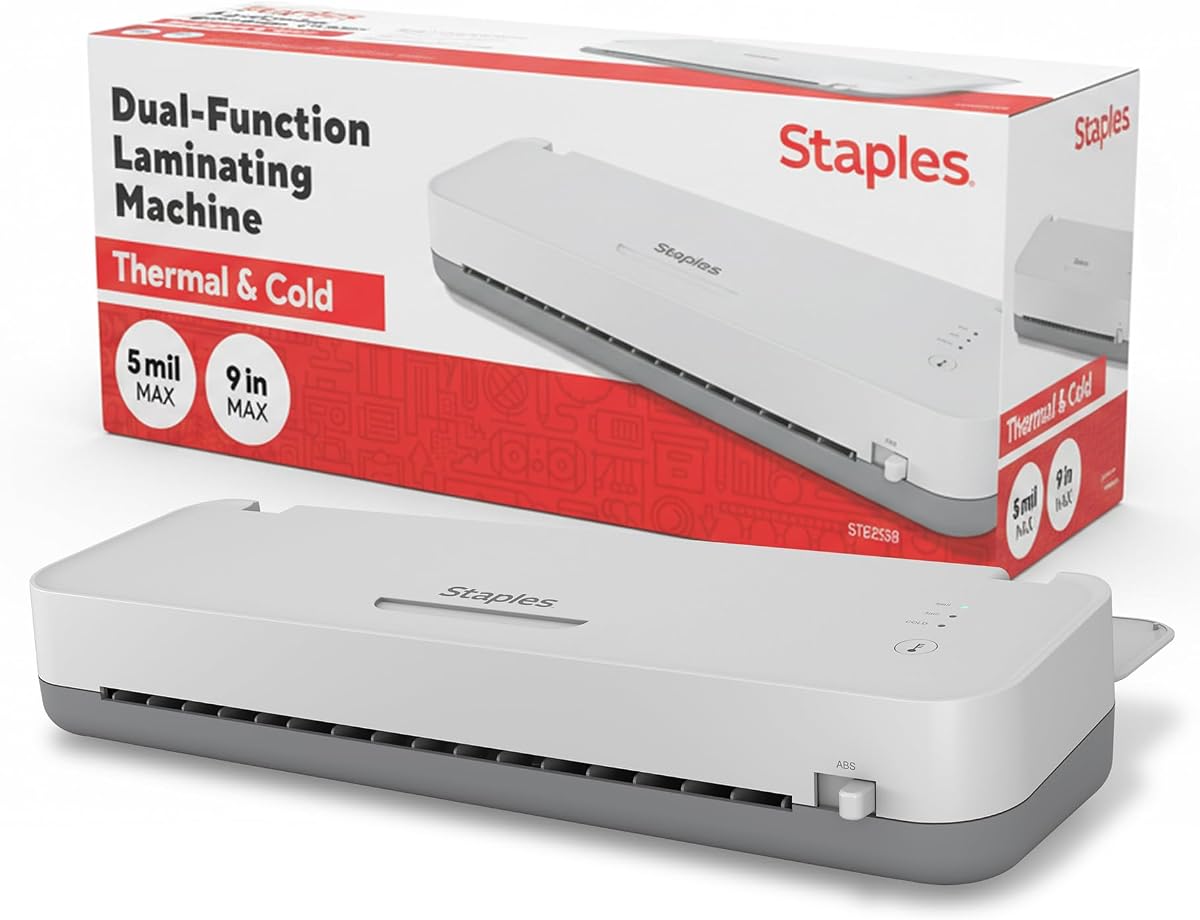
This Crenova model offers excellent value for small tasks. Its compact design fits easily on any desk while maintaining reliable performance for standard documents.
We may earn a commission when you buy through this link, at no additional cost to you.
The dual modes allow flexibility for heat-sensitive items. A simple button interface makes it accessible even for first-time users.
It is limited to smaller formats which may not suit larger posters. However for home users this is often a non-issue.
Ideal for students or home offices on a budget. It provides essential features without unnecessary complexity or cost.
Small footprint allows placement anywhere without cluttering your workspace unnecessarily.
ABS lever allows quick paper removal without tearing valuable documents or causing frustration.
We may earn a commission when you buy through this link, at no additional cost to you.
The VEVOR unit is built for heavy commercial use with a robust metal structure. It handles wide posters and materials that smaller machines cannot accommodate.
We may earn a commission when you buy through this link, at no additional cost to you.
Its manual crank ensures precise control without heat risks. The wide roller allows for large format lamination perfect for signage.
While durable it requires physical effort and takes up significant space. This limits it to dedicated work areas or workshops.
Best for professional shops needing wide cold laminating. It prioritizes durability and capacity over convenience and speed.
Thick metal materials ensure stability and longevity even under frequent commercial workload.
Manual operation means no electrical requirements for safer use in varied locations.
We may earn a commission when you buy through this link, at no additional cost to you.
This portable model emphasizes quiet operation suitable for libraries or classrooms. It warms up quickly to minimize waiting time during busy periods.
We may earn a commission when you buy through this link, at no additional cost to you.
The ABS release button prevents paper damage during jams. Its compact size fits well in smaller desks or home offices.
It is limited to standard document sizes which may restrict larger projects. The included kit adds value for personal photo preservation.
Perfect for teachers or parents protecting memories quietly. It balances efficiency with a user-friendly design for daily tasks.
Low noise levels keep the learning environment calm while processing student documents.
Three minute warm-up gets you started faster than many competing units.
We may earn a commission when you buy through this link, at no additional cost to you.
This model offers a generous supply of sheets right out of the box. The wide format allows for laminating larger posters without trimming edges.
We may earn a commission when you buy through this link, at no additional cost to you.
Thermal and cold modes provide versatility for different materials. The ABS button ensures safe handling when jams occur.
Warm-up time is slower compared to newer models. This might be a slight inconvenience during high volume use sessions.
Recommended for users needing bulk supplies and wide format. It delivers solid performance for the overall value provided.
Fifty sheets ensure you can start projects immediately without extra purchases.
Laminates up to 11×17 inches for larger document needs.
We may earn a commission when you buy through this link, at no additional cost to you.
This teacher-friendly kit includes everything needed for classroom organization. The high speed reduces wait time when laminating many documents at once.
We may earn a commission when you buy through this link, at no additional cost to you.
Smart temperature control ensures safety and quality. Auto shut-off provides peace of mind during busy school hours.
Pouches are limited in variety compared to others. However the overall package is comprehensive for educational needs.
Ideal for schools needing efficient document protection. It balances speed and convenience for group environments.
Includes tools like punches and cutters for complete document prep.
High speed helps clear large batches quickly during peak hours.
We may earn a commission when you buy through this link, at no additional cost to you.
Scotch delivers a reliable classic for standard document protection. The two roller system ensures a smooth finish without bubbles.
We may earn a commission when you buy through this link, at no additional cost to you.
Its compact design fits well in dorms or small offices. The release lever simplifies removing finished documents.
Limited to 9 inches and lacks cold mode. This suits standard papers but not heat-sensitive items.
Great for offices needing basic thermal protection. It offers brand reliability at a reasonable price point.
Scotch brand ensures consistent quality and durability over time.
Heated rollers guarantee wrinkle-free results for professional documents.
We may earn a commission when you buy through this link, at no additional cost to you.
This unit brings multiple features like a trimmer and corner rounder. It handles A3 sizes and supports both thermal and cold modes.
We may earn a commission when you buy through this link, at no additional cost to you.
The included pouches add immediate value. Low noise design makes it suitable for shared spaces.
Speed is slower than some newer models. Weight may make portability difficult compared to lighter units.
Best for users needing a complete finishing station. It offers strong value with extra tools included.
Trim and round corners for a polished look directly from the machine.
Accommodates A3 sizes for larger creative projects and posters.
We may earn a commission when you buy through this link, at no additional cost to you.
This system requires no electricity making it unique for safety. It uses a cartridge system designed for heat-sensitive documents.
We may earn a commission when you buy through this link, at no additional cost to you.
Bonus cartridges provide extra value upfront. The design focuses on professional results without heat risks.
Manual operation requires effort and is slower. It also carries a higher price point than electric models.
Ideal for users needing heat-free lamination. It suits archival work or sensitive medical documents.
Use anywhere without worrying about power outlets or electrical safety.
Cold process ensures old photos are never damaged by heat.
We may earn a commission when you buy through this link, at no additional cost to you.
This machine is built for efficient office workflows. Jam-free technology keeps operations smooth and reduces downtime.
We may earn a commission when you buy through this link, at no additional cost to you.
Wide throat handles large formats easily. Fast warm-up ensures staff can start quickly when needed.
It lacks extra tools like cutters. This makes it better for those who already have separate supplies.
Best for businesses prioritizing speed and reliability. It offers a strong balance for office environments.
Reverse prevention reduces interruptions and keeps workflow moving smoothly.
Designed for frequent use in professional office settings.
We may earn a commission when you buy through this link, at no additional cost to you.
Choosing the right cold laminator involves understanding your specific needs. We highlight key factors to consider for making an informed decision.
Cold laminators use pressure only which is vital for heat-sensitive documents. Some machines offer dual modes for versatility.
Prioritize cold modes if you work with photos or receipts.
Machine width determines the largest document you can laminate. Sizes range from A4 to 13 inches or wider.
Choose width based on your largest regular project.
Fast warm-up saves time during busy periods. Some units heat in seconds while others take minutes.
Look for fast warm-up for efficiency.
Jam release buttons prevent document damage and machine stress. Reliable systems allow quick paper removal.
Select models with ABS levers.
All-metal construction offers stability and longevity. Plastic models are lighter but less durable for heavy use.
Check construction materials for durability.
Many kits include sheets, cutters, and punchers. This saves time and money on additional purchases.
Review included accessories for value.
Quieter machines work better in shared spaces. Noise reduction features are common in newer models.
Consider noise for your environment.
Higher laminating speeds increase throughput. This is essential for bulk processing in offices.
Check speed ratings for efficiency.
Always insert documents with the sealed edge first to prevent jams. Ensure the surface is clean and dry before laminating.
Turn off the machine when not in use. This extends the machine life and saves energy.
Clean rollers regularly with a soft cloth to remove dust. This ensures smooth operation and better quality results.
Most cold laminators require electricity to power rollers and motors. Only specific manual cartridge systems operate without it.
Cold mode requires self-adhesive sheets. Thermal pouches need heat and will not adhere properly without it.
Choose a width that fits your largest regular document. Standard A4 fits most needs while 13 inches handles posters.
Turn off the machine and press the ABS release lever. Gently pull the stuck paper out to avoid tearing.
Yes. Cold laminating avoids heat which prevents damage to fragile or sensitive vintage photographs.
Quality rollers last for years with care. Clean them regularly to avoid wear and ensure consistent pressure.
These ten models offer solutions for every user. From manual units to smart kits there is a fit for every need.
Prioritize width and speed based on your typical workload. The right choice improves efficiency and protects your documents effectively.
Prices and availability change regularly. Always check current listings before purchasing to ensure you get the best value.