
New IR Remote Control Replecement for Dish Network 20.1 IR Satellite Receiver TV DVD VCR
3.7Editor score
IR technology
TV DVD VCR support
One year warranty
Discover the top Dish Network Replacement Remote options for 2026. We compare features, compatibility, and user ratings to help you find the perfect match for
Finding a reliable Dish Network Replacement Remote is essential for uninterrupted viewing. Whether your original remote failed or you need a spare, choosing the right model ensures seamless control over your receiver and connected devices.
We evaluated ten top-rated replacements based on compatibility, ease of pairing, and build quality. Our analysis covers infrared and UHF models suitable for various Dish receivers including the Hopper and legacy satellite boxes.
Each pick highlights key specs and user feedback to simplify your decision. Note that prices and availability fluctuate so check current listings before purchasing to ensure you get the best value for your needs.
3.7Editor score

4.5Editor score

4.6Editor score
This table compares all ten reviewed remotes side by side. You can quickly see which models support specific receivers and whether they include voice search or backlit keys for better usability.

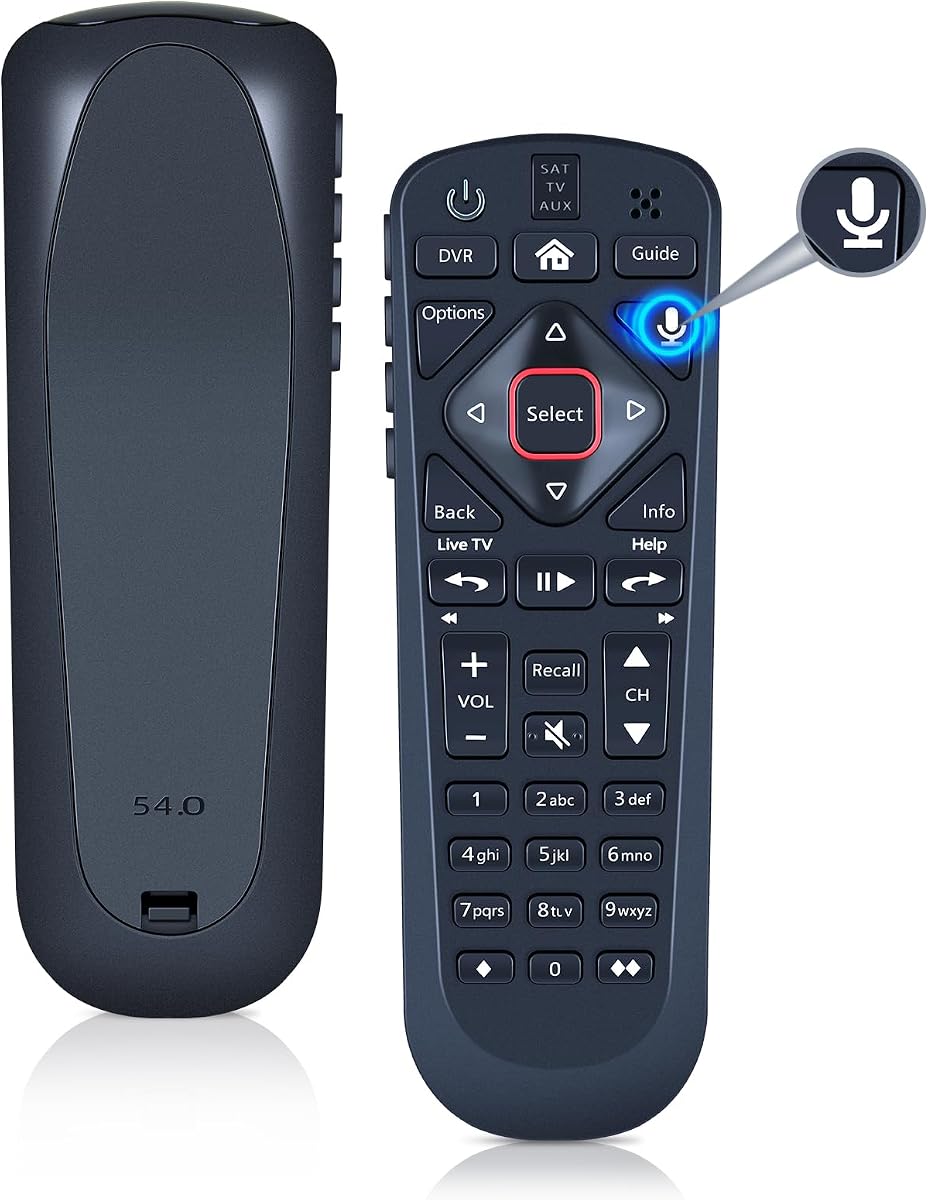


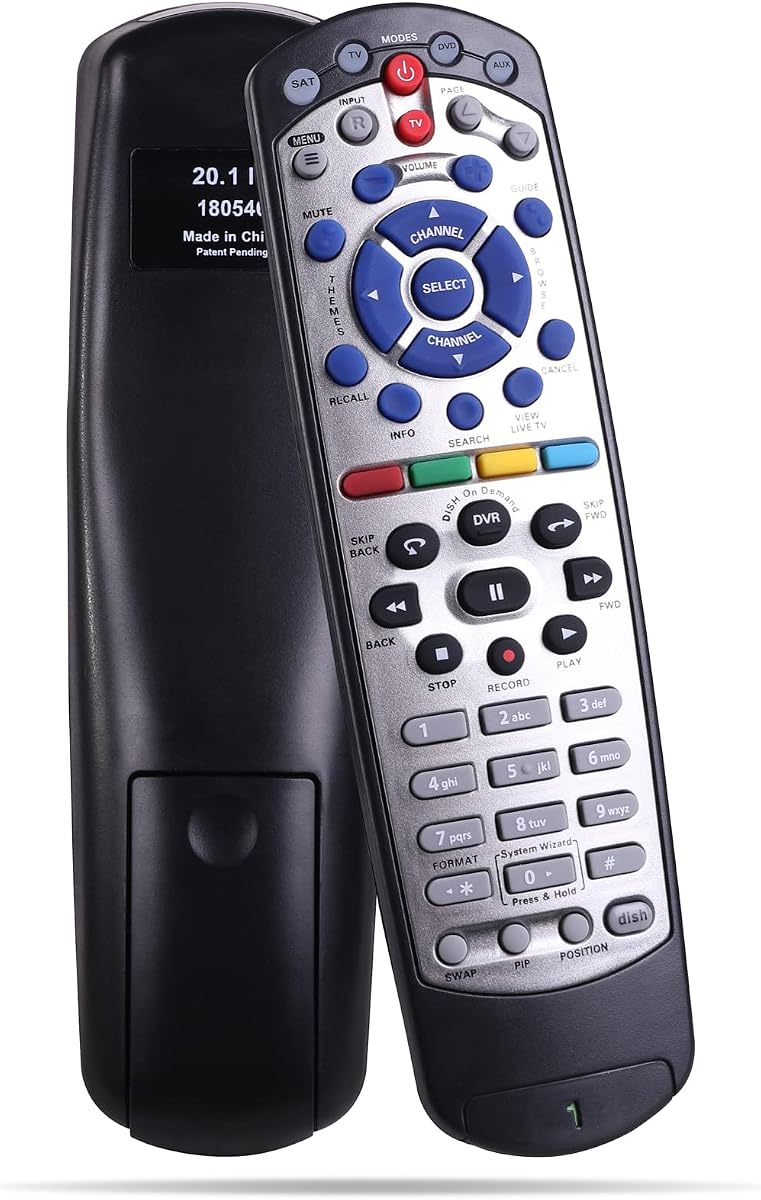

This replacement remote stands out for its compatibility with Dish Upgraded Network 54 series receivers. With a strong rating and voice search capabilities it offers a modern experience without needing the original hardware.
We may earn a commission when you buy through this link, at no additional cost to you.
Users appreciate the UHF pairing which allows control without line of sight. The ability to pair with auxiliary devices like Blu-ray players adds significant convenience for whole-home entertainment setups.
While you need to access the receiver panel for initial pairing it is straightforward. The process involves pressing specific buttons and listening for beeps ensuring you know when it is connected.
This remote is ideal for anyone needing a reliable substitute for a lost or broken 54 series controller. It balances functionality and ease of use effectively.
The built-in microphone lets you find shows by speaking rather than typing. This saves time when navigating large channel guides or on-demand libraries.
You can pair this remote with TVs or stereos using the TV Pairing Wizard. This centralizes control reducing the need for multiple remotes.
We may earn a commission when you buy through this link, at no additional cost to you.
This official-style remote delivers premium features like backlit keys and a built-in locator. It is designed specifically for the Hopper family including Joey and Wally receivers for seamless operation.
We may earn a commission when you buy through this link, at no additional cost to you.
The auto-illuminating keypad is a standout feature for night viewing. You can press a button on the DVR to make the remote beep and blink which helps locate it quickly if misplaced.
While it requires internet for full search functionality it performs well for standard navigation. Personalization options let you program hot keys for apps or recording tasks.
Ideal for Hopper users wanting a high-quality replacement with enhanced usability. The extra cost is justified by the convenience features.
Keys light up automatically when you pick up the remote in low light. This ensures you never fumble for buttons during late-night movie sessions.
A simple button press on the receiver triggers sound and light from the remote. This eliminates frustration when the remote is hidden under cushions.
We may earn a commission when you buy through this link, at no additional cost to you.
This IR remote offers a cost-effective solution for Dish 20.1 receivers. While it lacks advanced features it covers essential TV and receiver control functions reliably.
We may earn a commission when you buy through this link, at no additional cost to you.
Setup involves pairing and selecting codes for your TV brand. The included manual guides you through this process to ensure proper communication between devices.
It is not a learning remote which means it cannot copy signals from other devices. However for standard use it performs as expected for its category.
Best for budget-conscious buyers needing a straightforward replacement. It provides necessary functionality without extra frills.
As an infrared remote it requires line of sight to work. This is standard for budget models and ensures focused signal transmission.
The remote carries a one-year warranty providing peace of mind. Customer support is available if issues arise during the period.
We may earn a commission when you buy through this link, at no additional cost to you.
This model mirrors many features of the top pick but comes with a specific compatibility note. It supports voice search and UHF pairing for the 54 series receivers.
We may earn a commission when you buy through this link, at no additional cost to you.
The setup process requires inserting batteries and following the pairing steps. You must access the receiver's Sys Info button to initiate connection successfully.
Users should note it does not work with Hopper 3 receivers. This limitation is important to check before purchase to avoid returns.
A solid choice for 54 series owners needing a voice-enabled remote. Ensure your receiver model matches the compatibility list.
Built-in voice search allows hands-free channel navigation. This feature speeds up finding content compared to manual key presses.
UHF technology offers better range than IR models. You can control the receiver from across the room without pointing directly at it.
We may earn a commission when you buy through this link, at no additional cost to you.
This remote offers similar functionality to other 54 series replacements with a strong user rating. The voice search feature is integrated via a built-in microphone for quick searches.
We may earn a commission when you buy through this link, at no additional cost to you.
Pairing involves standard menu navigation on your receiver. You can also extend its use to control auxiliary devices like stereos or media players.
The warranty period is six months which is slightly shorter than others. However customer service aims to resolve issues promptly if they occur.
Good for users prioritizing voice control and ease of use. It fits well within the 54 series ecosystem.
The integrated mic enables direct voice commands without external devices. This simplifies searching for specific shows or apps quickly.
Pairing with auxiliary devices expands utility beyond just the receiver. This helps consolidate control into one remote for your setup.
We may earn a commission when you buy through this link, at no additional cost to you.
This universal remote supports both IR and UHF for versatile control across TV1 and TV2 zones. It is designed for Dish receivers requiring robust signal transmission.
We may earn a commission when you buy through this link, at no additional cost to you.
The hybrid technology ensures you can use line of sight or wireless control as needed. This flexibility is valuable for complex home theater setups.
While slightly less common it serves well for multi-room systems. Professional-grade build quality suggests longevity over standard remotes.
Ideal for households with multiple TV locations needing unified control. Check receiver compatibility before ordering.
Supporting both IR and UHF offers maximum flexibility for different viewing spots. You can switch modes depending on distance and obstacles.
Designed to manage TV1 and TV2 receivers effectively. This ensures consistent performance across multiple zones in the home.
We may earn a commission when you buy through this link, at no additional cost to you.
This remote is praised for its plug-and-play setup requiring no pairing steps. Just insert batteries and it works with 20.0 and 20.1 receivers immediately.
We may earn a commission when you buy through this link, at no additional cost to you.
It stores receiver settings in the remote itself ensuring consistent performance. The keys are sensitive and the ergonomic design makes it comfortable for daily use.
The simplicity makes it great for quick replacements. You do not need to navigate menus to get it working right away.
Best for users wanting hassle-free installation. It delivers reliable IR control for legacy receivers.
No pairing means you can use it immediately after battery install. This saves time and removes setup frustration.
The remote stores receiver settings internally for reliable control. This ensures your preferences are maintained without constant resets.
We may earn a commission when you buy through this link, at no additional cost to you.
Getting two remotes in one package offers excellent value for households. These remotes are rigorously tested before shipment to ensure they function like originals.
We may earn a commission when you buy through this link, at no additional cost to you.
Setup requires setting the model number and inserting batteries. The compact size makes them easy to hold and store when not in use.
With a one-year warranty you have coverage against defects. Instructions are simple and included in the package for quick start.
Perfect for families needing a backup remote. The dual pack saves money compared to buying singles.
Buying two at once reduces cost per unit. Having a spare remote ensures you never lose control of your receiver.
Each unit is inspected before shipping to guarantee performance. This reduces the likelihood of receiving a faulty product.
We may earn a commission when you buy through this link, at no additional cost to you.
This standard IR remote delivers reliable replacement for 20.1 receivers. While basic it covers all necessary functions for TV and satellite control.
We may earn a commission when you buy through this link, at no additional cost to you.
Setup includes pairing and selecting TV codes. The manual provides clear instructions to match your brand and model correctly.
Support is available for any post-receipt questions. The warranty adds confidence in the product's durability.
Ideal for users who need a straightforward functional remote. It works as expected without advanced features.
Despite being basic it includes all essential buttons. Navigation and device control work as designed for typical use.
Customer support offers timely help for setup issues. The warranty ensures you are covered for a year.
We may earn a commission when you buy through this link, at no additional cost to you.
This remote is tailored for Hopper receivers offering classic features like backlit keys and a finder button. It performs well for standard navigation and app access.
We may earn a commission when you buy through this link, at no additional cost to you.
The finder button on the receiver triggers the remote to beep and blink. This is helpful for quickly locating the remote in low light.
Personalization allows programming hot keys for common tasks. This customizes the experience to match your viewing habits.
Good for Hopper users seeking a traditional remote design. It combines convenience with reliability.
Keypad illumination helps visibility at night. This ensures you can press buttons accurately without external light.
Hot keys can be programmed to launch apps instantly. This streamlines access to popular services like Netflix.
We may earn a commission when you buy through this link, at no additional cost to you.
Choosing the right replacement remote involves matching your receiver model and preferred features. Use these factors to narrow down the best option for your needs.
Always check that the remote is listed for your specific receiver model. Some remotes work with Hopper families while others support older 20.1 or 54 series units. Mismatched models will not pair correctly.
Verify the product description lists your receiver model number to ensure compatibility.
Decide between IR and UHF based on your viewing setup. IR requires line of sight which works well for direct viewing but fails if blocked. UHF offers wireless range and works through obstacles.
Choose UHF if you often use the remote from different rooms or positions.
Voice search remotes include a microphone for finding content by speaking. This is faster than typing with arrow keys and improves navigation for large guides.
Consider this feature if you want quicker access to shows or apps.
Backlit keys illuminate when picked up or via a button press. This helps with visibility in dark rooms and is a premium feature found on advanced models.
If you watch TV in low light a backlit remote enhances usability.
Some remotes have a locator feature that makes them beep and blink when triggered from the receiver. This saves time when the remote is misplaced or lost.
Look for this feature if you frequently misplace your remote.
Some remotes require programming codes or pairing while others work out of the box. Simpler setups save time but may lack advanced customization options.
Choose plug-and-play options if you prefer immediate use without complex steps.
Many remotes can control auxiliary devices like TVs or Blu-ray players. Check if it supports pairing with these devices to reduce the number of remotes you need.
Prioritize this if you want consolidated control for your entertainment system.
Look for remotes with a warranty period of at least one year. Reliable customer support helps resolve pairing or functionality issues quickly.
A longer warranty indicates manufacturer confidence and protects your investment.
To begin use install two AAA batteries into the battery compartment. Ensure the polarity matches the symbols inside the compartment for proper function.
For pairing follow the on-screen prompts on your receiver. This usually involves pressing the Home button and navigating to Settings to start the remote pairing wizard.
Clean the remote occasionally with a dry cloth to prevent dust buildup. Avoid using liquids directly on the keys to protect internal electronics.
Press the Home button twice then go to Settings and Remote Control. Select TV Pairing Wizard and follow the on-screen prompts to complete the connection process.
Most Dish replacement remotes require two AAA batteries. These are not included so make sure to have fresh batteries ready for setup and daily use.
Yes many remotes support TV pairing via the setup wizard. This allows you to control power and volume on your TV using one remote.
Check the batteries are installed correctly and the pairing was completed successfully. If issues persist try unpairing and repeating the setup steps.
Not all models are compatible with Hopper receivers. Check the product details to confirm it supports your specific Hopper model or family.
If your remote has a locator feature press the corresponding button on the receiver. The remote will beep and blink to help you locate it.
No voice search requires a built-in microphone which is found on select models. Check the product features to confirm this capability before purchase.
Warranty periods vary from six months to one year depending on the brand. Review the product details for specific warranty terms and support contact info.
We reviewed ten top remotes ranging from budget options to premium features. Our top picks balance compatibility functionality and user-friendly designs for different needs.
Prioritize features like voice search or backlit keys if they suit your viewing habits. Ensure compatibility with your receiver model to avoid setup issues.
Check current prices and availability before purchasing to get the best deal. With the right remote you can enjoy seamless control over your Dish entertainment setup.