
TP-Link AC1900 Smart WiFi Router
4.5Editor score
Wave 2 dual-band performance
OneMesh compatibility support
Simple Tether app control
This guide compares the top AC1900 wireless routers for speed, coverage, and security to help you choose the best model for your home network needs.
Finding a reliable router is crucial for smooth streaming and gaming. AC1900 models offer dual-band performance to handle multiple devices efficiently.
We evaluated ten top-rated options based on speed, range, security features, and ease of setup to help you find the right fit for your home.
Each pick highlights key strengths and trade-offs so you can decide quickly. Keep in mind that pricing and availability change often on retailer sites.
4.5Editor score

4.5Editor score

4.3Editor score
Here is a side-by-side look at the top ten AC1900 routers available today. Compare their core specifications to find the best match for your bandwidth and coverage needs.

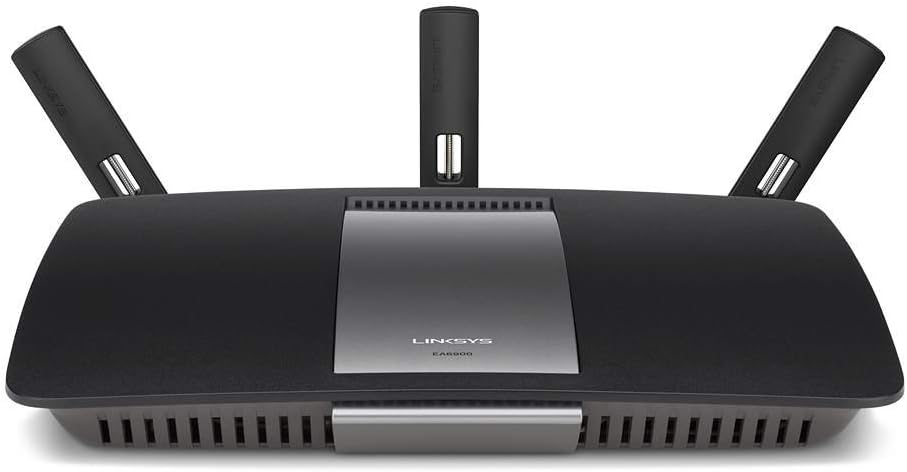

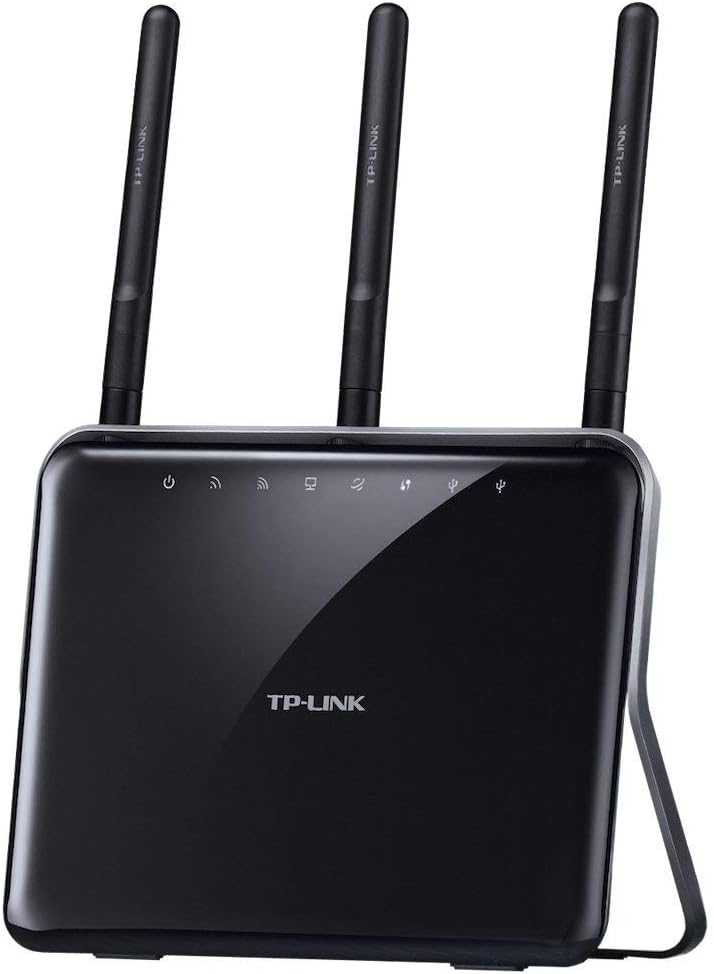


The TP-Link Archer A8 delivers solid AC1900 performance for budget-conscious households. It supports up to 1300 Mbps on the 5GHz band for fast streaming.
We may earn a commission when you buy through this link, at no additional cost to you.
Its OneMesh compatibility allows seamless expansion without replacing your entire network. Beamforming focuses signals directly to your devices for better stability.
While it lacks USB storage sharing, the Gigabit ports cover wired needs well. The Tether app simplifies management for non-technical users significantly.
This model is ideal for small to mid-sized homes needing reliable speed without premium features. It remains a top contender for value.
The Tether app lets you control settings from your phone easily without needing a PC for every change.
Pairing with OneMesh extenders creates a unified network covering your whole home without switching Wi-Fi networks.
We may earn a commission when you buy through this link, at no additional cost to you.
The ASUS RT-AC68U is a powerhouse known for consistent performance across many households. Its dual-band throughput reaches up to 1900 Mbps for heavy usage.
We may earn a commission when you buy through this link, at no additional cost to you.
Security is top-notch with AiProtection blocking malicious sites automatically. The dual-core processor ensures smooth multitasking even when USB data transfers occur.
While the interface offers deep customization it may overwhelm beginners initially. However its reliability and feature set justify the investment for power users.
Choose this router if you need a balance of speed security and wired connectivity. It stands out as a dependable workhorse.
AiProtection Pro powered by Trend Micro shields your network from threats without extra subscription fees for basic protection.
Broadcom TurboQAM boosts 2.4GHz speeds significantly ensuring smoother connections for older devices needing dual-band support.
We may earn a commission when you buy through this link, at no additional cost to you.
The NETGEAR R7000 brings premium features like Armor security and USB storage sharing to the AC1900 class. It supports up to 30 devices comfortably.
We may earn a commission when you buy through this link, at no additional cost to you.
Its dual-core processor and three amplified antennas ensure wide coverage up to 1800 sq ft. Parental controls help manage screen time effectively.
The price reflects its advanced feature set and robust security trial. Larger homes benefit most from its range and capacity options.
Select this model if you want comprehensive protection and storage access. It is a solid premium choice for modern families.
Amazon Alexa voice controls let you pause internet access or check status using simple voice commands for convenience.
Connect external drives to USB ports to create a private cloud accessible from anywhere with proper setup.
We may earn a commission when you buy through this link, at no additional cost to you.
The R6900P builds on the R7000 design with added MU-MIMO to handle simultaneous data streams efficiently. It targets high-density device environments.
We may earn a commission when you buy through this link, at no additional cost to you.
Coverage reaches up to 1800 sq ft with amplified antennas. Dynamic QoS prioritizes streaming and gaming traffic automatically.
Security via Netgear Armor keeps devices safe from viruses. It offers a streamlined experience for those who want plug-and-play security.
Ideal for households with many connected smart devices. It balances range and throughput well for daily family use.
Dynamic QoS automatically prioritizes video streaming and gaming packets to reduce lag during peak usage times.
Smart Connect selects the best band for each device dynamically simplifying your network management process.
We may earn a commission when you buy through this link, at no additional cost to you.
The Linksys EA6900 is a classic AC1900 router known for stability. It supports simultaneous dual-band speeds for smooth streaming sessions.
We may earn a commission when you buy through this link, at no additional cost to you.
Beamforming technology follows devices to maintain connection strength. USB 3.0 allows fast file sharing across your local network.
Its DLNA certification helps integrate home media servers easily. Setup is straightforward with the Smart Wi-Fi app.
Great for users who prioritize media streaming over advanced gaming features. It remains a reliable choice for general internet needs.
DLNA support ensures seamless playback of files from your router to compatible media players in the home.
CD-free setup with remote management tools helps you configure the network quickly from a smartphone.
We may earn a commission when you buy through this link, at no additional cost to you.
The Archer C80 offers great value with MU-MIMO and OneMesh capabilities. It provides solid AC1900 speeds for everyday internet usage.
We may earn a commission when you buy through this link, at no additional cost to you.
Three external antennas boost signal range effectively across three-bedroom houses. Parental controls are easy to manage via the app.
While it lacks USB storage it handles wired connections efficiently. Airtime Fairness prevents slower devices from slowing down the whole network.
Best for users wanting modern features without a high price tag. It delivers consistent performance for typical households.
Airtime Fairness limits bandwidth usage by slower devices ensuring faster connections for modern clients.
Add OneMesh extenders later to increase range without replacing the main router unit.
We may earn a commission when you buy through this link, at no additional cost to you.
The Archer C1900 focuses on high-power transmission with 900mW amplifiers. This results in excellent coverage for 4K streaming and gaming.
We may earn a commission when you buy through this link, at no additional cost to you.
Simultaneous dual bands provide 1900 Mbps total bandwidth. The dual-core processor handles wired and wireless connections smoothly.
While it lacks advanced security tools its speed is reliable. Physical Gigabit ports ensure low-latency connections for consoles.
Great for gamers and streamers who need consistent speed. It prioritizes performance over extra smart features.
High-powered amplifiers boost signal strength to reach further rooms with stable connections.
Dual-band separation helps reduce lag by prioritizing gaming traffic on the 5GHz band.
We may earn a commission when you buy through this link, at no additional cost to you.
The RT-AC68P combines speed with robust connectivity options like five LAN ports. It supports high-speed USB 3.0 for data transfer.
We may earn a commission when you buy through this link, at no additional cost to you.
TurboQAM enhances wireless N speeds on the 2.4GHz band. AiRadar beamforming ensures signals go directly to connected clients.
Setup via ASUSWRT is fast and simple. Cloud services allow remote access though local management remains powerful.
Ideal for homes needing wired connections for multiple devices. It delivers classic ASUS reliability at a mid-range cost.
Five Gigabit ports provide ample wired connections without needing an external switch.
ASUS Cloud service helps sync and access files remotely with compatible setup.
We may earn a commission when you buy through this link, at no additional cost to you.
The RT-AC67P is designed for ease of use with a streamlined setup process. It offers 1900 Mbps speeds for smooth 4K streaming.
We may earn a commission when you buy through this link, at no additional cost to you.
Six layers of security protect your home network effectively. AiRadar beamforming extends coverage significantly for stability.
App management makes control intuitive for mobile users. MU-MIMO ensures multiple devices get full speed simultaneously.
Perfect for users who want a secure network without complex configurations. It balances performance and usability well.
Complete the setup in less than 30 seconds with just three simple steps.
Advanced security layers protect against threats ensuring safe browsing for all family members.
We may earn a commission when you buy through this link, at no additional cost to you.
The RT-AC1900P supports AiMesh for flexible whole-home networks. It offers 1900 Mbps speeds with high-performance antennas to reduce dead spots.
We may earn a commission when you buy through this link, at no additional cost to you.
Lifetime internet security ensures continuous protection without extra subscriptions. USB ports support fast data transfer for storage needs.
Five Gigabit ports provide robust wired connectivity. AiRadar eliminates weak spots ensuring consistent coverage.
Excellent for homes building a mesh system gradually. It offers future-proofing with solid security features.
Connect compatible routers to create a seamless whole-home Wi-Fi network with AiMesh.
Free lifetime internet security blocks threats without recurring subscription fees for AiProtection.
We may earn a commission when you buy through this link, at no additional cost to you.
Choosing the right router requires evaluating speed, coverage, and features that match your specific home needs and budget.
AC1900 routers split speeds across 2.4GHz and 5GHz bands. Ensure the 5GHz band supports at least 1300 Mbps for modern streaming and gaming needs.
Look for models that use MU-MIMO to handle multiple devices simultaneously without slowing down your connection.
Consider your home square footage. Routers with 1800 to 3000 sq ft coverage work best for larger homes to avoid dead spots.
Beamforming technology helps focus signals on devices which increases effective range compared to traditional routers.
Check the number of Gigabit Ethernet ports. More ports allow direct connections for consoles and PCs which reduces wireless congestion.
USB 3.0 ports enable easy storage sharing and printer access across your local network without a computer.
Look for built-in security suites like AiProtection or Armor that block malicious sites automatically.
WPA3 support and robust firewalls add extra layers of protection against modern cyber threats.
Effective parental controls let you block content and set time limits easily from a mobile app.
Verify if these features are free or require a subscription to avoid hidden costs.
User-friendly apps simplify initial configuration and ongoing management. This saves time for non-technical users.
Simple interfaces reduce the risk of misconfiguring settings that might disrupt your network.
Dual-core processors handle multiple connections better than single-core models. This ensures smooth performance during heavy usage.
A powerful CPU supports advanced features like QoS and VPN without lagging.
Consider future needs by choosing routers with Mesh compatibility like OneMesh or AiMesh.
This allows you to add extenders easily without replacing your main router unit.
Place the router in a central elevated spot away from metal objects and thick walls to maximize signal strength.
Regularly update the firmware using the manufacturer app or web interface to ensure security patches are applied promptly.
Keep the device clean and well ventilated to prevent overheating during heavy usage or peak hours.
No AC1900 routers only support 2.4GHz and 5GHz Wi-Fi bands not cellular 5G. They work with cable DSL or fiber modems only.
Yes AC1900 provides 1900 Mbps total bandwidth which is more than enough for multiple 4K streams without lag or buffering.
Beamforming directs Wi-Fi signals toward connected devices instead of broadcasting evenly. This increases signal strength and range for better connectivity.
Yes routers connect to a modem to access the internet. The router creates the Wi-Fi network but does not replace the modem.
Yes models with OneMesh or AiMesh allow adding compatible extenders seamlessly to expand coverage without changing settings.
USB ports let you attach storage drives or printers to share files across your network easily without a dedicated server.
Update firmware regularly and enable built-in security suites. Use WPA3 or WPA2 encryption for strong password protection.
MU-MIMO allows the router to communicate with multiple devices at once instead of one at a time improving speed in busy households.
We reviewed ten top AC1900 routers highlighting their speed and security features to help you make an informed decision for your network.
Prioritize models with MU-MIMO and strong parental controls if you have many devices and need easy network management for your family.
Check current prices and availability before buying since deals change frequently on retailer sites to get the best value.