
MAIWO Hard Drive Docking Station Cloner
4.5Editor score
Dual Bay 2.5 and 3.5 inch
3X USB 3.0 Hub included
48TB total capacity support
Finding the right hard drive duplicator cloner docking station is essential for efficient data migration and backup. These devices allow you to copy drives quickly without a computer, saving time for IT professionals and home users alike.
We evaluated ten top models based on cloning speed, drive compatibility, and ease of use. Each product was assessed for its offline capabilities, transfer rates, and overall value to ensure you get reliable performance for your storage needs.
Every pick highlights key features and real-world performance metrics. Please note that prices and availability may change frequently, so check the current listings before making your final purchase decision for your specific setup.
4.5Editor score

4.5Editor score

4.5Editor score
As an Amazon Associate we earn from qualifying purchases.
This side-by-side comparison outlines the key specifications of each selected model to help you identify the best fit for your storage requirements and budget constraints.





This ICY BOX docking station stands out as the top choice for modern data management. With a 4.5 rating from users, it delivers excellent performance for cloning and reading drives of various types.
We may earn a commission when you buy through this link, at no additional cost to you.
The standout feature is its Triple-Bay design which supports M.2 NVMe and SATA drives simultaneously. This flexibility allows for seamless migration between different storage generations without needing multiple adapters.
While it is pricier than basic dual bay models, the speed and versatility justify the cost. The lack of a dedicated power button is a minor trade-off for the compact and efficient design it offers.
IT professionals and power users will appreciate the robust build and fast transfer rates. It is highly recommended for anyone needing a reliable hub for diverse storage devices in a single dock.
You can clone between NVMe and SATA drives easily, making future upgrades simpler.
USB 3.2 Gen 2 ensures you spend less time waiting for large data migrations to finish.
We may earn a commission when you buy through this link, at no additional cost to you.
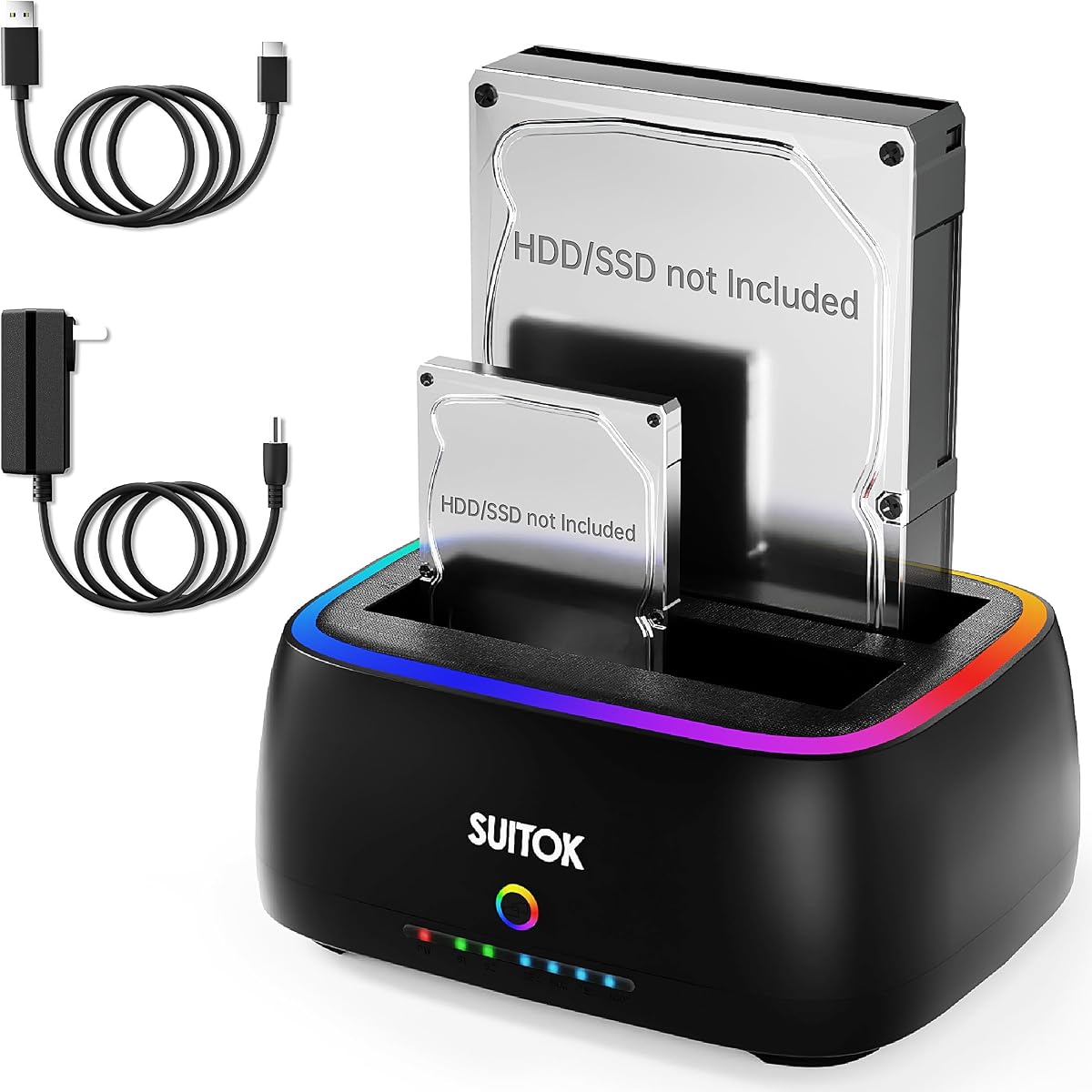
The MAIWO docking station offers incredible value for those needing basic cloning features. Users rate it highly for its reliability and ease of use without breaking the bank.
We may earn a commission when you buy through this link, at no additional cost to you.
Its included 3X USB 3.0 hub is a major benefit allowing you to connect peripherals while docking drives. This makes it a great all-in-one solution for small workspaces or travel kits.
The 12V 3A power supply ensures stable operation even with larger drives. However, it lacks NVMe support which limits future proofing compared to USB-C models.
Budget-conscious users and home office setups will find this device perfect for routine backups. It is a smart buy for anyone needing straightforward SATA cloning without extra costs.
The extra USB ports let you connect drives and other devices without cabling clutter.
Clone drives without a PC which is ideal for quick backups in remote locations.
We may earn a commission when you buy through this link, at no additional cost to you.
This StarTech model is the definitive choice for enterprise and IT professionals handling large volumes. Its high rating reflects robust performance and advanced security features for data management.
We may earn a commission when you buy through this link, at no additional cost to you.
The ability to erase drives securely according to NIST standards is a critical feature for compliance. Combined with four bays for cloning it serves as a complete workstation for storage management.
While the price is high the inclusion of IDE adapters and eSATA support makes it versatile. The LCD menu simplifies complex operations without needing to install software on a host PC.
Organizations requiring certified data sanitization and bulk cloning should invest in this unit. It is an essential tool for IT departments that handle hardware decommissioning and data migration tasks.
Sanitize drives to meet privacy standards before recycling or selling hardware assets.
Connect via USB 3.0 or eSATA for flexible integration with various host systems.
We may earn a commission when you buy through this link, at no additional cost to you.
The SABRENT dual bay station is a trusted option for users needing reliable SATA cloning. Its 4.5 rating comes from consistent performance and straightforward operation for daily backups.
We may earn a commission when you buy through this link, at no additional cost to you.
Supporting drives up to 10TB ensures longevity even as storage needs grow. The offline cloning feature allows you to copy data quickly without connecting to a PC first.
USB 3.0 speeds are sufficient for most home and office needs though not the fastest on the market. It is a solid choice for those prioritizing stability over raw speed.
Home users looking for a simple cloning solution will find this model effective. It is best suited for backups of standard SATA hard drives in a non-critical environment.
Accommodates large 10TB drives making it useful for archival and backup tasks.
We may earn a commission when you buy through this link, at no additional cost to you.
This SABRENT model bridges the gap with a modern USB-C interface for newer laptops and desktops. It maintains the same robust cloning features in a slightly updated form factor.
We may earn a commission when you buy through this link, at no additional cost to you.
The USB-C connection ensures better stability and power delivery for modern setups. Offline cloning remains quick and simple requiring only a button press to start the process.
It is compatible with standard SATA drives but does not support newer M.2 NVMe formats. This makes it ideal for users upgrading old SATA laptops or desktops.
Tech-savvy users with USB-C ports will appreciate the direct connectivity. It is a good choice for those who want to avoid dongles when docking external drives.
The USB-C port matches current laptop standards reducing cable clutter on the desk.
We may earn a commission when you buy through this link, at no additional cost to you.
This dual bay dock supports up to 40TB total capacity making it suitable for large media libraries. It combines standard SATA support with modern USB-C speeds for efficient transfers.
We may earn a commission when you buy through this link, at no additional cost to you.
The open-air vertical design helps with heat dissipation which is vital for continuous operation. LED indicators provide clear feedback on cloning progress so you know the status instantly.
While the build is simpler than premium models it gets the job done at a competitive price. It is a practical option for storage expansion in gaming or media centers.
Gamers and media enthusiasts will find this useful for managing large drives. It is a value choice for those needing high capacity support without advanced enterprise features.
Supports drives up to 20TB each for massive storage needs in one dock.
We may earn a commission when you buy through this link, at no additional cost to you.
StarTech is known for professional quality and this dual bay model is no exception. It offers consistent speeds and reliability that IT professionals trust for frequent drive duplication.
We may earn a commission when you buy through this link, at no additional cost to you.
The top-loading design allows for easy access to drives without moving the unit. With USB 3.2 Gen 2 speeds you get faster performance than standard USB 3.0 models.
It supports 4Kn drives which are becoming common in enterprise environments. While pricier than generic options the durability and support justify the investment.
Professionals managing multiple drive swaps daily will benefit from the sturdy build. It is a solid choice for offices where reliability is more important than lowest cost.
Built for heavy use with consistent performance over years of daily operation.
We may earn a commission when you buy through this link, at no additional cost to you.
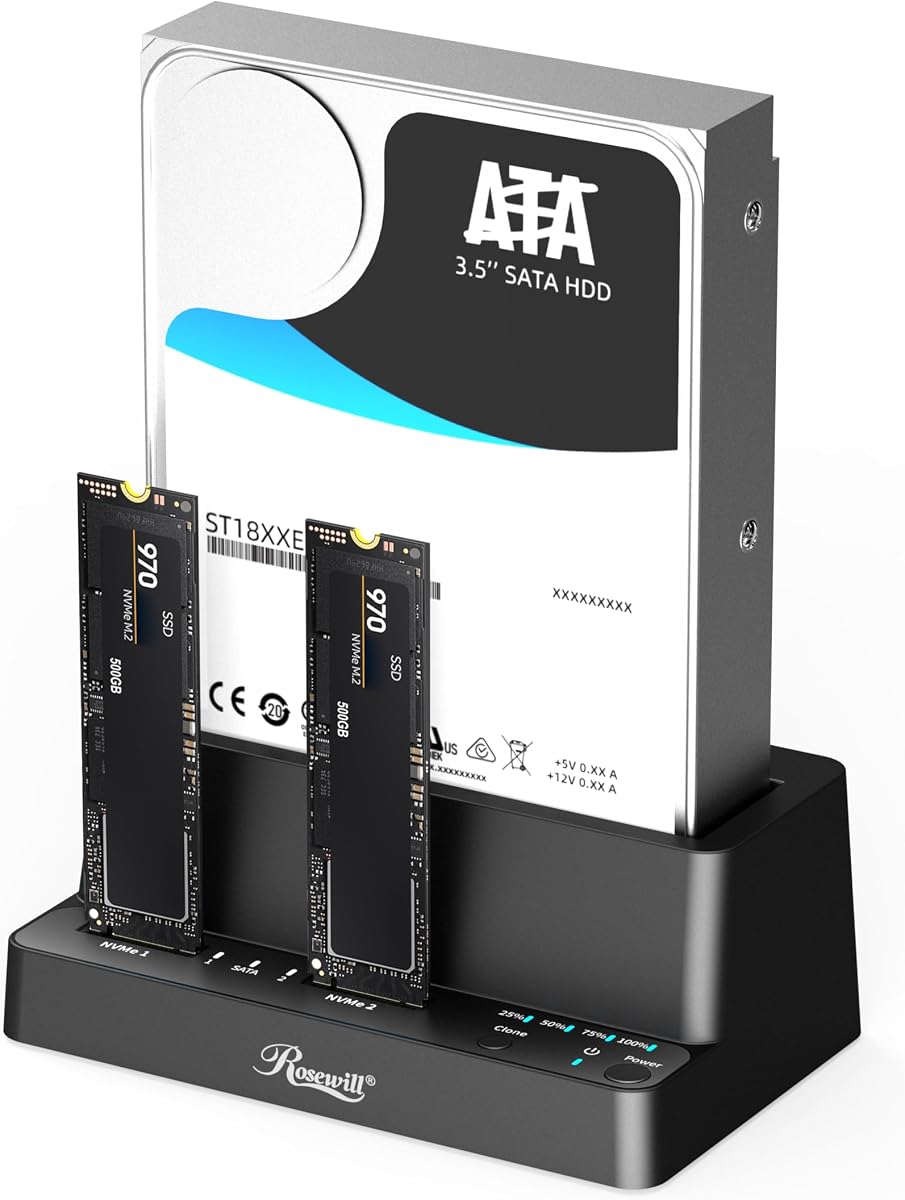
This Rosewill unit combines NVMe support with a compact form factor ideal for mobile work. Its high rating reflects successful performance in various portable setups for field use.
We may earn a commission when you buy through this link, at no additional cost to you.
The 10Gbps speed ensures that SSDs run at optimal performance during transfers. The tool-free design allows you to swap drives quickly which is helpful for on-site repairs.
It is lighter than many competitors making it easier to carry in a laptop bag. While it lacks the extra hubs of some models it covers the essential cloning needs well.
Field technicians and mobile users will find this convenient for quick data swaps. It is a great pick for those who need NVMe capability without a bulky desk dock.
Light enough to carry everywhere yet powerful enough to handle NVMe SSDs.
We may earn a commission when you buy through this link, at no additional cost to you.
The ORICO 5-bay station is perfect for users needing to manage many drives at once. It allows simultaneous cloning to four target drives which speeds up bulk operations significantly.
We may earn a commission when you buy through this link, at no additional cost to you.
The aluminum alloy construction provides excellent heat dissipation for continuous runs. With support for up to 100TB total capacity it serves photographers and media producers well.
While the rating is lower due to occasional connectivity issues it remains functional for most. The LED indicators help track which drive is active during complex multi-disk tasks.
Photographers and video editors with large drive arrays will appreciate the capacity. It is a useful tool for bulk backups where speed of duplication matters most.
Clone to four drives at once saving time when managing large storage volumes.
We may earn a commission when you buy through this link, at no additional cost to you.
This WAVLINK dock offers flexibility with both USB 3.0 and USB C connectivity. It supports UASP which provides faster speeds than standard USB protocols for better efficiency.
We may earn a commission when you buy through this link, at no additional cost to you.
The auto sleep mode helps save energy when drives are not in active use. It supports offline cloning which is convenient for quick copies without booting a computer.
It is not compatible with M1 or M2 Macs which is a limitation for Apple users. However for Windows and standard Linux setups it offers reliable performance at a good price.
Budget conscious users needing dual interface options will find it useful. It is a good choice for general backups where power saving and speed are balanced well.
UASP support improves transfer speeds for a smoother experience with SSDs.
We may earn a commission when you buy through this link, at no additional cost to you.
Selecting the right cloning dock depends on your specific drive types, capacity needs, and budget. Consider these key factors to ensure compatibility and performance.
Ensure the dock supports your drives whether SATA M.2 NVMe or IDE. Using a dock that matches your drive type prevents connection errors and wasted purchases.
Check the specs for SATA and M.2 support before buying to avoid incompatibility.
Offline cloning speed varies by model. Look for USB 3.2 Gen 2 for faster transfers if you handle large volumes of data regularly.
Prioritize higher speeds if you clone drives frequently to save time.
Verify the maximum drive capacity the dock supports. Some models cap at 10TB while others handle 40TB or more for larger needs.
Choose a dock that accommodates your largest drive size to ensure longevity.
Dual bay models suit basic needs while 3 or 5 bay docks allow bulk operations. More bays offer flexibility for multi-drive workflows.
Select the number of bays based on how many drives you work with at once.
Most docks need an external power adapter. Ensure it provides stable power for large drives to avoid data corruption during transfers.
Look for docks with robust power supplies for reliable operation.
Modern laptops may require USB-C while older PCs use USB-A. Some docks offer both or adapters for broader compatibility across devices.
Match the interface to your computer ports to avoid needing extra adapters.
Some premium docks offer secure erase or Wiper tools for safe disposal of drives. This is essential for handling sensitive data in business environments.
Consider security features if you need to sanitize drives before recycling.
Aluminum alloy builds help dissipate heat during long cloning sessions. Good cooling prevents overheating which can damage drives or reduce speed.
Look for vents or metal casing to ensure safe operation over time.
Connect the power adapter to the dock and plug it into a wall outlet. Connect the dock to your computer using the included USB cable if online access is needed.
For offline cloning insert the source drive in the first bay and the target drive in the second bay. Press the clone button and wait for the LED indicators to show completion.
Keep the dock in a well-ventilated area to prevent overheating. Clean dust from the vents regularly with compressed air to maintain performance and safety.
Most modern docking stations are plug and play and do not require additional drivers. They function as standard USB mass storage devices which Windows and macOS recognize automatically.
No the target drive must be equal to or larger than the source drive. Cloning larger drives onto smaller targets is not possible as data will be lost.
USB-C docks offer better compatibility with modern laptops and often faster speeds. USB 3.0 docks are fine for older systems but may need adapters for new Macs.
It depends on drive size and speed but cloning a 1TB drive might take 20-30 minutes. Higher transfer rates reduce the time required for large data sets.
Only specific models with M.2 slots support NVMe drives. Standard SATA docks do not work with M.2 SSDs so check the specs before buying.
Ensure the drive is seated correctly and the dock is powered. Check if the drive is formatted correctly or try a different USB cable or port.
Most standard docks work with Macs but some older USB 3.0 models may not support M1/M2. Use a USB-C dock for guaranteed compatibility with newer Macs.
Yes most docks support hot-swapping so you can connect and disconnect drives while the computer is on. Always wait for the system to recognize the drive before removing it.
We highlighted the top models from ICY BOX MAIWO and StarTech for their balance of performance and value. Each offers distinct benefits depending on whether you need budget or enterprise features.
Prioritize compatibility with your drive types and capacity needs before checking price. A dock that supports your current and future drives saves money in the long run.
Always verify the current price and warranty details before purchasing. Storage technology evolves quickly so ensure your choice remains relevant for your specific use case.