
Rosewill Helium NAS Duo
2.6Editor score
Supports up to 8 x 3.5 HDD
Mesh panel for superior airflow
USB 3.2 Type-C front connectivity
Finding the right ATX NAS computer case is crucial for building a reliable home server or media storage solution. You need a chassis that balances expandability with efficient airflow to keep your drives running cool and quiet over years of operation.
We evaluated ten top-rated cases based on drive bay capacity, motherboard compatibility, cooling options, and build quality. Each product was selected for its ability to support ATX motherboards while offering robust storage solutions for enthusiasts and professionals.
Every pick below highlights specific strengths like hot-swap bays, premium materials, or unique cooling designs. Note that prices and availability can fluctuate, so verify current listings before making your final purchase decision for your build.
2.6Editor score

4.7Editor score

4.1Editor score
As an Amazon Associate we earn from qualifying purchases.
The following table provides a detailed side-by-side comparison of all ten selected cases. It highlights key specifications such as drive capacity, motherboard support, cooling options, and unique features to help you quickly identify the right fit for your specific NAS requirements.



The DARKROCK Classico Storage Master stands out as a top contender for those needing massive storage in an ATX chassis. It earns a 4.4 rating for its unique balance of gaming aesthetics and NAS functionality. The standout quality is its ability to hold thirteen hard drives while maintaining a sleek modern design.
We may earn a commission when you buy through this link, at no additional cost to you.
Its mesh front and side panels allow for efficient airflow which is critical when running multiple spinning disks. The vertical GPU mount not only looks stylish but prevents sagging keeping your card cool. With support for a 360mm radiator you can also manage heat from high-performance components easily.
While the capacity is impressive the internal layout can be tricky during assembly. You might need more time organizing cables to ensure unobstructed airflow. However the benefits of having such a versatile case usually outweigh the initial setup complexity for enthusiasts.
This case is perfect for users who want a single machine to handle gaming and data storage. If you need a case that supports multiple drives without sacrificing cooling or style this is a strong recommendation. It delivers performance where most NAS cases fail to balance.
The mesh panels ensure air moves freely reducing heat buildup in drives and GPU.
Mounting your graphics card vertically improves cooling and protects the card from sag.
We may earn a commission when you buy through this link, at no additional cost to you.
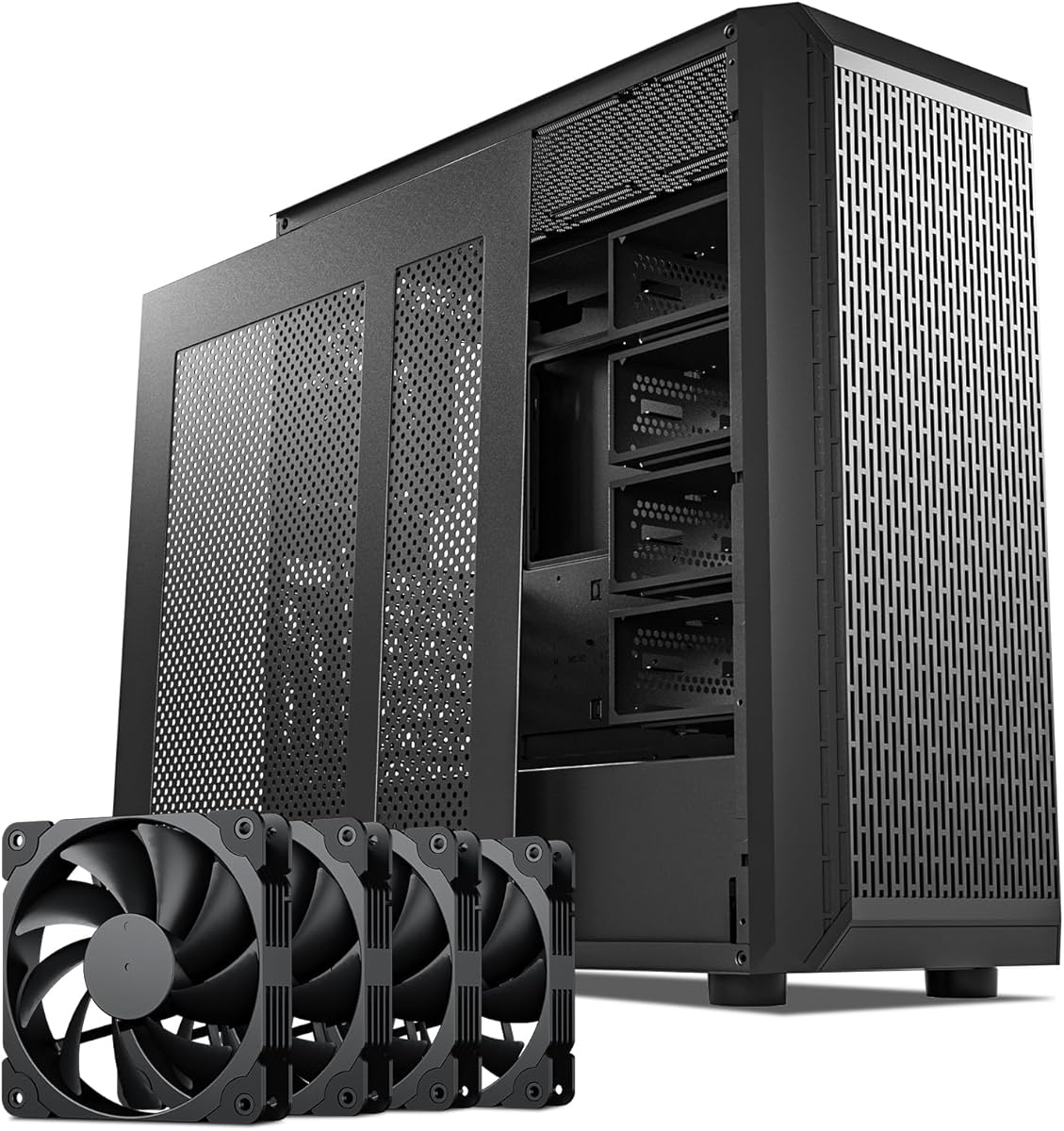
The Rosewill Helium NAS Duo is an attractive option for those looking to save money without sacrificing drive count. It supports eight 3.5 hard drives making it great for basic home servers. However its lower rating indicates users have faced challenges with build quality over time.
We may earn a commission when you buy through this link, at no additional cost to you.
It comes with four 140mm PWM fans which provide superior airflow right out of the box. The mesh panels further assist in keeping temperatures down for your drives. Additionally the inclusion of a USB 3.2 Type-C port adds modern connectivity for fast data transfers.
The main drawback is inconsistency in manufacturing which can lead to assembly headaches or noise. Some buyers report issues with drive bays not aligning perfectly. If you can work around these potential flaws the value proposition is hard to beat for budget builds.
Choose this if you are building a NAS on a tight budget and have some technical patience. It offers the core features needed for a reliable storage server at a lower price point. Just be prepared to double-check everything during installation.
Four PWM fans and mesh panels keep air moving freely to prevent drive throttling.
USB 3.2 Type-C allows fast external transfers without needing extra hardware.
We may earn a commission when you buy through this link, at no additional cost to you.
The JONSBO N5 is a premium powerhouse designed for serious enthusiasts needing extreme storage and compute power. With a 4.7 rating it excels in both aesthetics and utility. The North American black walnut veneer gives it a furniture-like look rare in server cases.
We may earn a commission when you buy through this link, at no additional cost to you.
It supports 12 hotswap HDDs plus four SSDs for a total of sixteen drives. The design also allows up to four GPUs making it ideal for AI workstations or heavy media processing. The pre-installed fans ensure you don't have to worry about basic cooling setup.
The main trade-off is the significant cost and size of the case. You need a large desk and a healthy budget to justify the investment. However the build quality and expansion options are unmatched in the current market for DIY NAS builds.
This case is the top choice for professionals or serious hobbyists who want a showpiece server. If you need maximum drive count and premium materials without compromising on cooling this is the best available option. It elevates your build to a new level of class.
The North American black walnut finish blends tech with home decor seamlessly.
Support for four GPUs and sixteen drives offers unparalleled flexibility for workloads.
We may earn a commission when you buy through this link, at no additional cost to you.
This generic 8 Bay NAS Case has achieved a perfect 5.0 rating from users who appreciate its practical design. It offers eight hot-swap bays and two SSD slots making it flexible for mixed storage needs. The dual-chamber layout isolates heat sources from drives effectively.
We may earn a commission when you buy through this link, at no additional cost to you.
It is designed for Micro ATX and ITX boards keeping the footprint smaller than standard ATX cases. The hot-swap feature allows you to change drives without opening the case which is a huge plus for maintenance. Compatible with both SATA and SAS drives it is versatile.
The limitation is that it does not support standard ATX motherboards limiting CPU and RAM choices. Also GPU length is capped which means high-end graphics cards will not fit. This makes it a specialized choice rather than a general PC case.
Buy this if you prioritize drive reliability and easy access over raw compute power. It is an excellent chassis for a dedicated server where simplicity and uptime are key. The high user rating confirms it meets expectations for its specific niche well.
Change drives without powering down or opening the chassis to save time.
Separating PSU and drives improves airflow and reduces overall system noise.
We may earn a commission when you buy through this link, at no additional cost to you.
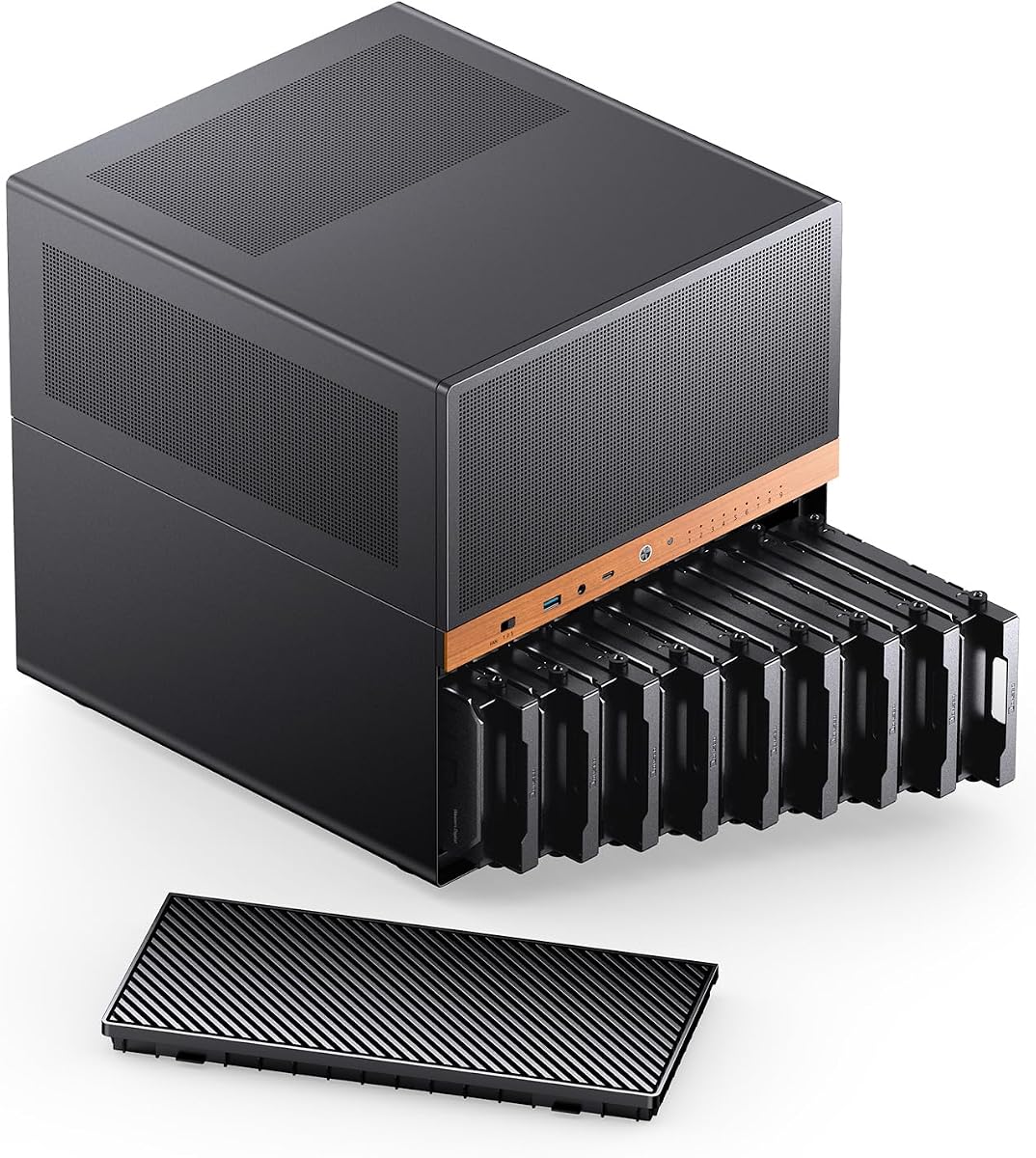
The JONSBO N6 offers a balanced approach with nine drive bays and stylish wood finishes. It supports both ATX and SFX power supplies giving you flexibility in choosing a PSU. The hot-swap bays make maintenance easy and it comes with pre-installed fans for basic cooling.
We may earn a commission when you buy through this link, at no additional cost to you.
Its design includes multiple fan mounting positions allowing you to customize airflow paths for your needs. The 240mm AIO support means you can also add liquid cooling for high-performance CPUs if needed. This versatility is rare in smaller NAS cases.
Users should note that powering multiple drives requires careful management of power interfaces. You may need to connect multiple cables to ensure startup currents are met. This complexity is a trade-off for the compact yet high-capacity design.
This case is ideal for users who want a blend of performance and home-office aesthetics. If you value design and decent storage capacity without going fully premium this is a strong contender. It balances functionality and looks better than many competitors.
Support for ATX and SFX PSUs lets you tailor power to your budget.
Multiple fan spots allow you to direct air exactly where heat builds up.
We may earn a commission when you buy through this link, at no additional cost to you.
The KM7B is a full tower case designed specifically for massive storage needs with thirteen HDD bays. It supports E-ATX motherboards making it future-proof for high-end CPUs. The magnetic front panel adds a nice touch for easy access to the interior.
We may earn a commission when you buy through this link, at no additional cost to you.
Its support for 360mm radiators means liquid cooling is an option for heat-sensitive workloads. The design allows for robust airflow which is essential when running thirteen drives continuously. However limited user data makes it a riskier choice than established brands.
The size is substantial so ensure you have enough space before purchasing. You will also need to consider weight and stability during transport. It is a great option if you need raw capacity and standard ATX features in one package.
Choose this if you need maximum drive count and motherboard compatibility without paying premium prices. It is a workhorse chassis that prioritizes function over flashy design. Verify compatibility with your specific parts before ordering to avoid surprises.
Thirteen drive bays ensure you can scale storage for years without upgrading.
Support for 360mm radiators allows advanced cooling for demanding CPU tasks.
We may earn a commission when you buy through this link, at no additional cost to you.
The Generic ZhenLoong Full Tower offers fifteen hot-swappable drive bays for immense storage power. It supports EEB and EATX boards providing high-end expandability for complex systems. The 1.0mm SGCC material ensures the chassis is sturdy enough for such a heavy load.
We may earn a commission when you buy through this link, at no additional cost to you.
With eight PCI full-height slots you can add multiple network cards or accelerators easily. However shipping can take up to forty days which is a significant wait. Ensure you plan ahead if you need the case quickly for a project.
The weight of sixteen kilograms is notable so be careful during setup and transport. It is built like a tank which is good for stability but adds to the bulk. If you need maximum PCI and drive slots this is one of the few options.
This case is a specialized tool for enterprise or heavy data center use cases. If you can wait for shipping and need extreme expansion options it is a solid choice. It bridges the gap between enterprise gear and DIY flexibility.
Eight PCI slots support complex hardware setups for advanced networking.
1.0mm steel construction ensures durability for large drive arrays.
We may earn a commission when you buy through this link, at no additional cost to you.
The Silverstone Temjin TJ04 is a classic case known for its quality and aluminum front panel. It offers an innovative hard drive cooler that keeps storage drives running at safe temperatures. The positive pressure design helps reduce dust buildup inside the chassis.
We may earn a commission when you buy through this link, at no additional cost to you.
It supports eight expansion slots which is great for cards beyond standard GPUs. However it has lower storage capacity compared to modern NAS cases. This makes it a better fit for mixed-use PCs rather than pure storage servers.
While it does not match modern drive bays its build quality is reliable. If you value style and cooling for a system that uses fewer drives it is a good pick. Just ensure your drive count matches its internal layout before buying.
Buy this if you need a stylish tower with robust cooling for a few drives. It is a proven design that has stood the test of time. If storage is your only goal look elsewhere but for mixed workloads it is strong.
Positive pressure pushes dust out keeping filters clean and fans quiet.
Dedicated cooler keeps drives stable during long data processing tasks.
We may earn a commission when you buy through this link, at no additional cost to you.
The JONSBO N4 brings premium looks to a smaller footprint with its walnut wood finish. It fits Micro ATX boards and offers eight drive bays including four hot-swap slots. The 240mm AIO support ensures you can cool your CPU effectively in this tight space.
We may earn a commission when you buy through this link, at no additional cost to you.
It is designed for users who need a compact server that still looks great in a home. The USB 3.2 Type-C port makes transfers faster for connected peripherals. The one built-in fan helps manage heat without needing extra purchases.
The downside is the limited PSU support and smaller chassis size which restricts GPU and CPU choices. You will need a smaller power supply and compact components. This trade-off is acceptable for those prioritizing aesthetics and compactness.
Choose this for a living room server or office setup where space and looks matter. It balances high-end materials with practical storage features well. Just be aware of the size limits before buying your hardware.
Walnut veneer blends tech into living spaces seamlessly.
USB 3.2 Gen 2 Type-C offers quick external storage connections.
We may earn a commission when you buy through this link, at no additional cost to you.
The Silverstone CS382 is a reliable Micro-ATX chassis offering eight hot-swappable drive bays. It supports both SAS and SATA drives giving you flexibility for enterprise or home use. The brand reputation ensures high build quality and better support than generic brands.
We may earn a commission when you buy through this link, at no additional cost to you.
It includes a USB Type-C port for modern connectivity and supports 240mm liquid cooling. This combination of features makes it a strong contender for professional media servers. The hot-swap bays allow for maintenance without system downtime.
The limitation is that it only supports Micro ATX boards and eight drives total. If you need more drives or an ATX board look at other models. However for most small business needs this is enough storage and power.
Buy this if you value reliability and standard SAS support for your data storage. It is a proven design that works well in server environments. For most users this case provides the perfect balance of size and function.
Supports SAS drives for high reliability and speed in server applications.
Eight hot-swappable bays make maintenance and expansion easy.
We may earn a commission when you buy through this link, at no additional cost to you.
Choosing the right ATX NAS case requires balancing storage needs with physical space and component compatibility. Here are key factors to consider before buying.
Determine how many hard drives you need now and in the future. Most ATX cases offer 8 to 16 bays ensuring you have room to scale without rebuilding.
Always check if the case supports hot-swap bays for easy maintenance without powering down the system.
Ensure the case supports your chosen motherboard form factor such as ATX Micro ATX or E-ATX. Some NAS cases are designed specifically for smaller boards to reduce footprint.
Verify that expansion slots are sufficient for your network cards and GPUs if you plan to use them in your server.
NAS servers run 24/7 so efficient airflow is critical to prevent drive throttling. Look for mesh panels and multiple fan mounts to ensure consistent air movement.
Consider liquid cooling support if you plan to use high-performance CPUs that generate significant heat alongside your storage drives.
High-quality steel or aluminum ensures the case can support heavy drives without flexing. Thicker gauge steel often translates to better stability and reduced noise.
Some cases use wood veneers for aesthetic reasons which may add to the price but improve the visual appeal.
Check if the case supports standard ATX power supplies or if you need a smaller SFX unit. The PSU length often impacts drive bay availability in NAS cases.
Look for cases that support multiple PSU mounting positions to optimize space for drives and cables.
Modern USB Type-C ports allow fast external data transfers which is useful for backup drives. Ensure there are enough USB ports for your keyboard or peripherals.
Some premium cases include dedicated drive activity LEDs that give you instant feedback on disk health.
Proper cable routing helps maintain airflow and keeps the interior organized. Look for cases with rubber grommets and ample tie-down points for power and SATA cables.
Poor cable management can block airflow to drives leading to overheating and reduced drive lifespan.
Start by installing your motherboard and power supply before adding drives to ensure proper fit and cable routing. This sequence prevents crowding and makes it easier to connect power cables to each drive.
Organize your cables neatly to maintain airflow and reduce noise from vibration. Use velcro ties instead of plastic ones to avoid sharp edges that might damage wires over time.
Regularly dust the intake fans and filters to prevent heat buildup especially in hot environments. Cleaning your NAS case every three months ensures your drives stay cool and last longer.
Not all ATX cases support E-ATX boards so always check the product specifications. Some models like the JONSBO N5 and KM7B specifically list E-ATX compatibility while others only support standard ATX.
Hot-swap bays allow you to remove and replace drives without opening the case or powering down. Fixed bays require disassembly and shutdown to change drives which is less convenient for frequent maintenance.
Many ATX NAS cases support radiators up to 360mm so liquid cooling is possible. Check the product specs to confirm if your chosen case supports AIO coolers and where you can mount them.
Wood veneers like walnut are used to make the case look like furniture rather than a server. This adds a premium aesthetic that blends better in home offices or living spaces.
ATX NAS cases typically hold 8 to 16 drives depending on the model. Some high-end models like the Generic ZhenLoong support up to 15 drives for massive storage needs.
Some cases offer multiple mounting positions or adapter options to support smaller SFX power supplies. Check the PSU support section in the product specs to confirm compatibility.
We reviewed ten top ATX NAS cases offering a range of storage capacities and features from budget to premium. Whether you need simple media storage or extreme compute power there is a case to match your needs.
Prioritize cooling and drive bay capacity over extra features that you might not use. A well-cooled case with enough bays will save you headaches as your storage grows over the years.
Prices and availability can change so verify current listings before purchasing. Always double-check compatibility with your specific motherboard and power supply before finalizing your build.