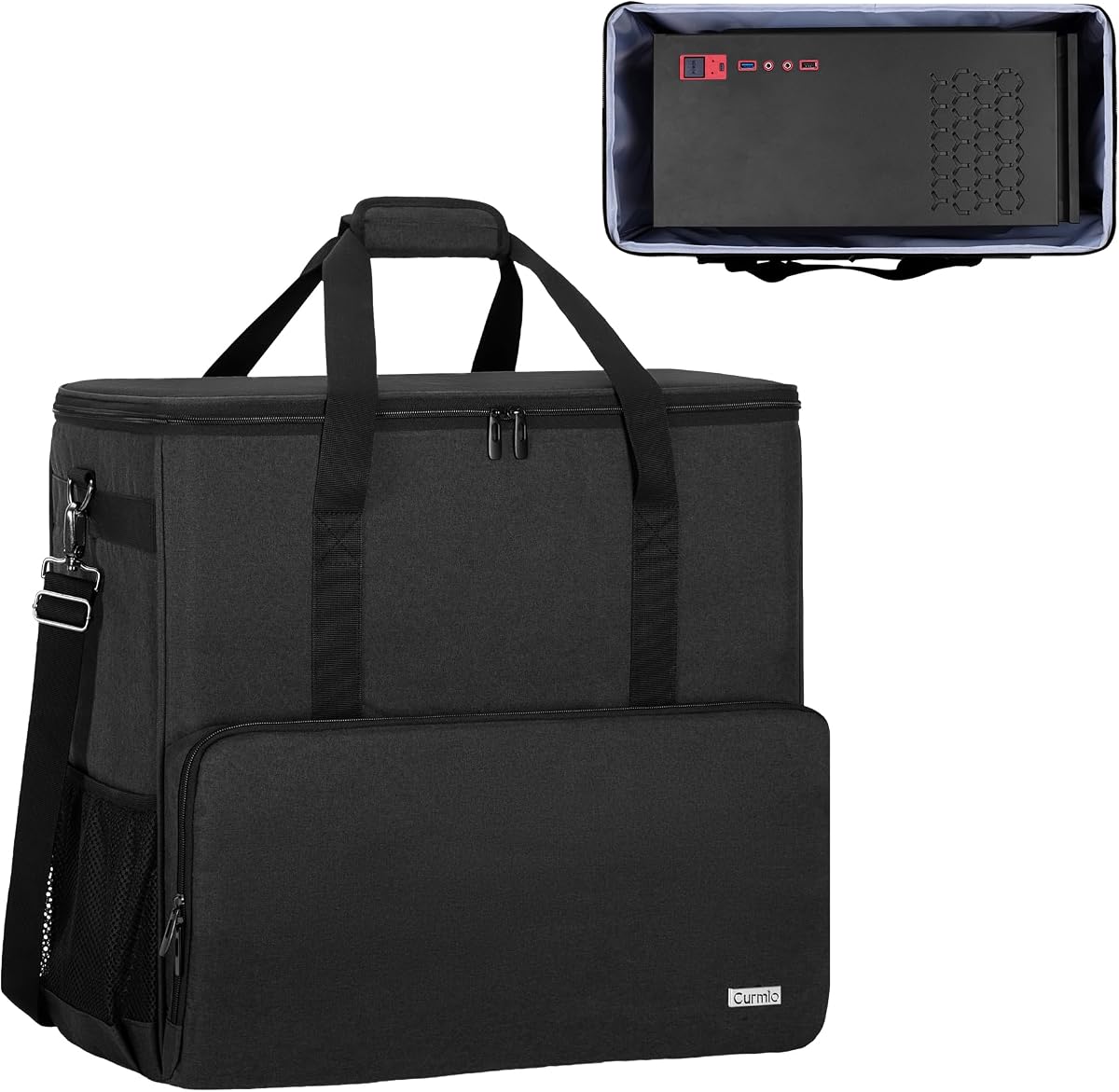
CURMIO PC Carrying Case
4.7Editor score
Thick nylon material construction
Removable cushioned padding insert
Multiple accessory organization pockets
This guide compares the top 10 Desktop PC Tower Travel Carrying Case options for gamers and professionals needing reliable protection for their setup during
Transporting a powerful desktop computer requires specialized protection to prevent damage from bumps, vibrations, or environmental factors. A dedicated carrying case ensures your valuable hardware arrives safely at its destination while keeping accessories organized and accessible for immediate use.
We evaluated ten leading models based on durability, capacity, comfort, and organizational features. Each product was selected for its ability to accommodate standard ATX or Micro-ATX towers while offering robust padding and practical storage solutions for keyboards and peripherals.
Every review highlights key strengths and potential trade-offs to help you find the perfect match for your specific needs. Please note that availability and pricing can fluctuate frequently, so verify current details before making your final purchasing decision online.
4.7Editor score

4.9Editor score

4.3Editor score
The following table provides a side-by-side comparison of all ten selected products. It highlights key specifications such as dimensions, material quality, and unique features to help you quickly identify which model best suits your transportation requirements.


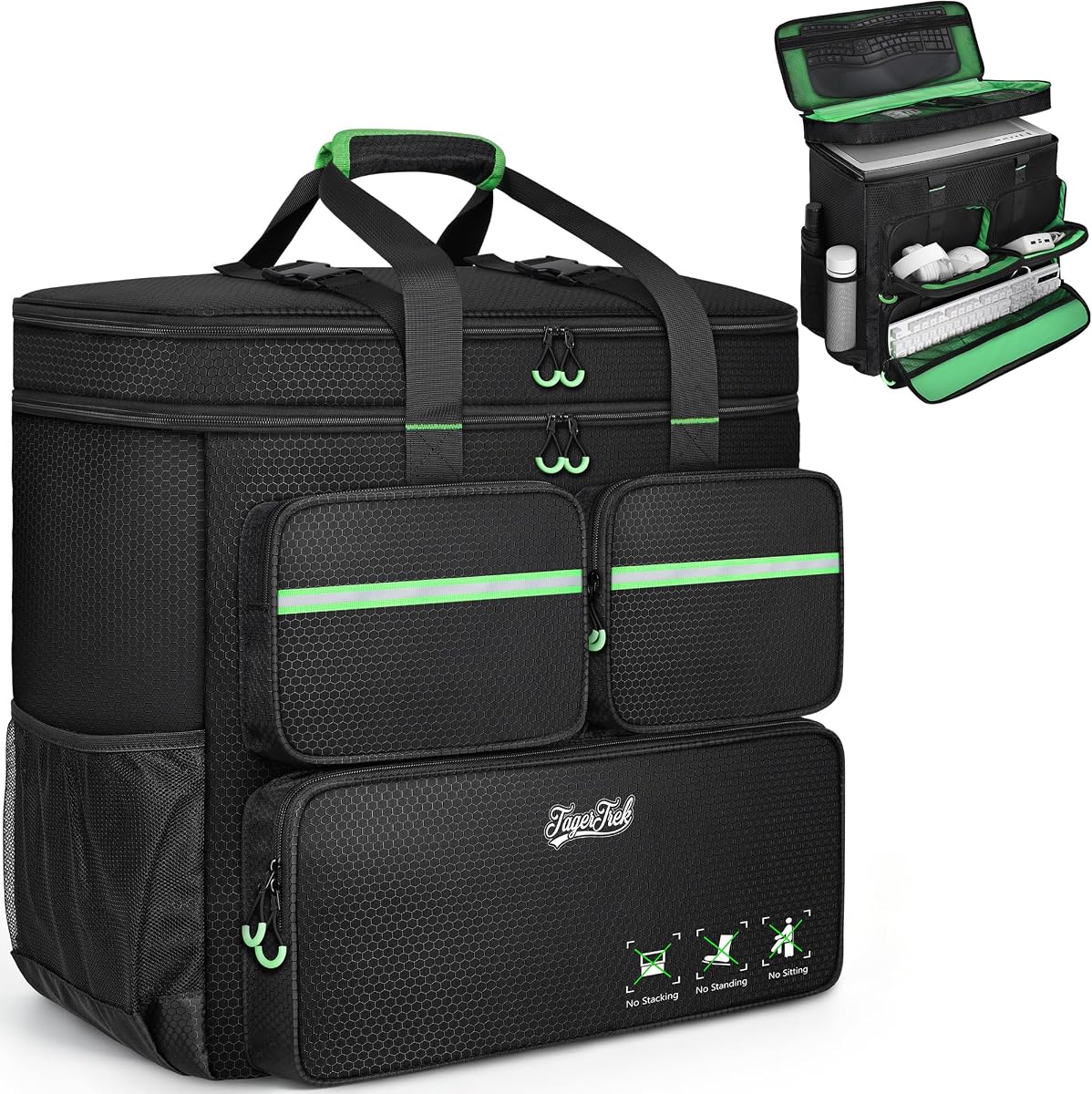
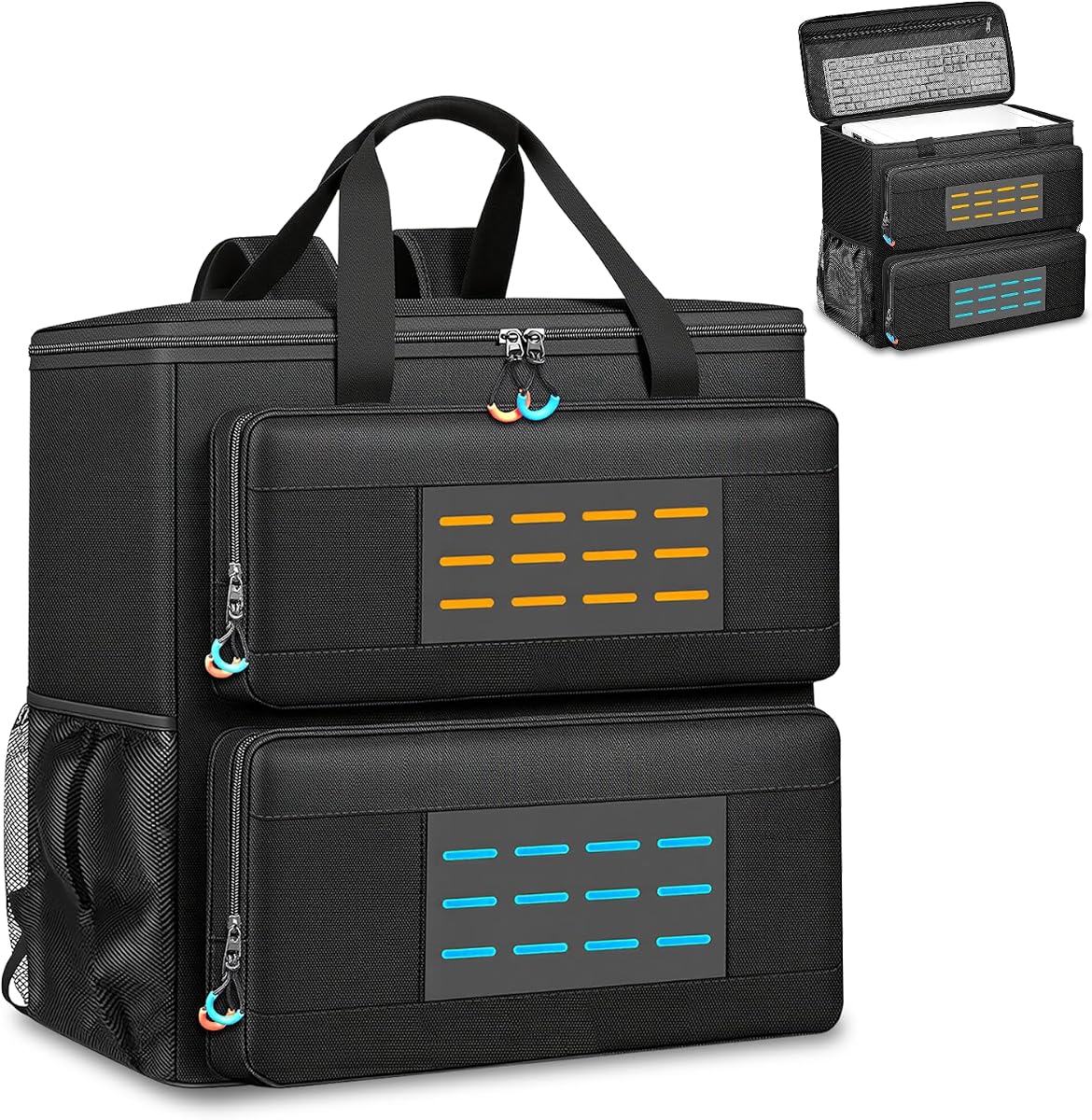


This PC carrying case stands out with an impressive 4.9 rating from verified users. It is designed specifically for ATX and Micro-ATX cases offering perfect fit and reliable protection for your desktop tower during travel.
We may earn a commission when you buy through this link, at no additional cost to you.
The high-density foam padding and thickened cushioning absorb shocks effectively. A unique MOLLE webbing system allows you to attach extra gear keeping everything organized. The rear luggage strap secures it to suitcases hands-free transport.
While the build is robust it may feel heavier than lighter alternatives. The price is also on the higher end compared to basic bags but the durability justifies the investment for frequent travelers.
Ideal for professionals and gamers moving setups regularly. This case transforms moving a bulky computer into a simple operation. It is highly recommended for anyone needing top-tier protection and organization for their hardware.
The thickened foam inside ensures your components survive rough handling. This level of padding is essential for protecting sensitive electronics during transit.
The MOLLE webbing lets you add pouches or straps as needed. This flexibility keeps your setup custom to your specific gear requirements.
We may earn a commission when you buy through this link, at no additional cost to you.
The CURMIO PC Carrying Case offers a 4.7 rating with a focus on value and practicality. It is designed for full computer towers ensuring your hardware is protected without breaking the bank for basic transport needs.
We may earn a commission when you buy through this link, at no additional cost to you.
Constructed from thick nylon it resists water and scratches well. The interior features foam padding and removable cushions for flexibility. Multiple pockets help organize wires and drives efficiently.
Storage space is somewhat limited for very large keyboards or extra monitors. The handle is padded but might loosen with heavy loads over time. Regular checks can prevent issues with daily use.
This is a great choice for casual movers on a budget. It provides reliable protection for occasional trips or storage. Highly recommended for users needing a solid basic solution at a lower price point.
The thick nylon material ensures long-term use against wear and tear. This makes it a reliable partner for various environments.
Removable cushions allow you to adjust space as needed. This feature adds versatility for different component sizes.
We may earn a commission when you buy through this link, at no additional cost to you.
This rolling case boasts a 4.3 rating and unique mobility features. Designed for ATX and M-ATX towers it simplifies transport significantly. The included cart is perfect for stairs or long distances.
We may earn a commission when you buy through this link, at no additional cost to you.
The swivel casters roll silently and smoothly over surfaces. The aluminum handle adjusts to three heights for comfort. Solid stitching and fabric ensure durability under heavy loads.
The detachable cart adds weight to the overall package. Moving parts like wheels may require more maintenance than static bags. This design is best for those prioritizing mobility above all.
Ideal for frequent movers or commuters with heavy loads. It reduces physical strain significantly during transport. Recommended for users who need effortless movement without lifting heavy equipment constantly.
The rolling mechanism makes moving heavy towers easy. This feature is invaluable for long travel distances or multiple flights.
The adjustable handle fits different user heights comfortably. This ensures ergonomic usage regardless of your stature.
We may earn a commission when you buy through this link, at no additional cost to you.
This model has a 4.3 rating and fits most ATX mid-tower desktops well. The rear buckle fastener prevents tipping during movement. It serves as a reliable case for standard PCs and office relocation.
We may earn a commission when you buy through this link, at no additional cost to you.
Thickened padding guards against impacts and scratches effectively. The reinforced base enhances stability during storage. Expandable side pockets organize tools and accessories neatly.
It might not accommodate larger full-tower or custom cases. The reinforced base adds some weight which could affect portability. Measuring before purchase is crucial to ensure proper fit.
Best for users with standard mid-tower systems. It offers solid protection and practical storage for daily moves. Recommended for those needing a dependable case for common PC sizes.
The rear buckle keeps the case upright safely. This prevents accidental tipping and protects your tower during transit.
Expandable pockets offer flexibility for varying needs. This helps keep your workspace organized wherever you go.
We may earn a commission when you buy through this link, at no additional cost to you.
This case earns a 4.6 rating with high-density 5mm EPE lining. It protects against bumps and drops effectively. The large capacity allows extra accessories like GPUs and radiators.
We may earn a commission when you buy through this link, at no additional cost to you.
Multiple zippered pockets help organize cables and peripherals. The chest strap reduces shoulder pressure during carrying. The material absorbs impact and vibration during transportation.
The bag can feel bulky and heavy when fully loaded. Managing weight distribution is essential for comfort on long trips. It requires care when packing to avoid strain.
Ideal for users needing extra space for components. It is a great move solution for relocation. Recommended for those transporting a full setup including extra hardware.
The 5mm EPE lining provides superior impact protection. This ensures your electronic components stay safe during rough handling.
Multiple pockets ensure everything stays organized neatly. This prevents tangled cables and lost parts during travel.
We may earn a commission when you buy through this link, at no additional cost to you.
This model holds a 4.7 rating with versatile carrying options. It features high-quality polyester fabric that is wear-resistant. The secure buckle keeps items firmly in place.
We may earn a commission when you buy through this link, at no additional cost to you.
Thick internal padding absorbs shock effectively during transit. The chest strap helps maintain balance while carrying. It supports most computer towers and accessories.
It may feel too large for tight storage spaces. The weight of the bag itself can add up with gear. It requires planning for optimal packing and transport.
Great for those needing versatility in transport methods. It balances durability and comfort well. Recommended for users seeking a reliable case for frequent travel.
You can choose between backpack or handle styles. This flexibility helps adapt to different terrain and needs.
The top buckle ensures items do not shift. This protects your gear from internal movement and damage.
We may earn a commission when you buy through this link, at no additional cost to you.
This case features 8mm EPE foam for superior protection. The design ensures security for your desktop tower chassis. A front keyboard sleeve adds practical convenience for users.
We may earn a commission when you buy through this link, at no additional cost to you.
Tear-resistant fabric guards against daily wear well. The chest strap reduces localized pressure effectively. Multiple pockets keep all essentials orderly.
The keyboard sleeve may not fit all ergonomic layouts. Bulkiness can make storage in tight spots difficult. It requires planning for efficient packing strategies.
Best for users needing specific keyboard storage. It offers strong protection for sensitive gear. Recommended for those prioritizing organization and comfort during transport.
The 8mm foam absorbs shock exceptionally well. This ensures your tower survives impacts during movement.
Front pockets organize accessories efficiently. This prevents clutter and ensures easy access to items.
We may earn a commission when you buy through this link, at no additional cost to you.
This backpack earns a 4.6 rating with pearl cotton cushions. It provides all-around protection for your computer host. The water-resistant material keeps dust away effectively.
We may earn a commission when you buy through this link, at no additional cost to you.
Adjustable padded straps reduce shoulder fatigue. Side pockets with buckles secure small items. The design includes four bottom feet for friction reduction.
Dimensions must be verified carefully to ensure fit. Limited expansion means it fits standard towers best. It requires checking sizes before buying.
Ideal for users needing a backpack style case. It offers balanced comfort and protection. Recommended for daily commuters and students.
The ergonomic straps ensure long-lasting comfort. This makes carrying heavy towers less stressful over time.
Water-resistant material shields against environmental elements. This keeps your components dry during adverse weather.
We may earn a commission when you buy through this link, at no additional cost to you.
This case features high-density 5mm EPE lining for protection. It absorbs impact effectively during transportation. The soft padded handle makes carrying comfortable for users.
We may earn a commission when you buy through this link, at no additional cost to you.
A zippered mesh pocket helps organize accessories. The material is wear-resistant and durable. It provides all-around protection for your tower.
It may feel heavy when fully loaded with gear. The structure is rigid which can limit flexibility. It requires careful packing to optimize space.
Best for those needing a sturdy carrying solution. It balances durability and practical storage. Recommended for office relocation or travel needs.
The thickened lining minimizes damage risk. This keeps your tower secure during rough handling.
The soft padded handle ensures comfort. This makes lifting and carrying much easier.
We may earn a commission when you buy through this link, at no additional cost to you.
This case has a 4.7 rating with double layer design. It separates the tower from accessories well. The thick nylon ensures wear resistance for longevity.
We may earn a commission when you buy through this link, at no additional cost to you.
Multiple pockets organize wires and hard drives. The large opening makes packing easy. A removable cushioned pad protects the hardware.
It may feel heavy due to additional layers. Overkill for users with minimal gear needs. It requires managing extra bulk during transport.
Best for users needing separate storage compartments. It offers robust organization for complex setups. Recommended for those moving a full station.
The double layer keeps gear distinct. This prevents scratches and tangling of cables.
Thick nylon guarantees long term use. This makes it a reliable companion for frequent travel.
We may earn a commission when you buy through this link, at no additional cost to you.
Selecting the right carrying case involves evaluating several critical factors to ensure your hardware stays safe during transit. Below we outline the essential aspects to consider before making a purchase decision.
Always check the interior dimensions against your desktop tower. A case that is too tight can damage components during transport while one that is too loose allows shifting. Verify compatibility with ATX or Micro-ATX form factors specifically.
Ensure your tower fits snugly with minimal movement.
Look for materials like 600D Oxford cloth or thick nylon. These resist tears and water exposure which is vital for outdoor or rough handling. Reinforced stitching adds to the lifespan of the bag.
Choose materials that offer long-term protection against elements.
High-density foam or EPE padding is essential for absorbing impacts. Thickened padding on all sides protects sensitive electronics from bumps and drops. This prevents internal components from getting damaged during movement.
Prioritize cases with at least 5mm of high-density padding.
A good case should accommodate your keyboard mouse and cables. Dedicated pockets prevent items from shifting and scratching the main unit. Organized storage ensures everything arrives ready to set up.
Verify that accessory pockets match your hardware size.
Adjustable padded straps and chest straps distribute weight evenly. A sturdy handle helps with lifting the bag onto shelves or vehicles. Comfort features reduce fatigue during long travel periods.
Select ergonomic straps if you plan to carry heavy loads.
Some cases offer rolling wheels or detachable carts for easier transport. These are useful for navigating airports or stairs without lifting heavy weight. Consider if you need static or moving transport options.
Wheels add convenience but also weight to the total package.
The bag itself should not add excessive weight to your load. Heavy materials increase strain during long journeys. Balance durability with lightness to ensure easier transport.
Compare empty weights to find the lightest robust option.
Zippers should be sturdy and preferably water-resistant. Locking mechanisms or reinforced pockets help prevent accidental openings. Security ensures your gear stays contained throughout the trip.
Check for smooth zippers that do not snag easily.
Proper packing starts with securing all internal components of your tower. Remove loose cards or drives if possible to prevent movement inside the case. Place soft items like cables around the tower to act as additional cushioning.
Regularly inspect the zippers and stitching for signs of wear. If a zipper gets stuck use a soft brush to clear debris rather than forcing it. This maintains smooth operation and extends the life of the bag.
Store the case in a cool dry place when not in use. Avoid leaving it in direct sunlight for long periods as this can degrade fabric. Proper storage ensures the case remains durable for future travel.
Measure your tower length width and height carefully before shopping. Compare these numbers to the interior dimensions listed for each case. Ensure there is at least an inch of padding space on all sides.
Most of these cases meet standard carry on limits but always check airline rules. If checking as baggage ensure the case has reinforced edges for extra protection. A hard shell case might be safer for checked flights.
Most bags offer water-resistant outer materials but are not fully waterproof. Keep sensitive components inside sealed plastic bags for extra safety. Wipe off any moisture immediately after exposure to rain.
Some models feature removable foam inserts allowing you to customize space. Check the product description to confirm this feature exists. Removable padding lets you adjust for different hardware needs.
Use zip ties or small pouches to group similar cables together. Dedicated pockets in the case help keep these items separate. This prevents tangling and makes setup faster upon arrival.
With proper care a quality case can last several years. Avoid overloading the zippers and inspect stitching regularly for wear. Regular cleaning of dirt and debris also extends usability.
We reviewed ten reliable options ranging from budget-friendly to premium rolling models. Each case offers unique benefits tailored to different transportation needs and budgets. The right choice depends on your specific hardware and travel frequency.
Prioritize protection and comfort when making your final decision. Ensure the case fits your tower dimensions to prevent damage during transit. A well-chosen bag saves time and money in the long run.
Remember to check current prices and availability before purchasing. Product details can change so always verify dimensions and specs. Taking these steps ensures you get the best protection for your valuable setup.