
5-in-1 External CD/DVD Drive for Laptop
4.2Editor score
Includes SD and TF card reader
Dual USB ports available
Affordable price point
This guide compares the top external DVD drives for Windows 11 laptops and desktops focusing on speed compatibility and reliability to help you choose the
Finding a reliable external DVD drive for Windows 11 is essential when modern laptops omit internal optical drives. These devices allow you to read discs install software and backup data without compromising portability or performance on your system.
We evaluated ten top rated models based on connection types build quality software support and real world performance metrics. Each product was selected for its ability to handle various disc formats while maintaining stable data transmission across different operating environments.
Every pick in this list highlights specific strengths like speed compatibility or included accessories to match different user needs. Keep in mind that product availability and pricing can change frequently so verify details before making your final purchase decision online.
4.2Editor score

4.2Editor score

4.3Editor score
The following comparison table breaks down key specifications across all ten selected external DVD drives to help you quickly identify which model fits your specific hardware requirements and budget constraints.


The Amicool External DVD Drive stands out as a top choice for Windows 11 users needing reliable optical functionality. With a 4.2 star rating it offers dual USB 3.0 and Type-C connections ensuring broad compatibility across modern laptops.
We may earn a commission when you buy through this link, at no additional cost to you.
Its high-speed data transmission up to 5Gbps allows smooth disc playback and burning. The built-in error correction and anti-shock features ensure consistent performance even when reading scratched or older media reliably.
While it lacks Blu-ray support the drive covers all standard DVD and CD formats effectively. Users should connect directly to a motherboard USB port on desktops for optimal power stability during extended sessions.
This drive is ideal for professionals and students who need a portable solution for software installs or data backups. Its compact design fits easily into bags making it a practical companion for mobile computing needs.
The inclusion of both USB 3.0 and Type-C ports ensures you can connect to older and newer computers without needing extra adapters for your workflow.
With a slim matte finish and integrated cable this drive reduces clutter while protecting against physical damage during daily transport in your backpack or briefcase.
We may earn a commission when you buy through this link, at no additional cost to you.
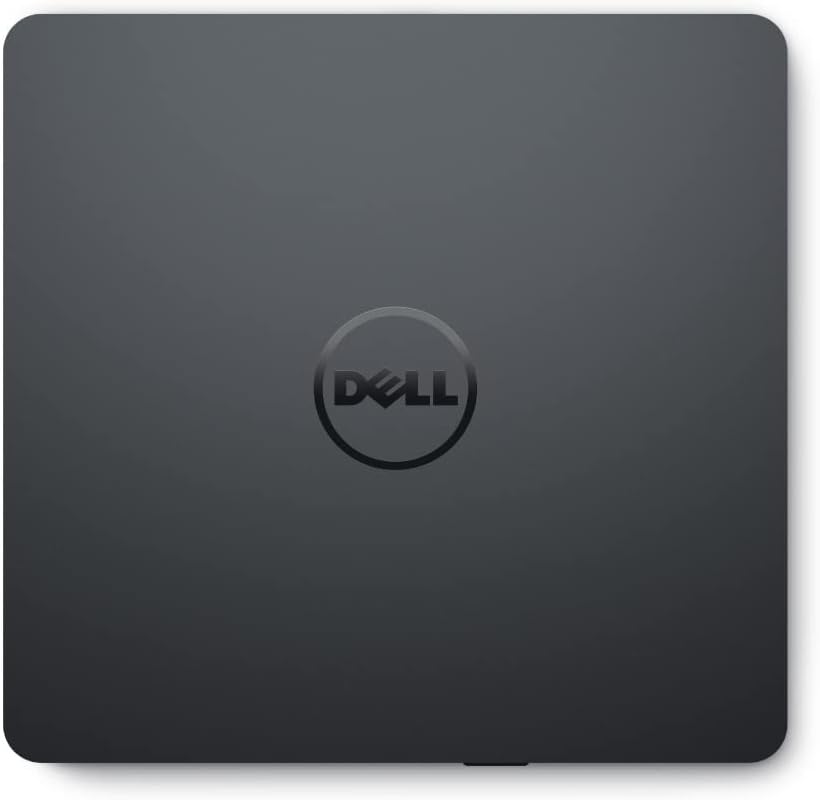
Dell's external DVD drive offers premium build quality and reliability for users invested in the Dell ecosystem. Its 4.5 star rating reflects consistent performance and a seamless integration experience for notebook and ultrabook owners.
We may earn a commission when you buy through this link, at no additional cost to you.
The included CyberLink Media Suite makes burning and playing discs straightforward without needing third-party software. Its slim low profile design ensures it does not add bulk to your laptop bag during commutes or travel.
However the drive relies on USB 2.0 which may limit data transfer speeds compared to newer models. Ensure your USB port provides sufficient power especially on battery saving modes to avoid performance hiccups during read tasks.
Ideal for corporate users who value brand consistency this drive delivers dependable functionality for everyday optical tasks. The limited warranty provides peace of mind for long-term usage in professional environments.
Having CyberLink Media Suite pre-loaded simplifies media management tasks immediately after setup without requiring additional downloads for burning or playback software.
The sleek black finish and streamlined shape match modern workstation aesthetics while keeping the drive portable enough for daily mobile work requirements.
We may earn a commission when you buy through this link, at no additional cost to you.
This HP branded external drive is perfect for users who prioritize genuine hardware compatibility with their existing systems. With a strong 4.5 star rating it ensures high standards in manufacturing and operational consistency.
We may earn a commission when you buy through this link, at no additional cost to you.
The drive works seamlessly with Windows and other major operating systems without complex configuration. It delivers solid read and write speeds suitable for most home and office optical media requirements.
While it lacks additional hub features or advanced software its focus on core functionality makes it a reliable choice. Expect stable performance when installing software from discs or backing up important files.
For HP laptop owners this drive remains a trusted accessory that integrates well with system drivers. Its straightforward design ensures it works effectively without unnecessary bells or whistles.
Using an official OEM drive minimizes compatibility issues and ensures the hardware meets the same quality standards as internal components found in HP computers.
Setup is straightforward with automatic detection upon connection allowing you to start burning or reading discs immediately without manual driver installation steps.
We may earn a commission when you buy through this link, at no additional cost to you.
The Rioddas external drive offers excellent performance at a competitive price point. Its 4.3 star rating reflects user satisfaction with its fast USB 3.0 connection and reliable disc handling across various systems.
We may earn a commission when you buy through this link, at no additional cost to you.
Engineered with copper mesh technology it minimizes interference and freezing issues during data transfer. The physical eject button is a crucial safety feature allowing disc removal even if the system fails to recognize the drive.
While it supports many formats including DVD+R and CD-RW it lacks some advanced connectivity options found in premium models. This makes it a solid practical choice for basic daily use without unnecessary complexity.
Recommended for students and home users looking for a cost-effective solution this drive balances speed and reliability. It is especially useful for desktop users needing a reliable external backup method.
The copper mesh technology enhances signal integrity reducing the risk of data corruption or read errors during critical file operations.
A physical eject button provides a manual override option ensuring you can safely remove discs even if the computer freezes or software crashes.
We may earn a commission when you buy through this link, at no additional cost to you.
This 5-in-1 drive stands out by combining optical functionality with card reading and USB hub features. With a 4.2 star rating it appeals to users needing versatile connectivity options for various devices and media types.
We may earn a commission when you buy through this link, at no additional cost to you.
Beyond reading and burning discs you can transfer photos directly from SD or TF cards. The extra USB ports let you connect mice keyboards or hard drives expanding your computer's capabilities significantly.
The drive supports both USB-A and Type-C connections ensuring it works with older and newer computers. An included power cable helps when your computer's port cannot supply enough power for stable operation.
For travelers and tech enthusiasts needing extra connectivity this all-in-one solution saves space. It is particularly useful for photographers or presenters carrying multiple peripherals in a limited bag space.
The built-in SD and TF slots allow direct transfer of media files from cameras or phones without needing separate readers or complex cable setups.
Additional USB ports turn the drive into a mini hub enabling you to connect multiple peripherals simultaneously while maintaining a clean workspace.
We may earn a commission when you buy through this link, at no additional cost to you.
ORIGBELIE's drive is designed for minimalists needing a slim optical solution. With a 4.2 star rating it delivers standard performance in a package that fits into even the smallest laptop sleeves easily.
We may earn a commission when you buy through this link, at no additional cost to you.
Its 13mm thickness and light weight make it ideal for frequent travelers. The drive uses standard USB 3.0 and Type-C interfaces for broad compatibility across Windows and Mac systems.
While it lacks an integrated cable the included storage bag protects the device during transit. The anti-skid bottom ensures the drive remains stable on smooth surfaces during operation.
Ideal for users prioritizing portability this drive offers a clean and simple experience. Its quiet operation and low power consumption make it suitable for office environments where noise is a concern.
At just 13mm thick this drive is one of the slimmest on the market allowing it to slide into tight spaces without adding bulk to your gear.
The included storage bag and lightweight build ensure the drive is protected and easy to carry during daily commutes or business trips.
We may earn a commission when you buy through this link, at no additional cost to you.
ROOFULL's drive offers exceptional peace of mind with a two-year warranty. With a 4.4 star rating it is trusted by many users for its consistent reliability and straightforward functionality across different platforms.
We may earn a commission when you buy through this link, at no additional cost to you.
The drive supports high-speed USB 3.0 data transfer with strong error correction for smooth playback. A protective sleeve is included ensuring the device stays safe from scratches and dust during travel.
While it does not support ChromeOS it works well with most Windows and Mac systems. The anti-interference technology helps maintain stable connections even in environments with many USB devices connected.
This drive is highly recommended for users who want long-term reliability without extra complexity. Its value proposition is strong due to the included case and extended warranty coverage.
The two-year warranty coverage significantly exceeds typical industry standards offering reassurance for users investing in a durable external optical solution.
A durable carrying sleeve is part of the package reducing the risk of physical damage and keeping the drive organized with your laptop accessories.
We may earn a commission when you buy through this link, at no additional cost to you.
The ASUS ZenDrive offers premium features like M-Disc support for long-term archival. Its 4.3 star rating reflects strong build quality and advanced functionality suited for power users needing reliable long-term storage.
We may earn a commission when you buy through this link, at no additional cost to you.
M-Disc compatibility means you can create archival discs that last for decades without degradation. The drive also includes Nero BackItUp for Android and Disc Encryption II for enhanced data security on sensitive files.
Both USB 2.0 and Type-C cables are included ensuring flexibility across devices. The sleek black finish and slim design match professional workstations while maintaining compact portability.
Ideal for professionals managing critical data this drive combines style with substance. The included cables and security features make it a top choice for users prioritizing data longevity and protection.
M-Disc support allows you to write data to specially engineered discs designed to resist environmental degradation for decades of reliable archival storage.
Disc Encryption II provides password protection for sensitive data ensuring only authorized users can access content stored on your optical media.
We may earn a commission when you buy through this link, at no additional cost to you.
This portable drive excels with intelligent burning technology that simplifies disc creation tasks. With a 4.4 star rating it is trusted for its stable copper knitted net connection ensuring smooth data transfer.
We may earn a commission when you buy through this link, at no additional cost to you.
The drive supports high-speed read and write operations making it efficient for backup and software installation. Its fashionable design adds a modern touch to a typically utilitarian accessory.
Compatibility covers most Windows and Mac systems ensuring broad usability across brands. The standard USB connection makes it simple to integrate into existing setups without complex adapters.
For users needing reliable disc creation this drive delivers consistent results. Its balance of speed and stability makes it a practical tool for both home and office environments.
The intelligent burning technology optimizes writing processes to reduce errors and improve the quality of your recorded discs automatically.
This advanced shielding technique enhances connection stability reducing data loss and improving overall read write performance reliability.
We may earn a commission when you buy through this link, at no additional cost to you.
This Dell DW316 model is designed for specific Inspiron and XPS laptops ensuring perfect fit and compatibility. With an impressive 4.7 star rating it is one of the most reliable options for Dell owners seeking replacement optics.
We may earn a commission when you buy through this link, at no additional cost to you.
Its slim profile integrates neatly with modern Dell workstation aesthetics. The USB 2.0 connection is sufficient for standard disc tasks though it may not be as fast as newer USB 3.0 options.
While primarily designed for specific Dell models it works broadly with standard USB connections on other machines. The hardware quality reflects Dell's reputation for durable and consistent computing accessories.
If you own a compatible Dell laptop this drive is an excellent choice for maintaining full system functionality. Its reliability and ease of use make it a smart upgrade for older Dell hardware.
Designed specifically for select Dell models this drive matches the exact dimensions and performance profiles of internal optical units used in those laptops.
The exceptional user rating indicates that this unit consistently delivers stable performance over time without needing frequent troubleshooting or replacements.
We may earn a commission when you buy through this link, at no additional cost to you.
Selecting the right external DVD drive requires considering interface speed compatibility and additional features that match your computing needs.
Modern laptops often only have USB-C ports so ensure your drive supports Type-C or includes an adapter. USB 3.0 provides faster data transfer than USB 2.0 which is important for large file burns.
Check your available ports before purchasing to avoid connection issues or the need for extra dongles that add bulk to your setup.
Verify that the drive supports your operating system especially if you run Windows 11 or newer macOS versions. Some drives require specific driver configurations on certain platforms.
Most modern drives work plug and play but always review the system requirements to ensure seamless integration with your existing software and hardware ecosystem.
Most drives draw power directly from the USB port which limits use to powered USB ports. Desktops may require rear port connection for stable power delivery.
Some models include a separate power cable which helps if your USB port does not supply enough voltage for consistent optical performance.
Ensure the drive supports the disc formats you need such as DVD+R DVD-RAM or CD-RW. Blu-ray support is rare and requires dedicated hardware.
Choose a drive with read and write capabilities if you plan to burn data or software discs regularly rather than just reading them.
Slim lightweight drives are better for travel and fit easily into laptop bags. Look for integrated cables to prevent loss and reduce clutter in your workspace.
Consider if a carrying case is included to protect the device from scratches and physical damage during transport or storage.
Optical drives have moving parts that can wear out over time so a longer warranty provides better protection. Look for brands that offer at least one year of coverage.
Check the manufacturer support policy to ensure you can get timely replacements or repairs if the drive fails unexpectedly during normal use.
Materials like metal or reinforced plastic improve durability and heat dissipation during operation. Anti-shock features help protect discs from damage when the drive is moving.
Solid construction ensures the drive lasts longer under daily use conditions and maintains stable performance over extended reading or writing sessions.
Balance your budget with the features you need. Higher priced models often include extra ports better warranties or premium materials.
Budget models can work well for occasional use but consider investing more if you plan on frequent burning or professional tasks.
Connect the drive directly to a USB 3.0 or Type-C port on your computer for best power and speed. Avoid USB hubs unless they are self-powered to prevent connection drops.
Insert discs gently until they click into place and use your software to read or write data. For Mac users you may need to eject discs via Finder settings rather than physical buttons.
Keep the drive clean by avoiding dust and storing it in a protective case when not in use. Regularly update your system drivers to maintain smooth communication with the hardware.
Most modern external drives are plug and play and do not need manual driver installation. Windows 11 will automatically detect the hardware and configure the necessary settings for use. However some specific brands may recommend updating firmware for optimal performance.
No standard external DVD drives cannot play Blu-ray discs as they use different laser technology. To watch Blu-ray movies you need a dedicated Blu-ray optical drive with appropriate software support installed.
Mac often requires you to insert the disc before the icon appears on the desktop. Check Finder settings to ensure external disks are visible and try restarting the Finder app if the drive still does not appear.
Most external drives are not compatible with ChromeOS because the operating system lacks native optical media support. You should verify with the manufacturer before purchasing if you intend to use it with a Chromebook.
Connect the drive to a rear USB port directly on the motherboard for stable power. Avoid using extension cables or front panel ports which may not provide consistent voltage for the drive.
Yes most drives support CD burning including audio formats. You will need appropriate software like Windows Media Player or Nero to create and burn your audio disc correctly.
The Amicool Dell and Rioddas drives represent top choices for different needs ranging from dual interface support to brand reliability and value performance.
Prioritize interface type and power stability when selecting a drive to ensure it works smoothly with your specific laptop or desktop configuration without interruptions.
Always check current prices and warranty terms before buying to get the best deal and protection for your optical storage investment in the current market.