
AI Voice Sticker Printer
5.0Editor score
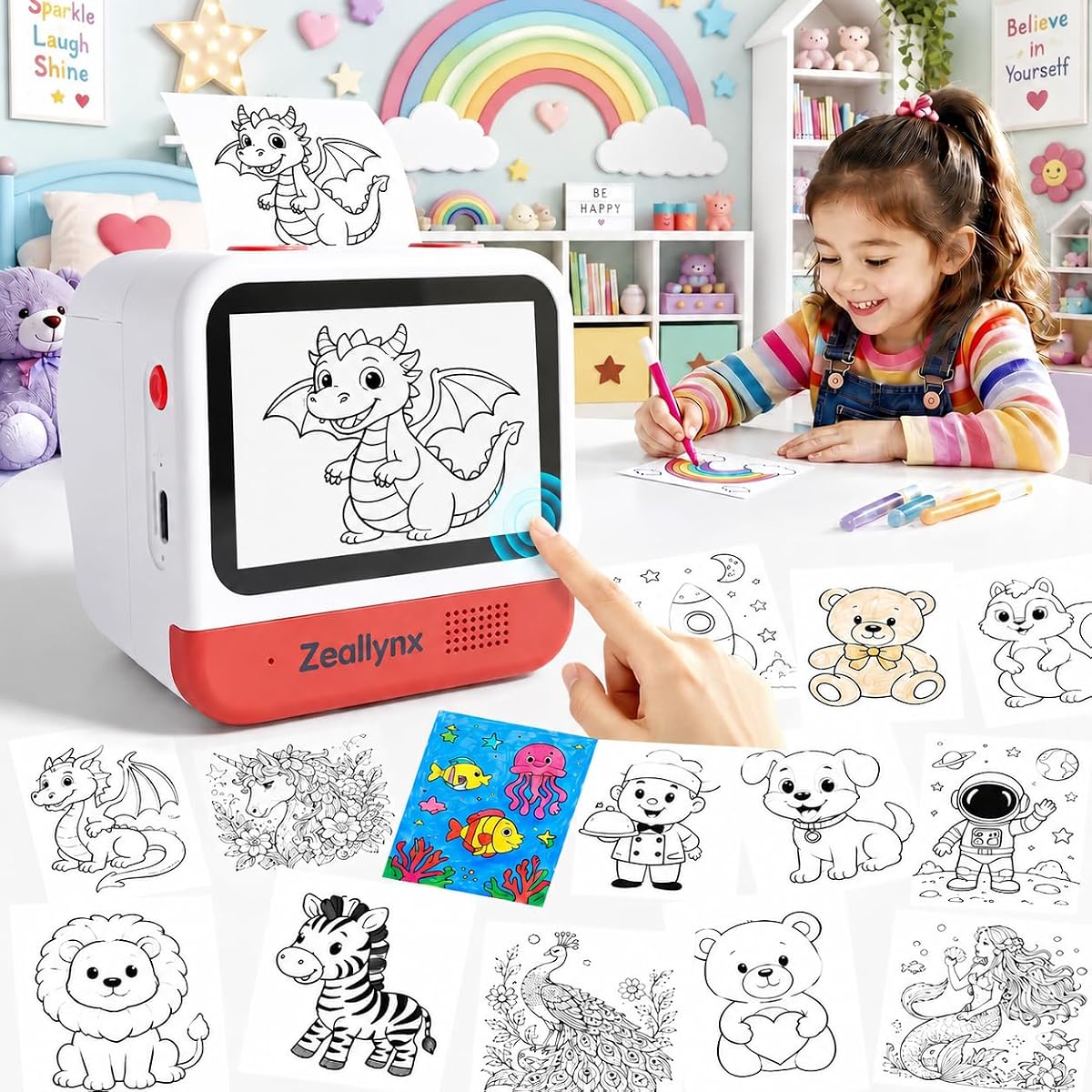
Seven art styles available
Color preview screen
Portable lightweight design
This guide compares the top AI sticker printer makers for kids and creators, evaluating voice control, printing quality, ease of use, and creative features to
AI sticker printer makers are revolutionizing how children and creative enthusiasts bring their ideas to life. These devices combine artificial intelligence with thermal printing technology to transform spoken words or simple inputs into tangible stickers instantly without requiring traditional drawing skills.
We have carefully evaluated ten leading models based on their voice recognition accuracy, printing resolution, connectivity options, and overall user experience. Our analysis focuses on safety features, content filtering, and the ability to inspire creativity while maintaining privacy for young users in home and educational settings.
Each pick highlights specific strengths such as portability, color capabilities, or advanced AI art styles. Remember that prices and availability change frequently so always check the latest offers before making your final purchase decision for this exciting creative technology.
5.0Editor score

4.8Editor score

4.2Editor score
The following table provides a side by side comparison of all ten models highlighting their core specifications and unique selling points to help you identify the right match for your specific creative needs.

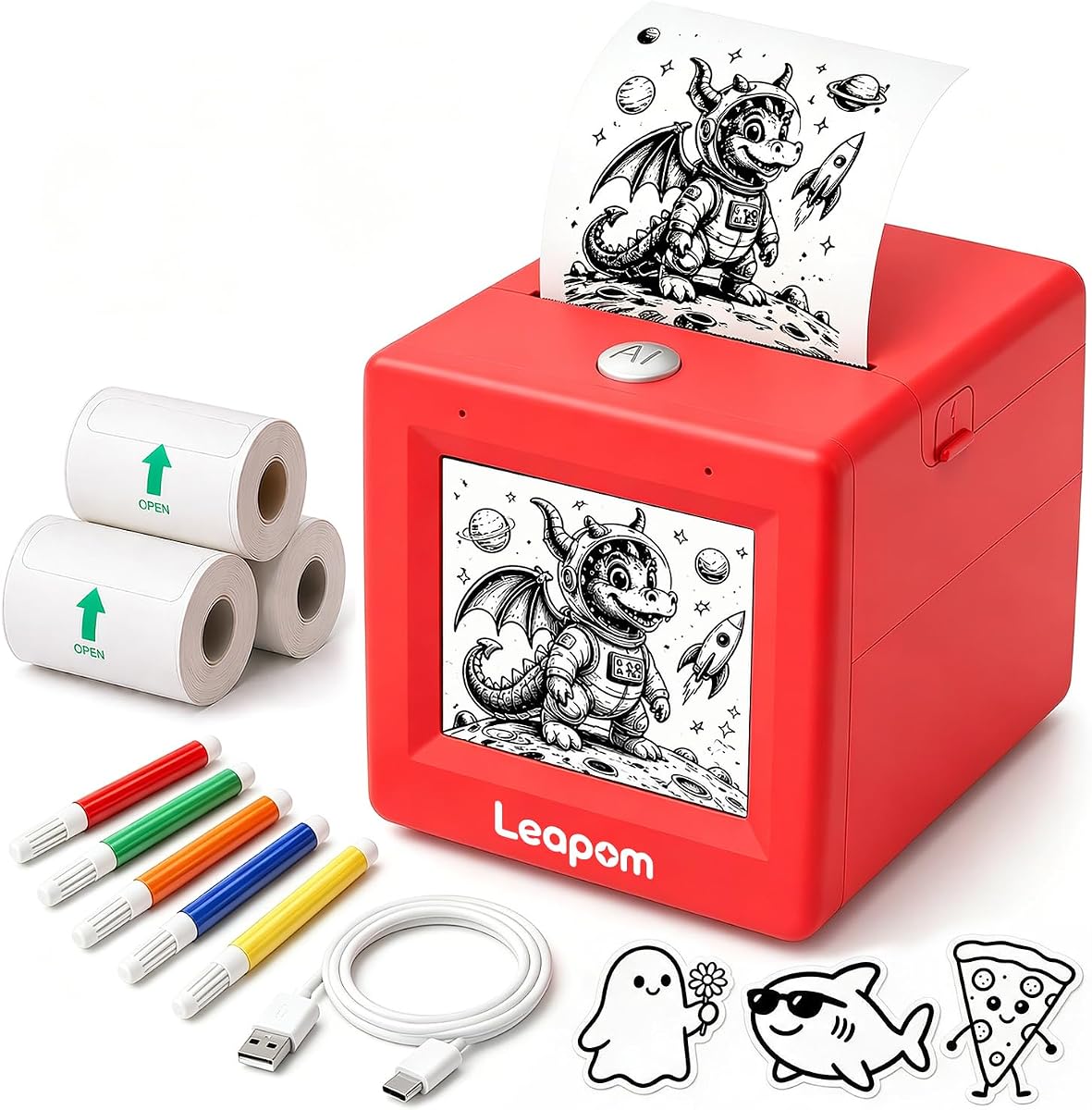


This AI sticker maker stands out as the top choice for families seeking a balance of ease of use and creative freedom. With a rating of 4.8 stars it impresses users with its straightforward design that allows children to generate stickers using voice commands or touchscreen selection.
We may earn a commission when you buy through this link, at no additional cost to you.
The device connects directly via Wi-Fi without needing a separate smartphone app which simplifies the setup process significantly. It includes watercolor pens for coloring printed black and white outlines turning the process into a multi step art activity that encourages fine motor skills development.
While the lack of color printing might be a limitation for some users the thermal technology ensures quick and mess free results. The content filtering mechanisms provide peace of mind for parents ensuring that all generated images remain appropriate for young users.
Parents and educators looking for a safe and engaging creative tool will find this model ideal for home or classroom use. Its combination of voice input and physical art supplies offers a unique hybrid experience that digital only tools cannot match.
Children can navigate modes and styles without needing to download or manage apps on a separate device.
The included coloring pens transform simple prints into personalized masterpieces adding tangible value to the digital output.
We may earn a commission when you buy through this link, at no additional cost to you.
The Liene PixCut S1 is a robust solution for advanced creators who need full color and professional grade finishing. With a rating of 4.2 stars it delivers high quality results through dye sublimation technology that produces vibrant waterproof stickers.
We may earn a commission when you buy through this link, at no additional cost to you.
Its standout feature is the integrated AI auto cutting system which precisely follows the edges of printed designs. This eliminates the need for manual cutting scissors or separate devices making it a true all-in-one production tool for labels and custom crafts.
While it requires a smartphone app for operation the interface is user friendly and offers extensive creative libraries. The main trade off is the cost and complexity compared to simpler toy models but the quality output justifies the investment for serious hobbyists.
Small business owners and craft enthusiasts will appreciate the durability and color fidelity of the stickers produced. This machine bridges the gap between home hobby gear and professional sticker production equipment.
The dye sublimation process laminates stickers during printing ensuring they remain vibrant and durable over time.
AI guided cutting follows complex shapes accurately saving significant time on post processing tasks.
We may earn a commission when you buy through this link, at no additional cost to you.
This AI Voice Sticker Printer offers an impressive range of features at a highly accessible price point. Maintaining a perfect 5.0 rating it stands out for its color LED screen that lets users preview designs before printing to avoid waste.
We may earn a commission when you buy through this link, at no additional cost to you.
The device supports seven distinct art styles including anime and sketch modes providing variety for different creative preferences. Its lightweight portable design makes it easy to carry in a backpack for on the go creativity during school or travel.
Users should note that while the device is affordable it relies on thermal printing for black and white outputs which may not suit those needing color. However the ability to color manually with included materials adds a valuable hands on layer to the process.
Families on a budget looking for a fun entry into AI creative tech will find this model hard to beat. The rechargeable battery and included paper rolls mean it is ready to use immediately upon purchase.
The color display allows users to regenerate images until satisfied saving paper and frustration during the creative process.
Seven built in styles ensure that users can experiment with different visual aesthetics without needing extra software.
We may earn a commission when you buy through this link, at no additional cost to you.
This model focuses on simplicity by removing the need for smartphone apps entirely. With a 5.0 rating it is praised for its touchscreen interface that allows kids to select modes and preview content directly on the device.
We may earn a commission when you buy through this link, at no additional cost to you.
It offers ten creative modes ranging from drawing to story collection giving users plenty of options to explore without external help. The built-in TF card support allows saving favorite designs locally so they can be reprinted without regenerating them online.
The main limitation is that it still relies on thermal printing for black and white images which may limit some color focused projects. However for quick notes labels and sticker making it delivers fast and consistent results.
Ideal for younger children who might struggle with phone pairing this device streamlines the creation process. Its design encourages independent use making it a great tool for developing self reliance in creative tasks.
The touchscreen eliminates the complexity of app navigation allowing kids to focus purely on creating content.
Saving images on a TF card ensures that creative work is preserved even without an active internet connection.
We may earn a commission when you buy through this link, at no additional cost to you.
The Stickerbox is designed with a philosophy of minimizing screen time while maximizing hands-on creativity. It holds a 4.2 rating and is certified KidSAFE ensuring strict privacy standards and content filtering for young users.
We may earn a commission when you buy through this link, at no additional cost to you.
By removing a screen the device encourages children to focus on the voice command and the physical coloring process afterward. It listens only when a button is pressed and never stores data making it a secure option for concerned parents.
While the lack of a screen means users cannot preview images before printing this trade-off supports the goal of reducing digital dependency. The included pencils and paper rolls provide everything needed for immediate engagement.
Families prioritizing safety and offline play will appreciate the thoughtful design of this unit. It serves as an excellent alternative to tablet-based creative tools offering a tactile experience in a digital age.
Eliminating the screen encourages storytelling and imagination without the distractions of digital interfaces.
Strict data policies and content filtering ensure a safe environment for children to explore ideas freely.
We may earn a commission when you buy through this link, at no additional cost to you.
This model aims to blend technology with traditional art to help children develop communication skills. With a 4.2 rating it is noted for its interactive nature that turns spoken ideas into physical stickers for journaling and crafts.
We may earn a commission when you buy through this link, at no additional cost to you.
The included creative kit with markers and paper allows for immediate use without extra purchases. It is lightweight and portable making it suitable for travel or classroom settings where mobility is key.
While the output is basic black and white the real value lies in the process of articulating ideas and then coloring them in. The free app adds additional templates and photos to expand creative options beyond voice commands.
Educators and parents looking for a tool that supports language development alongside artistic skills will find this appealing. It encourages children to describe their thoughts clearly to get the desired results.
Children practice expressing ideas verbally to generate images helping build vocabulary and descriptive skills.
The process of turning words into images helps reinforce the connection between language and visual representation.
We may earn a commission when you buy through this link, at no additional cost to you.
This printer combines a clear HD screen with a straightforward interface for everyday use. With a 5.0 rating it is valued for its simplicity and the generous inclusion of paper rolls right out of the box.
We may earn a commission when you buy through this link, at no additional cost to you.
Users can type or speak their ideas to generate prints quickly for notes labels or stickers. The adhesive paper option makes it easy to create custom labels for organizers or crafts without additional tools.
While it lacks color capabilities the high quality thermal output is sufficient for many DIY needs. The portable design ensures it can be used in classrooms or during travel without much hassle.
Anyone needing a reliable device for quick labels and simple creative projects will find this model practical. The high satisfaction rating points to a seamless user experience for daily tasks.
The inclusion of multiple paper rolls means users can start creating immediately without needing extra supplies.
Adhesive paper options allow for creating functional stickers for labels and organizing tasks easily.
We may earn a commission when you buy through this link, at no additional cost to you.
The T02 is marketed heavily towards students who need to print study materials and notes on the go. It holds a 4.2 rating and features a scan function that allows users to capture diagrams and flashcards quickly.
We may earn a commission when you buy through this link, at no additional cost to you.
Its compact size fits easily in a pocket or bag making it ideal for school environments where weight is a concern. The Bluetooth connection to smartphones allows for easy integration with study apps and digital notes.
While it does not support direct computer printing the smartphone app offers a wide range of creative and study templates. This makes it versatile for both academic work and personal creative projects.
Students looking for a way to make their notes more engaging with custom diagrams or stickers will appreciate this tool. It simplifies the study process by turning digital text into physical study aids.
The scan function allows students to print diagrams directly from textbooks or screens for easier memorization.
Its pocket size makes it easy to carry to class ensuring that printing capabilities are always within reach.
We may earn a commission when you buy through this link, at no additional cost to you.
This device offers a good balance of creative styles and connectivity options for families. With a 4.4 rating it supports both Wi-Fi and Bluetooth allowing for versatile ways to connect and generate content.
We may earn a commission when you buy through this link, at no additional cost to you.
The six art styles provide enough variety to keep users engaged without overwhelming them with too many choices. It focuses on safety with content filtering and a rechargeable battery that supports extended creative sessions.
While the output is monochrome the focus on coloring activities makes it a great tool for developing artistic skills. The app provides a secure environment for exploring AI creativity without risks.
Families seeking a reliable device that offers multiple connection options will find this model versatile. It adapts well to different household tech setups while maintaining child safety standards.
Support for both Wi-Fi and Bluetooth ensures the device can connect regardless of your home network setup.
Robust content filtering and privacy settings protect children while allowing them to explore ideas freely.
We may earn a commission when you buy through this link, at no additional cost to you.
This model emphasizes independence with a direct touchscreen interface that removes the need for external devices. With a 4.4 rating it is praised for its voice chat feature that suggests ideas and answers questions to spark creativity.
We may earn a commission when you buy through this link, at no additional cost to you.
The setup process is straightforward allowing kids to start printing almost immediately after turning it on. It includes adhesive paper rolls so users can create stickers for decorating and labeling right away.
While the print quality is standard for thermal printers the convenience of not needing an app or pairing adds significant value. The voice companion adds an educational layer helping children learn while they play.
Parents looking for a device that encourages independent creative exploration without screen reliance will find this appealing. It simplifies the technology barrier making AI art accessible to younger children.
The standalone touchscreen design allows children to create without needing a parent phone or tablet nearby.
The built-in voice companion offers suggestions and answers questions turning the device into a learning tool.
We may earn a commission when you buy through this link, at no additional cost to you.
Selecting the right AI sticker printer maker requires understanding your specific needs regarding creativity safety and budget.
Look for devices that clearly interpret complex instructions. High quality microphones and processing ensure that your spoken words turn into the correct designs without frustration.
Choose models with proven voice processing to avoid constant repetition.
Devices with touchscreens allow for visual previews and navigation. This helps younger children understand the process without needing a separate app on a phone.
Prioritize models with clear displays for better user engagement.
Thermal printers typically produce black and white outputs. Some premium models offer color dye sublimation for vibrant results but at a higher cost.
Decide if coloring manually is acceptable or if you need built-in color capabilities.
Check if a device needs Wi-Fi or Bluetooth. App free models simplify usage by avoiding extra steps like downloading software or creating accounts.
Select connectivity that matches your home network environment.
Ensure the device has content filtering and does not store voice data. KidSAFE certification is a strong indicator of privacy compliance for children.
Verify privacy policies to protect your child's information.
Models that include paper rolls and coloring tools offer better immediate value. Check the capacity of the paper holder for longer sessions.
Look for kits that minimize initial additional purchases.
Portable units should have long battery life to support extended use without frequent charging. USB-C charging is a modern standard to look for.
Consider usage patterns to ensure the battery meets your needs.
Devices offering multiple art styles provide more creative variety. Features like drawing modes or story collections add depth to the experience.
Choose models with diverse creative modes for longevity.
Start by connecting your device to Wi-Fi if required and updating any firmware. Ensure the paper roll is loaded correctly according to the manufacturer instructions to avoid jams.
Use clear and simple voice commands to describe your ideas. If the model supports a touchscreen select your preferred art style before speaking to get the desired result.
Keep the printer clean by wiping the exterior with a soft cloth. Store it in a cool dry place away from direct sunlight to preserve the device and paper quality.
Some models are designed to work independently via a touchscreen and built-in Wi-Fi without needing a separate app. Others may require a companion app for full features. Check the product specifications for app requirements.
Most of these devices use thermal printing technology which does not use liquid ink. Instead they use heat sensitive paper making them safe and mess-free for children to use.
Battery life varies by model but typically lasts a few hours of continuous use. Always check the specific specs and consider getting a rechargeable unit for convenience.
Yes many models allow you to upload and print photos via their app. However the print quality may be lower than dedicated photo printers.
Some premium models use dye sublimation technology that makes stickers waterproof and scratch-resistant. Standard thermal stickers may not be waterproof so check the material details.
Entry level thermal printers usually offer around 200 to 300 DPI. Premium models often reach higher resolutions for better detail in designs.
Most printers use a standard thermal paper roll. Simply open the compartment and insert the roll ensuring the heat sensitive side faces the print head.
Yes adults can use them for labels notes and simple stickers. They are particularly useful for office organization and creative brainstorming sessions.
We explored ten diverse options ranging from simple voice tools to premium color makers. The top picks highlight excellent value and creative freedom for different budgets.
Prioritize safety and ease of use when selecting a model for children. Ensure the device matches your desired level of complexity and connectivity needs.
Always verify current prices and availability as these change often. Choose the model that best fits your specific creative goals.